
Text to Video AI
Text to Video AI Generator
Type a scene, pick a model, and get a finished clip — 45 AI video and image models behind one prompt box, free to start.
Three Steps
How to turn text into video
Describe your shot
Write what you see in your head: subject, action, environment, camera move, lighting. One sentence works — the built-in prompt enhancer expands rough ideas into a full shot description when you need help.
Pick a model
Choose Seedance 2.5 for all-round realism, Kling 3.0 for up-to-4K detail, Veo 3.1 for native audio, or a budget model for quick drafts. Every model is one click away in the same prompt box.
Generate and export
Your clip renders in minutes. Preview it, tweak the prompt, or re-run on another model to compare looks — then export. Paid plans export clean, watermark-free files ready for editing.
Capabilities
What you can do with Orelon
One account covers the full text-to-video workflow — and the image models beside it. Here is what the generator on this page can already do.
Text to video
The core of this page: describe a scene in plain language and a video model renders it — camera moves, lighting, pacing and all. Seedance 2.5, Kling 3.0, Veo 3.1, MiniMax H3 and Wan 3.0 each read prompts differently, so the same description can be run across several models to find the look that fits your project instead of settling for whatever one engine gives you.
Open the generatorImage to video
When you need exact control over a subject, upload a reference image and let the model animate it — product shots, character acting, mood boards in motion. Most video models on Orelon accept image input, so a still from your phone becomes the first frame of a shot with real camera movement. It is the same prompt box: add an image, keep typing.
Animate an imageCamera and motion control
Camera language works straight from the prompt: dolly in, orbit around the subject, crane up, handheld follow. The prompt library at /prompts collects professionally written shots — tracking shots, reveals, transitions — that you can copy, remix and apply in one click to learn what each camera term does to the render.
Browse shot promptsNative audio and dialogue
Video with sound, no editor round-trip. Veo 3.1 generates dialogue, sound effects and ambience straight from the prompt; Kling 3.0, Seedance 2.5 and PixVerse V6 offer a per-generation audio switch. Describe the line or the mood — rain on a window, a busy kitchen, a spoken sentence — and the soundtrack comes out of the same render.
Try audio-native Veo 3.1Prompt enhancer
Orelon's built-in enhancer rewrites a rough idea into a structured shot description — subject, action, camera, lighting, style — before you spend credits. It is one button next to the prompt box, it works on every video model, and it is the fastest way to learn why some prompts render beautifully while others fall flat.
Try the enhancerTemplates
Hundreds of curated templates — real prompts paired with the clip they produced — cover UGC ads, product reveals, cinematic scenes, animation styles and social formats. Open the Templates panel in the generator, apply one, and the full prompt lands in your box ready to edit. A practical way to start from something that already works.
Browse templatesModel Catalog
Which AI video models you can use
Orelon is multi-model by design. These are the flagship text-to-video engines available from the same prompt box today — plus 40 more video and image models behind the model picker.
Seedance 2.5
ByteDance's flagship and the default on Orelon. Strong prompt adherence, native audio option, 480p to 1080p, billed per second so short drafts cost credits you can see.
Explore Seedance 2.5Kling 3.0
Kuaishou's top tier for detail: standard, pro and 4K quality levels, an audio toggle, and some of the cleanest human motion in the catalog.
Generate with Kling 3.0Veo 3.1
Google's audio-native model. Dialogue, sound effects and ambience come straight out of the text prompt, with 1080p and 4K output at 4, 6 or 8 seconds.
Generate with Veo 3.1MiniMax H3
Fast per-second billing at 768p and 2K — the practical pick for iterating on an idea before committing credits to a flagship render.
Explore MiniMax H3Wan 3.0
Alibaba's open-family flagship, strong at stylized and cinematic looks, 480p to 1080p, with a Prime tier for extra fidelity.
Explore Wan 3.0The same account also covers image generation — Nano Banana 2 and GPT Image 2.5 are one tab away whenever a shot needs a still frame first. Nano Banana 2 · GPT Image 2.5
Use Cases
Text to video AI for every kind of shot
UGC-style ads
Hook-first ad creatives without a film crew: a hand holding the product, a talking-to-camera framing, a before-and-after beat. Generate ten variations of the same brief, run the winners, and iterate on the prompt instead of reshooting.
E-commerce product videos
Product scenes that would need a studio — slow orbit around a bottle, steam rising over a dish, fabric catching the light. Describe the surface, the light and the camera move, and render clean plates for the store or the feed.
Short films and cinematic scenes
Storyboard a scene shot by shot: wide establishing drone view, close-up with shallow depth of field, a dolly reveal. Multi-model iteration lets you match a look across shots instead of accepting one engine's interpretation.
Music videos and social content
Stylized loops, surreal transitions and animation looks — anime, claymation, retro VHS — that would cost a motion designer days. Render scene-per-verse clips and cut them to the track.
Comparison
Orelon vs other text to video AI tools
Most tools in this category generate video from text with one engine. Orelon approaches the same job as a multi-model workspace — here is where that shows up in practice.
| Feature | Orelon | Typical single-model tool |
|---|---|---|
| Models per account | 45 AI models — 27 video, 18 image — including Seedance 2.5, Kling 3.0, Veo 3.1, MiniMax H3 and Wan 3.0 | One or a few in-house models only |
| Starting for free | 10 free credits at signup, enough to render a first clip — no credit card | Free trials that require a card, or heavily limited sample renders |
| Watermark policy | Paid plans export clean, watermark-free files | Watermark stays on free-tier exports, removed only on higher tiers |
| Prompt writing help | Built-in prompt enhancer rewrites rough ideas into structured shot descriptions before you spend credits | A docs page, at best |
| Starting points | Curated template and prompt library — real prompts paired with the clips they produced, applied in one click | Empty prompt box |
| Pricing shape | Per-model credit pricing: pay for the model and duration you actually use | One-size monthly subscription whether you render daily or twice a year |
More tools to explore
Watermark removal, generators and every model page — one click away.










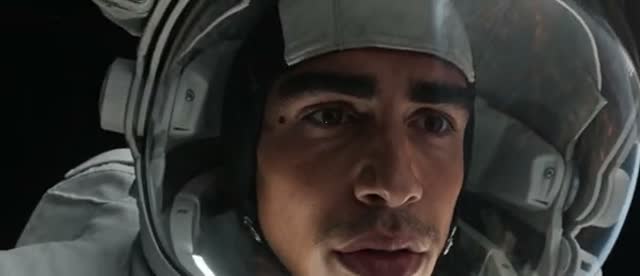
Text to video AI — FAQ
Yes. Orelon is free to start: every new account gets 10 credits, enough to render your first AI video on the starter model without paying anything. Credit packs and subscriptions then unlock the full 45-model catalog, higher resolutions and watermark-free exports.
You can open the generator, browse the template and prompt libraries, and compare every model without an account. Rendering a video takes a free account — signup takes seconds and never asks for a credit card.
Yes. Several models on Orelon generate native audio: Veo 3.1 produces dialogue, sound effects and ambience straight from the prompt, while Kling 3.0, Seedance 2.5 and PixVerse V6 offer an audio switch you can turn on per generation.
It depends on the model: audio-native Veo 3.1 renders 4, 6 or 8 seconds, most models max out at 15 seconds, and flagships like Seedance 2.5 and Wan 3.0 go up to 30 seconds. For longer pieces, generate several shots from the same prompt family and cut them together — the prompt library shows how multi-shot scenes are storyboarded.
Yes. Put the style in the prompt — 2D anime, 3D animation, claymation, stop motion — and models like Seedance, Kling and Wan render it. The template library includes ready-made animation prompts you can apply in one click.
Orelon covers a wide creative range — cinematic, stylized, product, UGC and abstract imagery all work. Generation follows a content policy: illegal content and certain adult themes are blocked by automated moderation, which keeps your account and exports safe for commercial use.
Renders on free credits may carry a small watermark. Every export from a paid plan is watermark-free and ready for social media, ads and client work.
Two ways: reuse the same detailed character description — age, outfit, styling — in every prompt, or switch to image-to-video: upload one reference image of your character and models that accept image input will animate that same face scene after scene.
Keep Exploring
Models, prompts and tools
Everything links back into the workspace — model guides, curated prompt walls and the alternatives pages if you are comparing tools.









Plans for independent creators
Choose your creative capacity.
No hidden fees · Cancel anytime
Trial
Try the core capability
Billed $90 yearly · was $9/mo
Creation capacity
360 credits / month
4,320 credits per year
- Up to 36 videos per month - Up to 180 images per month
Model access
28 / 46 modelsPlan includes
- Get 4,320 credits granted upfront for the year
- Use your creations commercially
- Download your work without watermarks
- Create video and images in one workspace
- Use ready-to-create video and image templates
- Generate in the standard queue
- Email support
Starter
For individuals
Billed $190 yearly · was $19/mo
Creation capacity
810 credits / month
9,720 credits per year
- Up to 81 videos per month - Up to 405 images per month
Model access
28 / 46 modelsPlan includes
- Get 9,720 credits granted upfront for the year
- Use your creations commercially
- Download your work without watermarks
- Create video and images in one workspace
- Use ready-to-create video and image templates
- Generate in the standard queue
- Email support
Creator
PopularFor regular creative work
Billed $590 yearly · was $59/mo
Creation capacity
3,600 credits / month
43,200 credits per year
- Up to 360 videos per month - Up to 1,800 images per month
Model access
46 / 46 modelsPlan includes
- Get 43,200 credits granted upfront for the year
- Use your creations commercially
- Download your work without watermarks
- Create video and images in one workspace
- Use ready-to-create video and image templates
- Generate in a faster queue
- Create more at the same time
- Early access to selected new models
- Email support
Pro
Up to 30% offFor high-volume creative work
Billed $1,290 yearly · was $129/mo
Creation capacity
9,000 credits / month
108,000 credits per year
- Up to 900 videos per month - Up to 4,500 images per month
Model access
46 / 46 modelsPlan includes
- Get 108,000 credits granted upfront for the year
- Use your creations commercially
- Download your work without watermarks
- Create video and images in one workspace
- Use ready-to-create video and image templates
- Generate in the priority queue
- Use advanced creative models
- Run more generations at once
- Priority support
- Early access to selected new models