
Use cases
Photo to coloring page use cases
Specs
Photo to coloring page specs at a glance
Formats, styles and output for the converter, in plain language.
Conversion
Fully automatic
No sliders or masks — the photo's outlines are extracted on their own.
Line-art styles
5 styles
Classic coloring book, cartoon, comic, detailed and sketch looks.
Formats
JPEG · PNG · WEBP
Covers phone exports, downloads and design tool exports.
Max file size
10MB
Uploaded straight from your browser — no software to install.
Output
Print-ready PDF & PNG
Black outlines on white, downloadable as an A4 PDF or high-resolution PNG.
Privacy
Private by default
Uploads are stored privately and are not publicly listed or shared.
Why Orelon
Why use this photo to coloring page converter
What kinds of photos convert well?
| Photo type | Line output | What to expect |
|---|---|---|
| Portraits | Clean face and hair outlines | Keep the face large and well lit for the best result |
| Pets | Clear fur and silhouette contours | Busy fur is simplified into colorable strokes |
| Houses and landmarks | Crisp architectural lines | Straight edges and facades convert best |
| Landscapes | Layered horizon and tree lines | Fine foliage becomes simpler shapes to color |
| Food and objects | Distinct outline shapes | Very cluttered scenes can lose small details |
How to turn a photo into a coloring page
Upload your photo
JPEG, PNG or WEBP, up to 10MB.
Pick a line-art style
Five looks from classic coloring book to detailed sketch.
Download and print
Save your coloring page as a print-ready PDF or PNG and print it at home.
More AI tools
Generate, edit and clean up — the rest of the Orelon toolkit in one place.
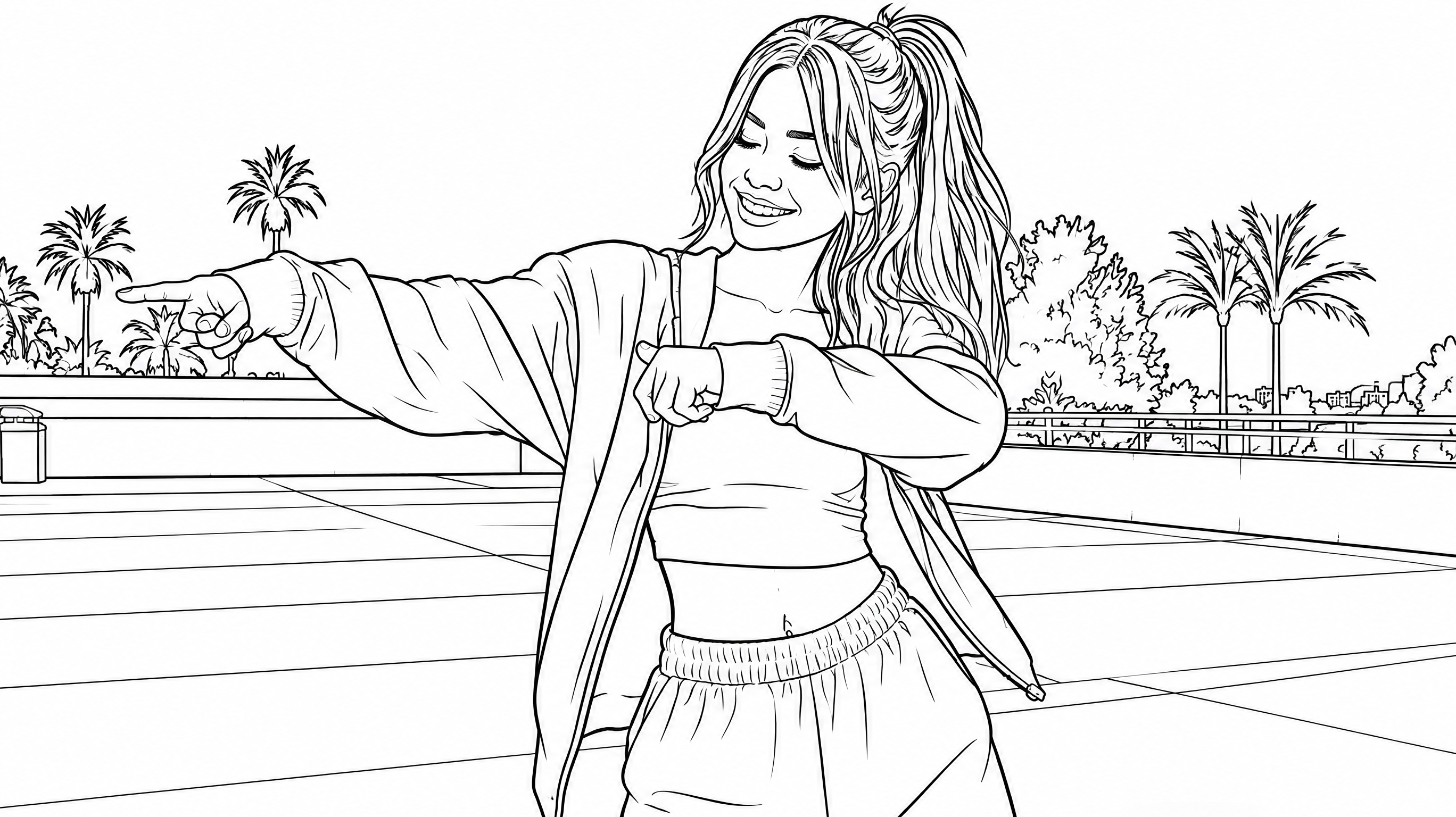
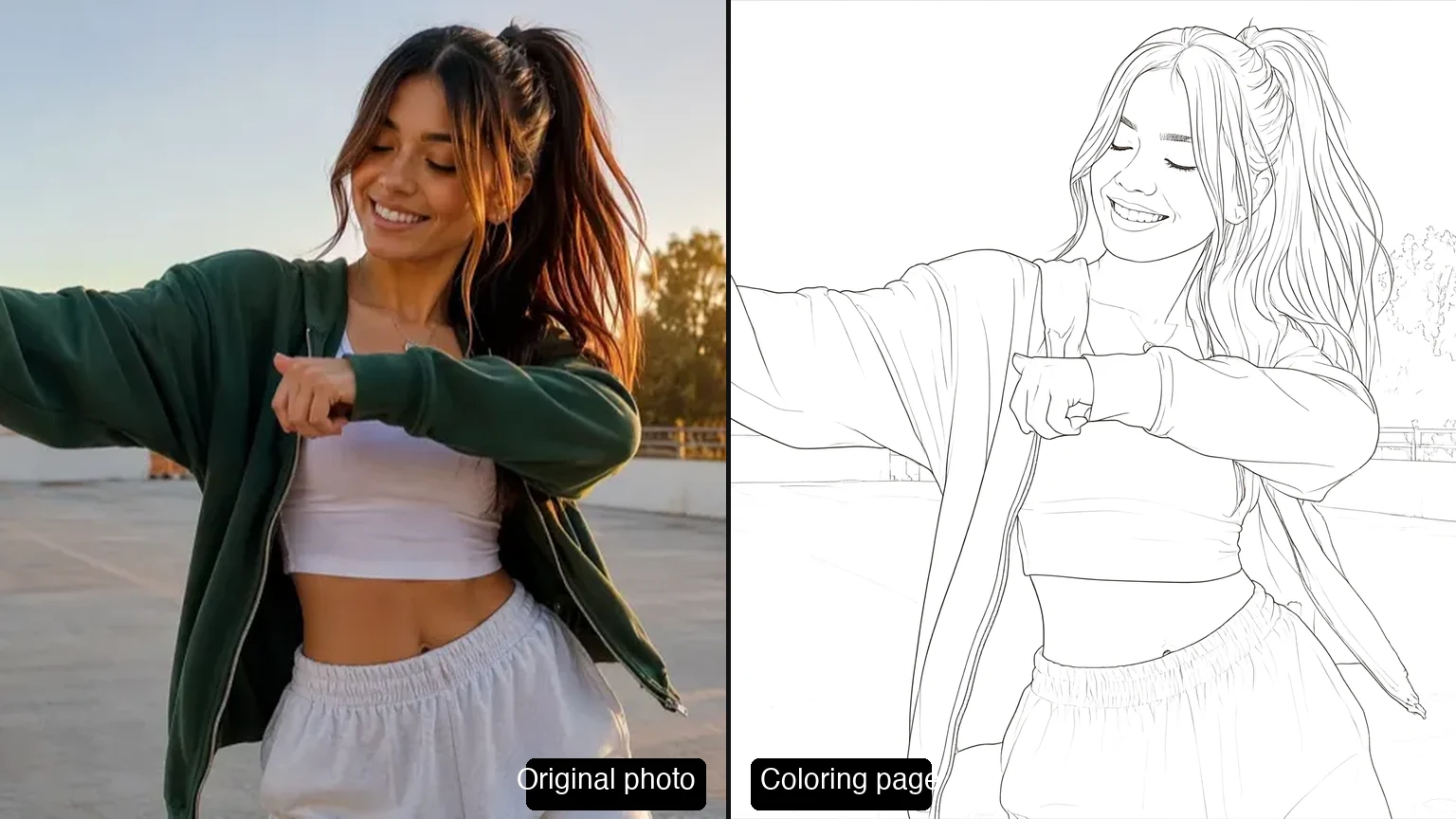












Turn photo into coloring page FAQ
Yes. Portraits, pets, houses, landmarks and landscapes all convert well. Photos with a clear subject and good lighting produce the cleanest outlines; very dark or cluttered pictures come out more simplified.
ChatGPT can approximate line art, but the result is inconsistent and often keeps gray shading that is impossible to color. A dedicated photo-to-coloring-page tool uses image models tuned for clean, closed outlines and lets you switch between five line-art styles.
Manually: open the photo in an editor like GIMP or Photoshop, desaturate it, push the contrast to the extremes, and apply an edge-detection or posterize filter, then clean up the result by hand. It works and it's free, but it's slow — AI does the same line work in seconds.
This tool generates a line-art page from your own picture, which you print and color by hand. New accounts include 10 welcome credits — enough to convert two photos for free — and you can download the results without a watermark.
Yes. Download the page as a print-ready A4 PDF or a high-resolution PNG — solid black lines on a white background that print cleanly on any home printer.
Upload JPEG, PNG or WEBP up to 10MB per image. The output coloring page is a print-ready PDF or PNG.
No. Upload a photo, choose a style, and download the page — the converter handles the line work, and the whole flow runs in your browser.
Pages you generate from photos you own or have permission to use are yours to print, share and sell. Don't convert photos of copyrighted artwork or other people's work.
More coloring page tools
AI Photo Enhancer
Give portraits, selfies and everyday photos a clearer, more balanced look. Upload a photo, choose what to improve, and review your result before downloading.
AI Coloring Page Generator
Generate printable coloring pages from your own photos with AI. Pick a style, switch models, tune the details, and download clean line art built for coloring.
Plans for independent creators
Choose your creative capacity.
No hidden fees · Cancel anytime
Trial
Try the core capability
Billed $90 yearly · was $9/mo
Creation capacity
360 credits / month
4,320 credits per year
- Up to 36 videos per month - Up to 180 images per month
Model access
28 / 46 modelsPlan includes
- Get 4,320 credits granted upfront for the year
- Use your creations commercially
- Download your work without watermarks
- Create video and images in one workspace
- Use ready-to-create video and image templates
- Generate in the standard queue
- Email support
Starter
For individuals
Billed $190 yearly · was $19/mo
Creation capacity
810 credits / month
9,720 credits per year
- Up to 81 videos per month - Up to 405 images per month
Model access
28 / 46 modelsPlan includes
- Get 9,720 credits granted upfront for the year
- Use your creations commercially
- Download your work without watermarks
- Create video and images in one workspace
- Use ready-to-create video and image templates
- Generate in the standard queue
- Email support
Creator
PopularFor regular creative work
Billed $590 yearly · was $59/mo
Creation capacity
3,600 credits / month
43,200 credits per year
- Up to 360 videos per month - Up to 1,800 images per month
Model access
46 / 46 modelsPlan includes
- Get 43,200 credits granted upfront for the year
- Use your creations commercially
- Download your work without watermarks
- Create video and images in one workspace
- Use ready-to-create video and image templates
- Generate in a faster queue
- Create more at the same time
- Early access to selected new models
- Email support
Pro
Up to 30% offFor high-volume creative work
Billed $1,290 yearly · was $129/mo
Creation capacity
9,000 credits / month
108,000 credits per year
- Up to 900 videos per month - Up to 4,500 images per month
Model access
46 / 46 modelsPlan includes
- Get 108,000 credits granted upfront for the year
- Use your creations commercially
- Download your work without watermarks
- Create video and images in one workspace
- Use ready-to-create video and image templates
- Generate in the priority queue
- Use advanced creative models
- Run more generations at once
- Priority support
- Early access to selected new models