
Photorealistic UGC Image Strategy
A tutorial on generating realistic product photos using inspiration images and JSON style descriptors with GPT Image 2.5.
Likes
0
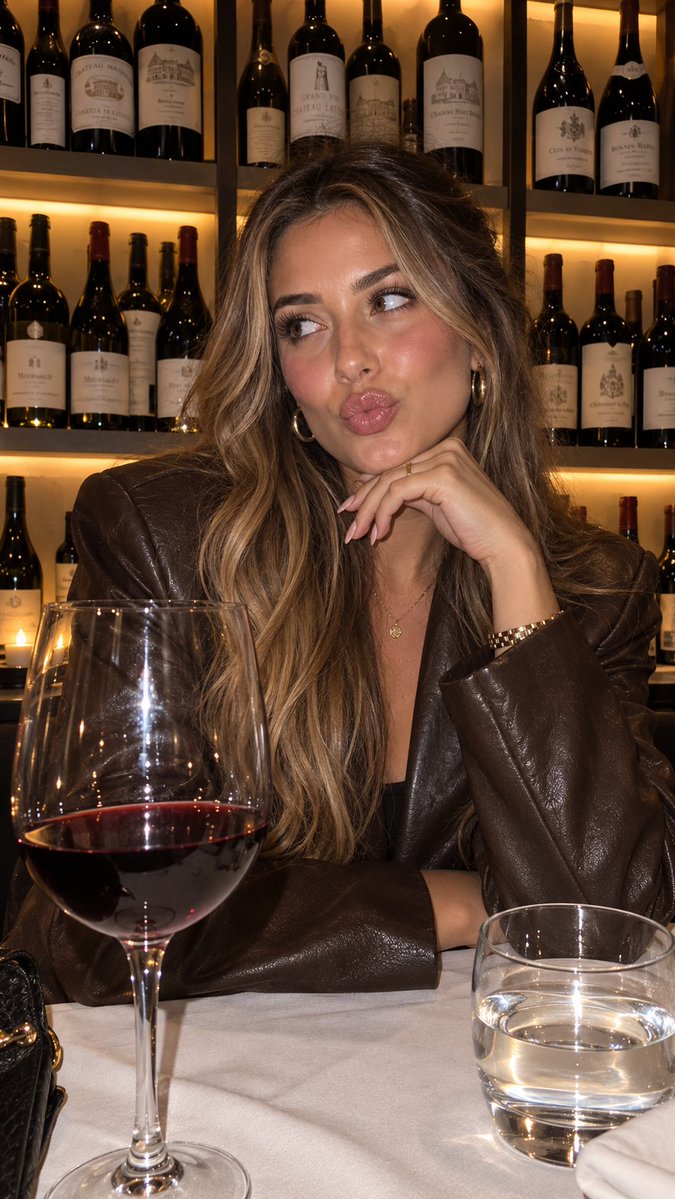
A tutorial on generating realistic product photos using inspiration images and JSON style descriptors with GPT Image 2.5.
"using this json as reference, generate a person holding my product [attach product image]" > GPT-Image 2.5 generates the photo with that person holding your product compare it with a version generated without the reference and look at the difference in the lighting and color grading > save the generated character photo you're happy with as your reference > for future generations, attach the character photo each time and ask it to preserve the same facial features now you have a reference character you can use across multiple product photos you can also iterate the base json prompt and chat back and forth with GPT-6 Astra based on what you want, then repeat the same process.. i like this because it gives you much more direction over the color grading instead of leaving everything up to the model the basic colours and grainy look are some of the things that can make an image feel AI-generated, so pay attention to those when comparing your results this is how you can start building a library of high quality ugc images around your own products the json gives GPT-Image 2.5 the lighting and color direction, your character reference helps with consistency, and you control the product placement once you have that starting point, you can keep creating variations without writing everything from scratch GPT-Image 2.5 Sunburst & Flare are available on. try this with your own product and reference images there
This is a free AI prompt from the Orelon library. Thousands more image prompts here are free to copy and adapt.
Explore more image prompts
Ready to create
Start with this curated direction in Orelon, then shape it into your next visual.