
Photo to Gouache Travel Illustration
A style-transfer prompt that converts a realistic photo into a whimsical hand-painted travel journal illustration while strictly maintaining the original composition.
Likes
0
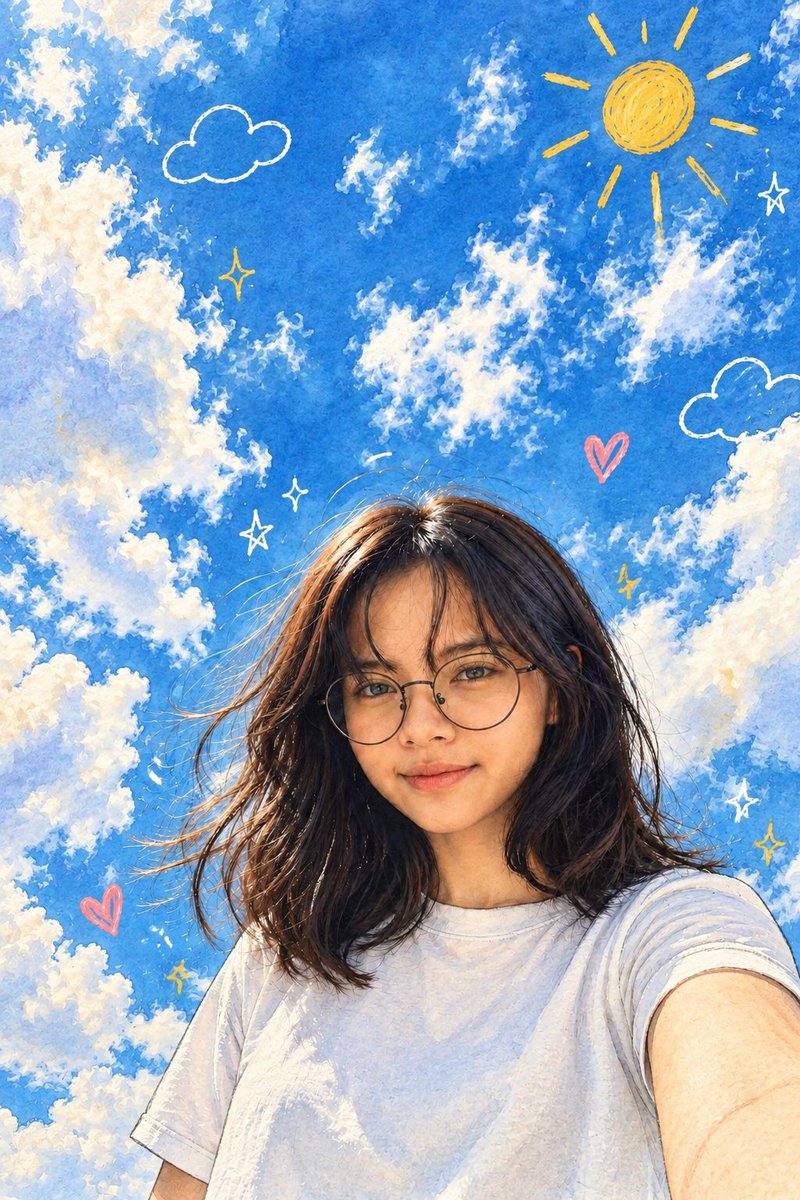
A style-transfer prompt that converts a realistic photo into a whimsical hand-painted travel journal illustration while strictly maintaining the original composition.
Use the reference image as the exact blueprint. DO NOT change the composition, camera angle, perspective, framing, pose, facial orientation, body proportions, clothing, hairstyle, accessories, lighting direction, or background layout. Preserve the reference image pixel-perfect. Every object must remain in the exact same position and scale. Do not crop, zoom, rotate, move, add, remove, or replace any elements.Only transform the rendering style into a vibrant {argument name="art style" default="hand-painted travel illustration with gouache and watercolor textures"}, visible brush strokes, colorful ink outlines, soft shading, and a whimsical travel journal aesthetic. Add playful doodles only in the empty sky and border areas: hand-drawn sun, clouds, hearts, sparkles, stars, and colorful decorative marks. Keep every subject and background exactly where they are in the original photo.The final image must look like the original photograph redrawn as an illustration, with identical composition and layout.
This is a free AI prompt from the Orelon library. Thousands more image prompts here are free to copy and adapt.
Explore more image prompts





Ready to create
Start with this curated direction in Orelon, then shape it into your next visual.