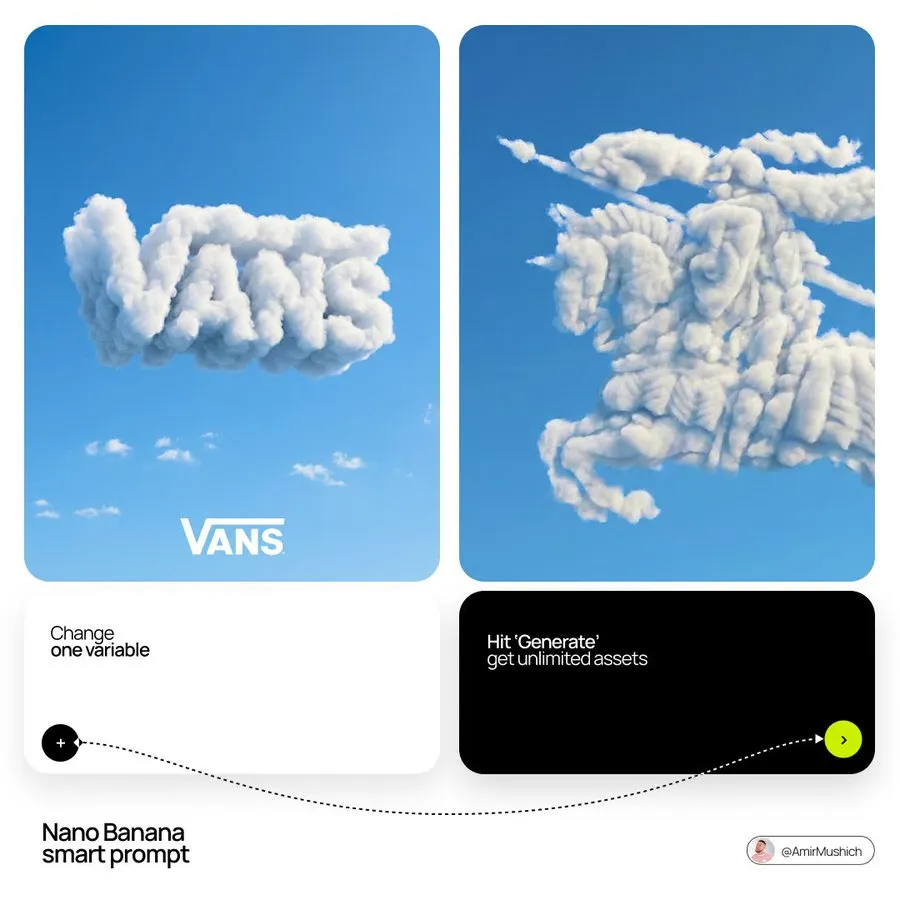
[BRAND NAME]: The name of the brand.
Goal: Generate a single, minimalist, and surreal image where a cloud is shaped like the brand's logo.
1. THE LOGO CLOUD
- **Subject**: A massive, photorealistic cumulus cloud in the exact geometric shape of the [BRAND NAME] logo.
- **Texture**: Puffy, soft, and voluminous with natural sunlight illuminating the edges.
- **Volume**: 3D sculptural appearance with realistic shadows within the cloud folds to show depth.
2. ENVIRONMENT & BACKGROUND
- **Sky**: A vast, clear, vibrant blue summer sky.
- **Secondary Elements**: A few small, wispy, natural clouds scattered far in the background to enhance the sense of scale and realism.
- **Lighting**: Bright, direct daylight coming from the side to create high-contrast highlights and shadows.
3. INTEGRATED BRANDING
- **Text**: The word "[BRAND NAME]" written in a clean, bold white sans-serif font.
- **Icon**: A small, flat white version of the brand's logo placed next to the text.
- **Positioning**: The branding (text + logo) is centered at the bottom of the frame, acting as a subtle anchor to the giant cloud above.
4. STYLE
- Surrealist photography, ultra-minimalist composition, high resolution, 8k, cinematic look, clean and airy vibe.