
Blue Hour Cafe Rain
Turn a candid cafe photo into a rainy blue-hour evening while preserving identity, pose and every object unchanged.
PublishedOct 7, 2026
Original languageEN
Categories
Visual EffectsWeatherBlue hourPhoto edit
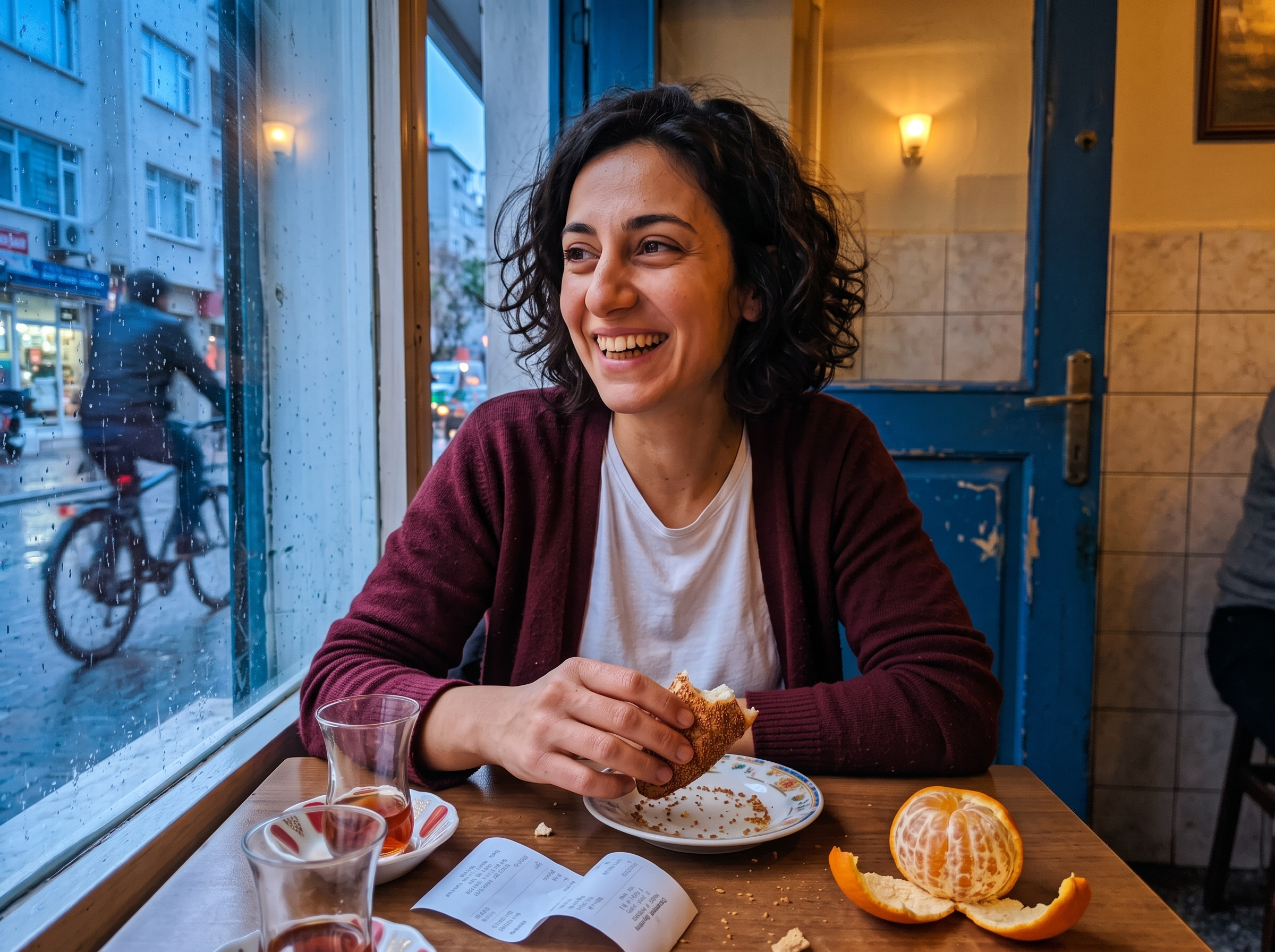
Turn a candid cafe photo into a rainy blue-hour evening while preserving identity, pose and every object unchanged.
Edit this candid cafe photograph while preserving the woman's exact identity, facial expression, pose, hands, burgundy cardigan, table objects, camera position and crop. Change the weather and time to a rainy blue-hour evening: natural cool dusk outside the window, believable small rain droplets and subtle streaks on the glass, damp street reflections, and warm amber cafe light softly illuminating her face from inside. Preserve realistic skin texture and the spontaneous laugh; do not retouch her into a model. Keep all existing objects and their geometry consistent. The blue painted door stays blue. The outdoors remains recognizable through the wet window, and the cyclist remains a natural passing detail. The result must be one convincing, unretouched smartphone photo of the same moment under the new lighting, with modest low-light sensor texture and no theatrical neon, beauty smoothing, fake bokeh, text overlay, or collage.
This is a free AI prompt from the Orelon library. Thousands more image prompts here are free to copy and adapt.
Explore more image prompts
width: 1176 · aspect: 2:3 · height: 1764
Read prompt
width: 716 · aspect: 179:321 · height: 1284
Read prompt


Ready to create
Start with this curated direction in Orelon, then shape it into your next visual.