
Tennis Hydration Ad Poster
This prompt generates a bold, photorealistic outdoor tennis advertisement featuring a branded water bottle in dramatic forced perspective for sports marketing and beverage campaigns.
Likes
958
Views
39.7K
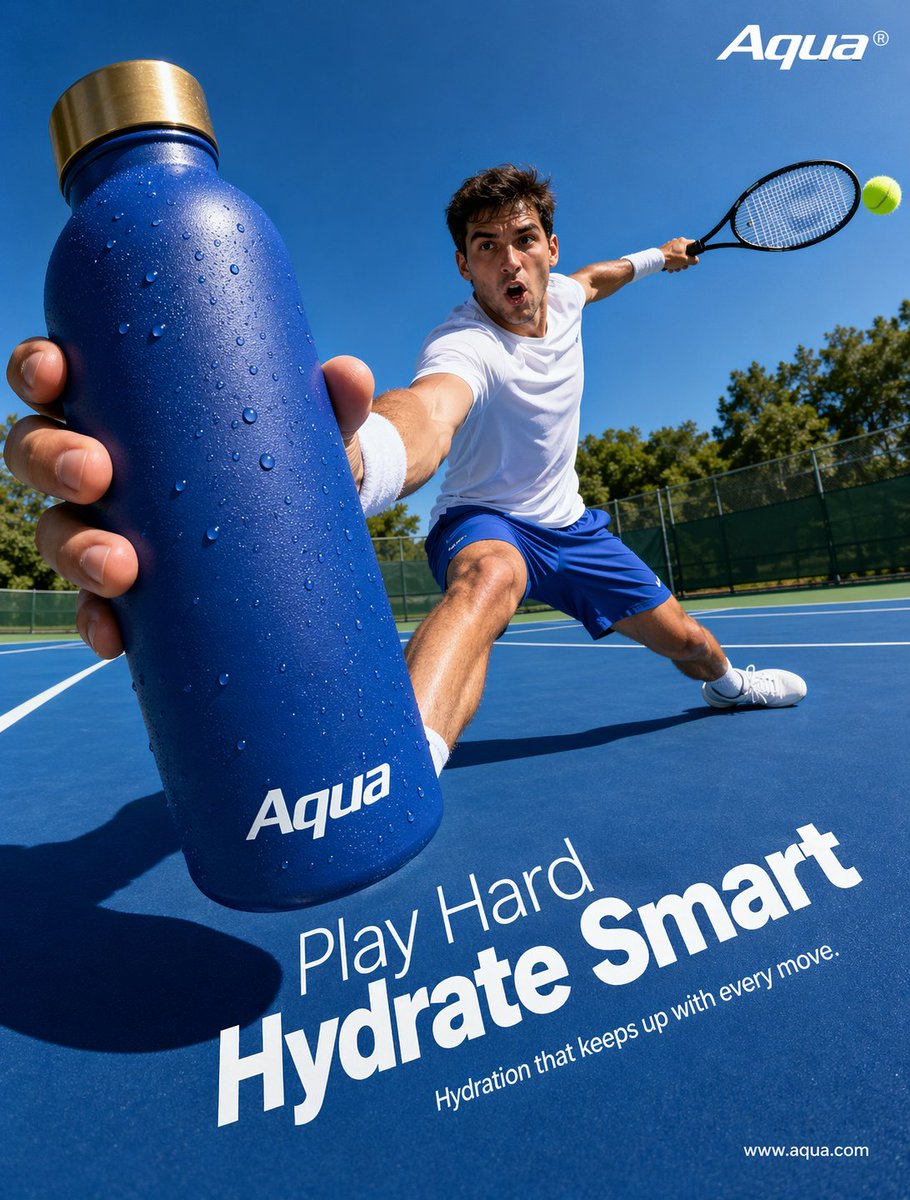
This prompt generates a bold, photorealistic outdoor tennis advertisement featuring a branded water bottle in dramatic forced perspective for sports marketing and beverage campaigns.
Create a hyper-realistic sports advertising poster shot from an extreme wide-angle, low courtside perspective on a bright sunny day at an outdoor tennis court. In the extreme foreground, a male tennis player lunges dramatically toward the camera while thrusting a large matte cobalt-blue insulated water bottle toward the viewer, making the bottle the dominant object in the frame. The bottle is covered with visible condensation droplets and has a brushed metallic gold cap, with the white logo text {argument name="brand name" default="Aqua"} printed near the bottom. The athlete wears a clean white athletic t-shirt, bright blue tennis shorts, white wristbands, white socks, and white tennis shoes. His other arm stretches back holding a black tennis racket, with 1 bright yellow-green tennis ball visible near the racket on the right side of the image. The pose should feel dynamic and athletic, with one leg bent deeply and the other extended in a wide lunge across the blue hard court. Use strong midday sunlight, crisp shadows, vivid saturated blues, and a clear cloudless sky, with green trees and a dark fence line in the distant background. Compose it like a premium hydration brand campaign, with sharp focus on the bottle and athlete, dramatic foreshortening, commercial polish, and energetic motion. Add clean white ad typography integrated onto the court surface in the lower half: a smaller line reading {argument name="headline intro" default="Play Hard"}, a very large bold line reading {argument name="headline main" default="Hydrate Smart"}, and a smaller subheading reading {argument name="tagline" default="Hydration that keeps up with every move."}. Place the {argument name="brand name" default="Aqua"} logo again in white at the top right, and a small website URL in white at the bottom right reading {argument name="website" default="www.aqua.com"}.
This is a free AI prompt from the Orelon library. Thousands more image prompts here are free to copy and adapt.
Explore more image prompts

Ready to create
Start with this curated direction in Orelon, then shape it into your next visual.