Orelon logoOrelon
Pricing
Viral Trends

Miniature Present Present

A playful prompt building a 45-degree isometric miniature diorama of an iconic movie scene, with stylized characters, an official logo, and auto-contrasting title text on a clean square canvas.

PublishedAug 10, 2026
Original languageEN
Categories

Full prompt

Use this prompt

Present a clear, 45° top-down isometric miniature 3D cartoon scene of the iconic scene [SCENE NAME] from [MOVIE/SHOW], with soft refined textures, realistic PBR materials, and gentle lifelike lighting. Create a small raised diorama-style base that includes the most recognizable elements of this scene, along with tiny stylized characters if needed (no facial details). Use a clean solid [BACKGROUND COLOR] background. At the top-center, display “MOVIE/SHOW” in large bold text, directly beneath it show [SCENE NAME] in medium text, and place the official logo associated with [MOVIE/SHOW] below the subtext. All text must automatically match the background contrast (white or black). Composition: perfectly centered layout, square 1080x1080, ultra-clean, high-clarity diorama aesthetic.

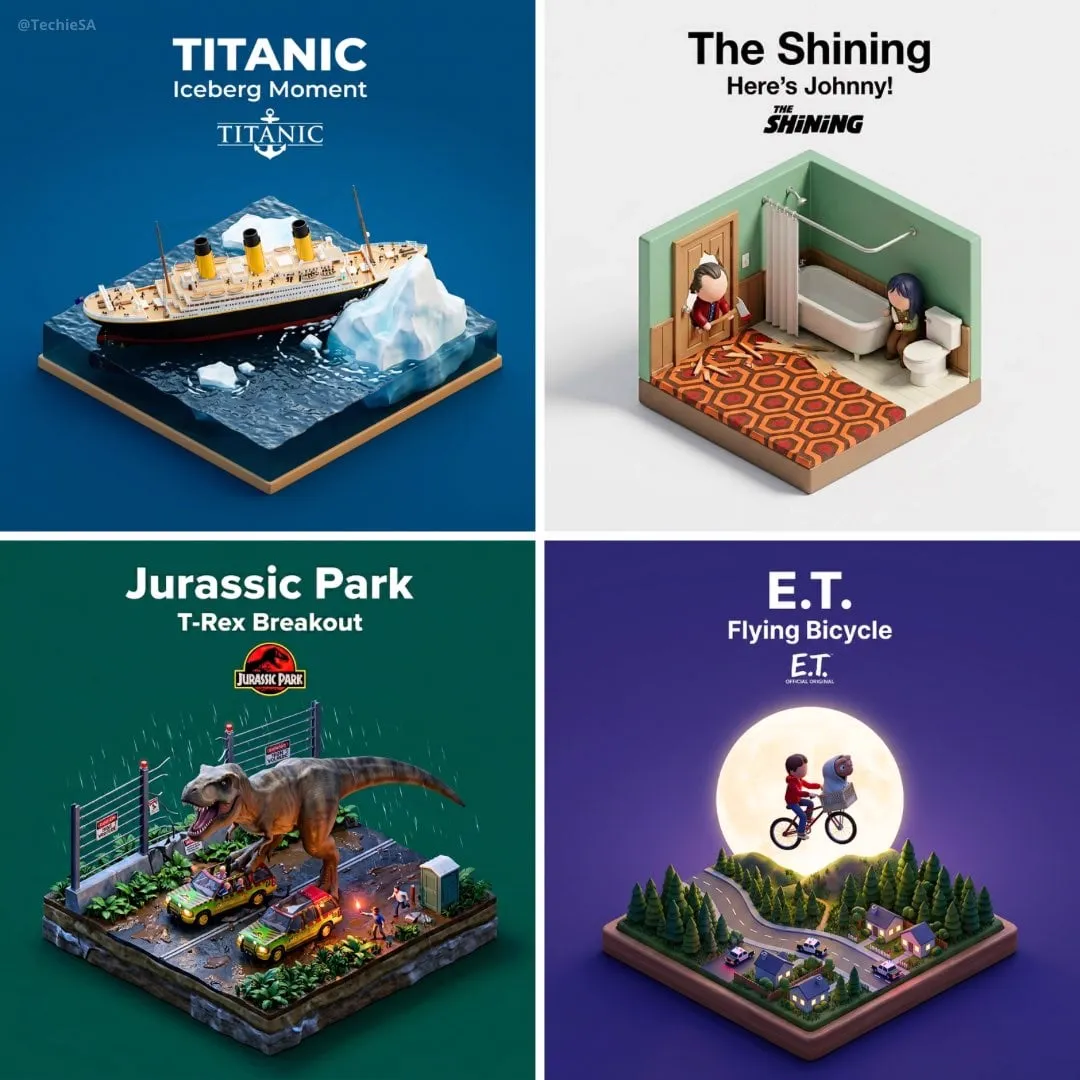
How to use this prompt

  1. 1Select Use this prompt to open it in the Orelon create workspace.
  2. 2Adapt the subject, style, and details to fit your idea.
  3. 3Generate with Nano Banana 2, then iterate and refine until the result feels right.

This is a free AI prompt from the Orelon library. Thousands more image prompts here are free to copy and adapt.

Explore more image prompts

Ready to create

Make this prompt your own.

Start with this curated direction in Orelon, then shape it into your next visual.

Use this prompt





