Effects by Tags
Noir Elderly Man by Window
Likes
32
Views
1.3K
 Orelon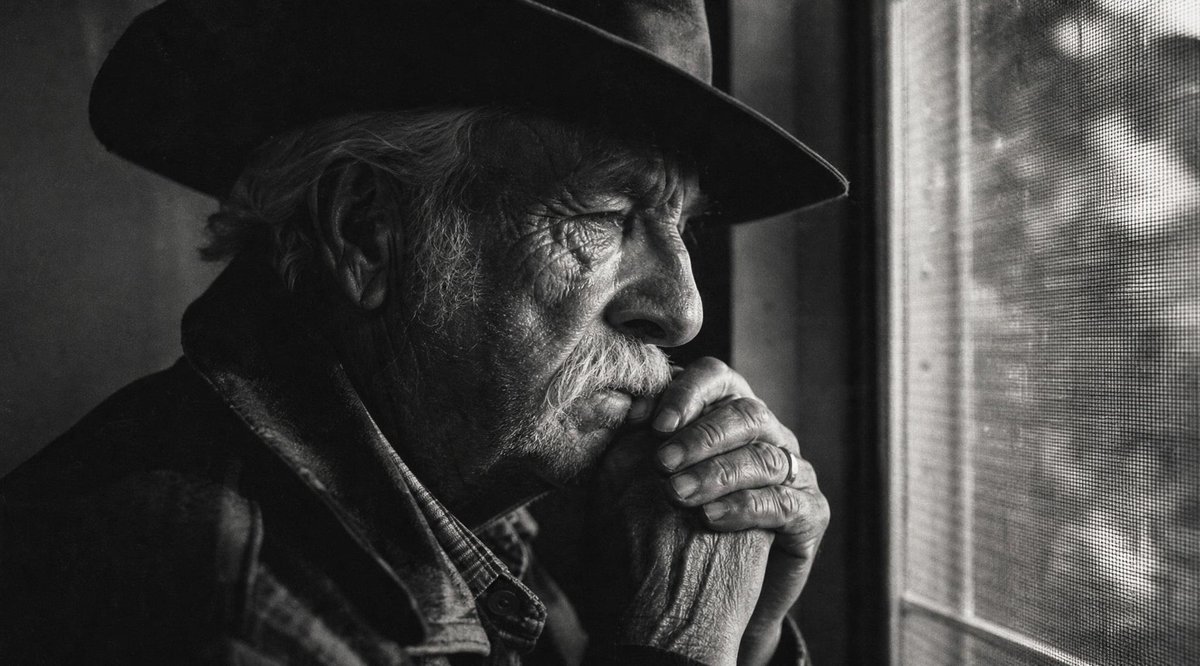
Effects by Tags
Create a cinematic black-and-white documentary-style portrait of {argument name="subject" default="an elderly man"} sitting indoors beside a window, wearing a dark wide-brimmed hat, a heavy worn leather jacket, and a plaid shirt. Frame him in a tight horizontal composition, positioned mostly on the left, with his head turned toward the right as if gazing out through a mesh screen window. Show only partial facial details in deep shadow, emphasizing his ear, hat brim, weathered hands clasped near his chin, wrinkles, rough skin texture, and the tactile grain of old film. The right side of the image should feature the bright window frame and visible fine mesh pattern, with blurred outdoor shapes beyond it. Use dramatic low-key lighting, high contrast, moody noir atmosphere, shallow depth of field, realistic film grain, soft natural window light, and a quiet contemplative mood. Add a large opaque dark gray rectangular block over the central upper-middle area of the image, covering much of the man’s face and torso like an intentional censorship or masking artifact. Aspect ratio 16:9, monochrome, gritty cinematic realism, no text, no watermark.
This is a free AI prompt from the Orelon library. Thousands more image prompts here are free to copy and adapt.
Explore more image prompts





Ready to create
Start with this curated direction in Orelon, then shape it into your next visual.