UGC / Ad Templates
Hyper-Realistic Candid Photo Prompt with Face Reference
Likes
2
Views
72
 Orelon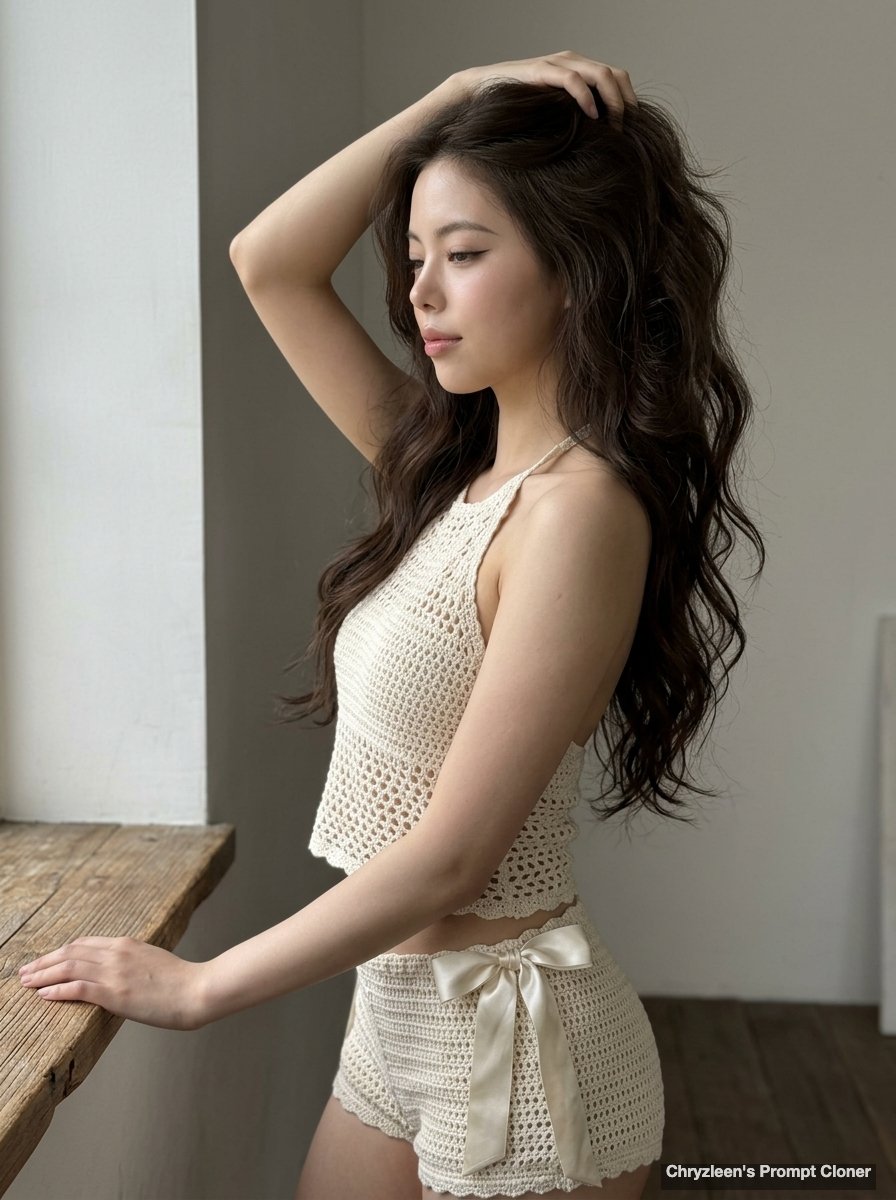
UGC / Ad Templates
Create image: Use the attached reference image as a visual guide for the character’s appearance. Preserve key visual traits such as facial structure and overall proportions, while allowing small natural variations typical of real photography. The generated subject should clearly resemble the reference while remaining a natural photographic interpretation. Aspect Ratio: 3:4. A hyper-realistic, ultra-sharp photograph taken on an iPhone 15 Pro, ISO 50, f/1.8, capturing a young woman in a candid, mid-moment pose. She is angled 70 degrees away from the camera in a side profile, her weight shifted onto one hip with her spine naturally curved. Her left arm is bent at an acute angle, hand running through long, voluminous espresso-colored mermaid waves, while her right hand rests lightly on a wooden ledge. Her expression is serene yet playful, featuring a soft gaze with half-lidded eyes and a subtle micro-smirk. Her "clean girl" makeup includes a sharp flick of brown liner and a dewy glass-skin finish. She wears a cream-colored open-knit crochet two-piece: a halter top with corded ties and matching high-waisted shorts featuring prominent silk-satin side bows. The scene is illuminated by soft, diffused front-side lighting, rendered with digital clarity and incredible sharpness from the fabric textures to the minimalist interior background, devoid of bokeh and showcasing healthy skin radiance with visible pores
This is a free AI prompt from the Orelon library. Thousands more image prompts here are free to copy and adapt.
Explore more image prompts





Ready to create
Start with this curated direction in Orelon, then shape it into your next visual.