Camera Control
GPT Image 2 Reference Tutorial Banner
Likes
13
Views
1.4K
 Orelon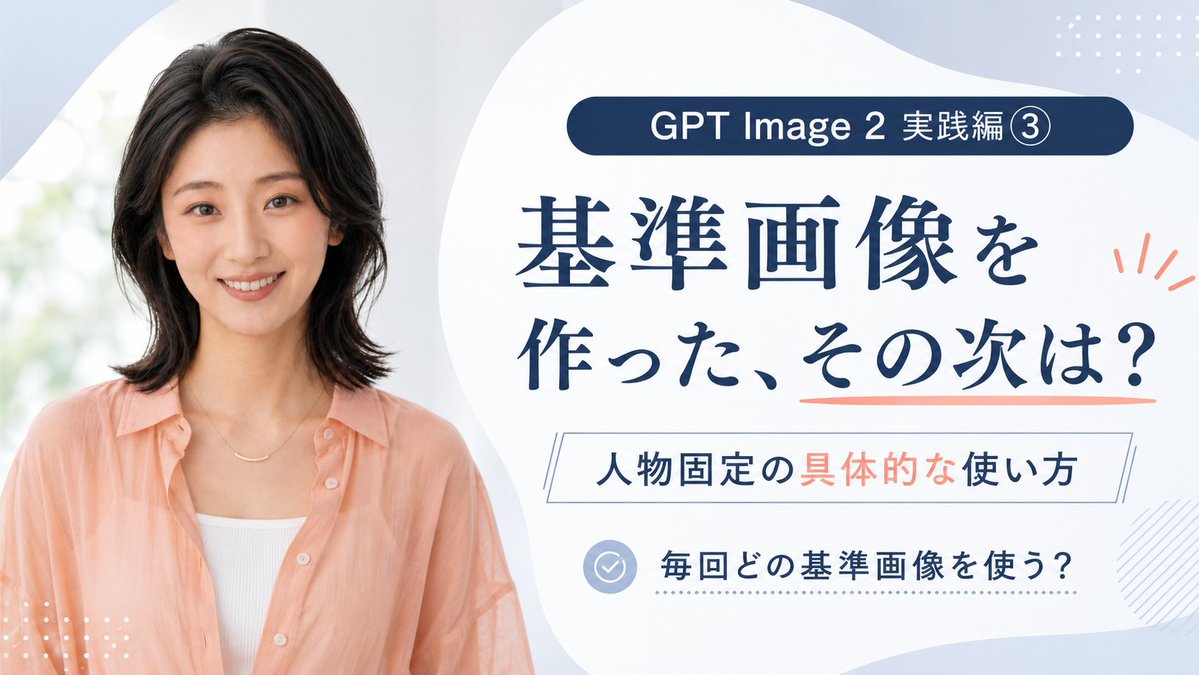
Camera Control
Goal: Create a clean Japanese promotional thumbnail/banner for a GPT Image 2 tutorial about using reference images to keep the same person consistent. Canvas: 16:9 horizontal banner, 1200×675 style, soft pale blue and white background with large organic blob shapes. Use a polished educational course-thumbnail aesthetic, airy spacing, high readability, no harsh shadows. Layout: Split composition with a realistic portrait on the left occupying about 40% of the canvas, and a text-heavy information panel on the right occupying about 60%. The right side has a large white rounded organic shape as the main text area. Add small decorative dotted grids in the top-right and bottom-left corners, a light diagonal hatch pattern near the lower-right edge, and coral accent marks beside the headline. Subject details: On the left, show one smiling Japanese woman in her late 20s to early 30s, photographed from the waist/chest up, facing the camera. She has shoulder-length softly layered black hair, natural makeup, warm friendly expression, and wears a peach sheer button-up shirt over a white ribbed camisole with a delicate gold necklace. Background behind her is bright, soft-focus, and slightly green-white like daylight through a window. Text content: Include exactly 4 text blocks on the right: 1) a dark navy rounded pill at the top reading 「GPT Image 2 実践編 ③」; 2) a large navy Japanese headline reading 「基準画像を\n作った、その次は?」 with a coral underline under the final phrase; 3) a thin outlined rectangle subtitle reading 「人物固定の具体的な使い方」 with 「具体的な」 highlighted in coral; 4) a bottom checklist row with a pale blue circular check icon followed by 「毎回どの基準画像を使う?」. Keep all Japanese text crisp, centered within its area, and use elegant Mincho-style serif for the main headline with modern sans-serif for smaller labels. Color palette: Deep navy text, pale powder blue background, white panels, peach/coral accents matching the woman's shirt, and light blue-gray icon details. Constraints: Use exactly one person, exactly four text blocks, exactly one check icon, and exactly three main decorative accent types: dotted grids, coral rays/underline, and diagonal hatching. Avoid extra logos, watermarks, English translations, or additional text.
This is a free AI prompt from the Orelon library. Thousands more image prompts here are free to copy and adapt.
Explore more image prompts





Ready to create
Start with this curated direction in Orelon, then shape it into your next visual.