Camera Control
Editorial Beauty Collage Hairstyle Variations Prompt
Likes
2
Views
90
 Orelon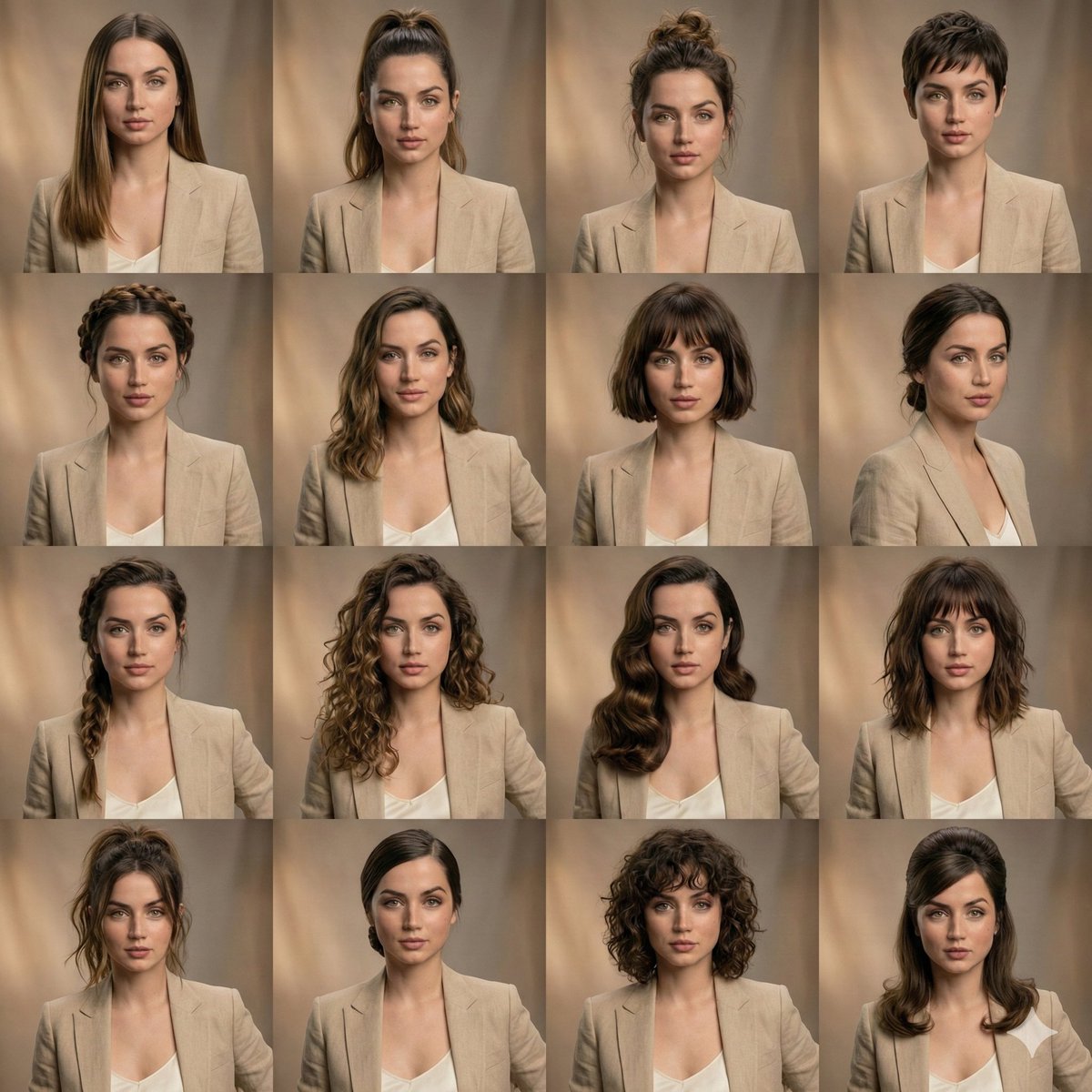
Camera Control
{ "scene_type": "editorial beauty collage", "subject": { "identity_lock": true, "face_consistency": "perfectly matched across all frames", "expression": "unchanged, neutral and relaxed", "skin": "realistic texture, natural pores, high fidelity" }, "layout": { "grid": "4x3", "framing": "equal-sized portrait panels", "consistency": "symmetrical facial alignment in every frame" }, "hairstyle_variations": [ "{argument name="hairstyle 1" default="sleek long straight hair"}", "{argument name="hairstyle 2" default="high ponytail"}", "textured messy bun", "pixie haircut", "braided crown", "soft flowing waves", "short bob with bangs", "low tied bun", "side braid", "loose defined curls" ], "styling": { "outfit": "same neutral wardrobe across all panels", "makeup": "identical clean beauty makeup in every shot" }, "lighting": { "type": "soft studio lighting", "tone": "warm", "shadows": "gentle and natural" }, "background": { "style": "subtle blurred studio backdrop", "color": "warm neutral tones" }, "quality": { "detail": "ultra-detailed", "photography": "professional portrait", "finish": "high-end editorial look" } }
This is a free AI prompt from the Orelon library. Thousands more image prompts here are free to copy and adapt.
Explore more image prompts





Ready to create
Start with this curated direction in Orelon, then shape it into your next visual.