Camera Control
Miniature Diorama Scene Reconstruction
Likes
1
Views
313
 Orelon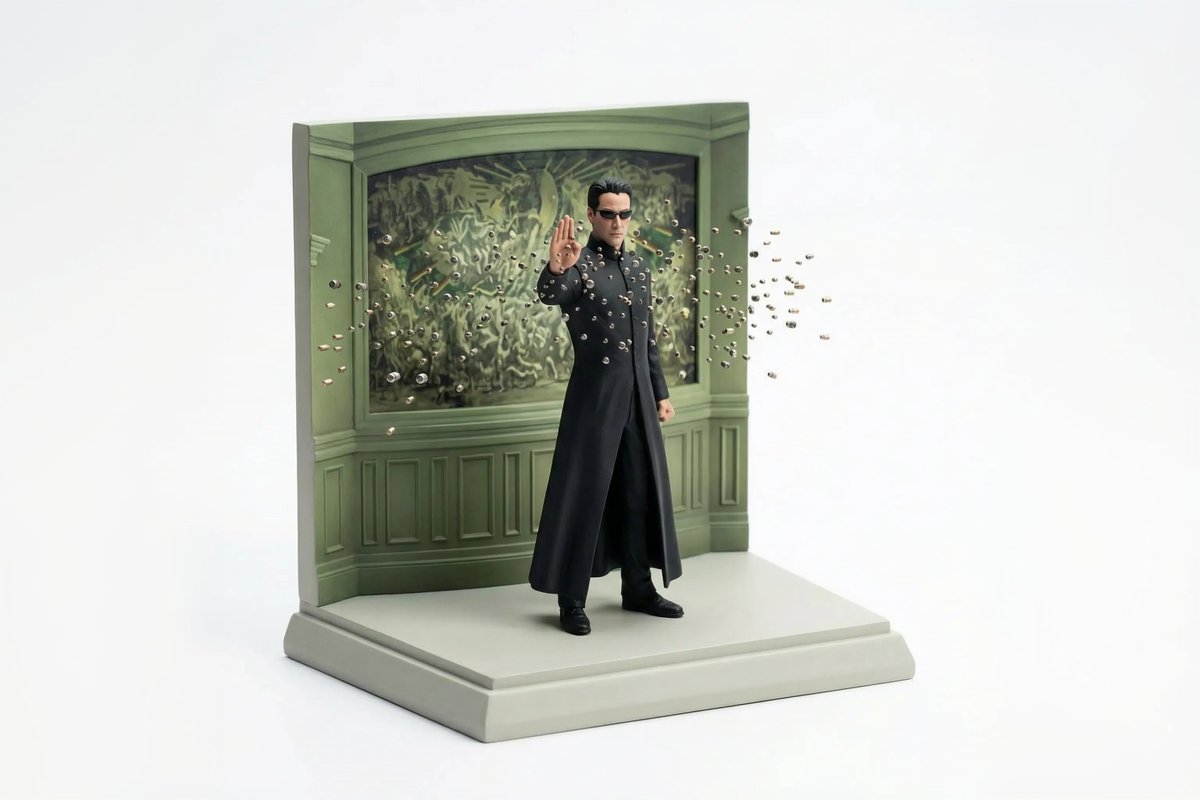
Camera Control
{ "reference_images": { "scene_reference": "ATTACHED_IMAGE", "usage_rule": "Use this image as the exact source for scene layout, object placement, and composition. Do not reinterpret or replace the scene." }, "concept": { "type": "miniature diorama reconstruction", "intent": "Rebuild the attached scene as a clean, collectible-scale diorama while preserving the original spatial relationships" }, "environment": { "scale": "tabletop miniature", "ground": { "type": "sculpted base", "behavior": "supports all objects naturally without enclosure", "edges": "clean, minimal, slightly beveled" }, "background": { "type": "seamless studio backdrop", "color": "pure white", "constraint": "no environment beyond the diorama base" } }, "objects_and_elements": { "layout_rule": "All objects must remain in the same relative positions as in the reference image", "primary_elements": "exact vehicles, structures, props, and terrain visible in the reference", "detail_handling": "simplified but faithful miniature proportions", "characters": { "presence": "only if present in the reference", "style": "miniature figurines, no facial realism" } }, "composition": { "view": "isometric or slightly elevated 3/4 perspective", "framing": "entire diorama visible, centered", "cropping": "no zoom, no cinematic crop" }, "camera": { "lens_equivalent": "35mm-50mm", "perspective": "miniature realism", "distortion": "none" }, "lighting": { "type": "soft studio lighting", "direction": "overhead and slightly angled", "shadows": "subtle contact shadows only beneath objects", "avoid": ["dramatic lighting", "spotlights", "cinematic contrast"] }, "materials_and_style": { "surface_finish": "smooth, matte or lightly satin", "material_quality": "high-quality scale model materials", "aesthetic": "clean, modern, premium diorama" }, "quality_controls": { "image_clarity": "ultra-clean", "grain": "none", "noise": "none", "motion_blur": "none" }, "negative_prompts": [ "glass case", "display box", "museum enclosure", "transparent cube", "protective casing", "reflections on glass", "labels or plaques", "text overlays", "busy background", "cinematic blur" ] }
This is a free AI prompt from the Orelon library. Thousands more image prompts here are free to copy and adapt.
Explore more image prompts


Ready to create
Start with this curated direction in Orelon, then shape it into your next visual.