Visual Effects
Retro HUD Claude Usage Gauge
Likes
1
Views
140
 Orelon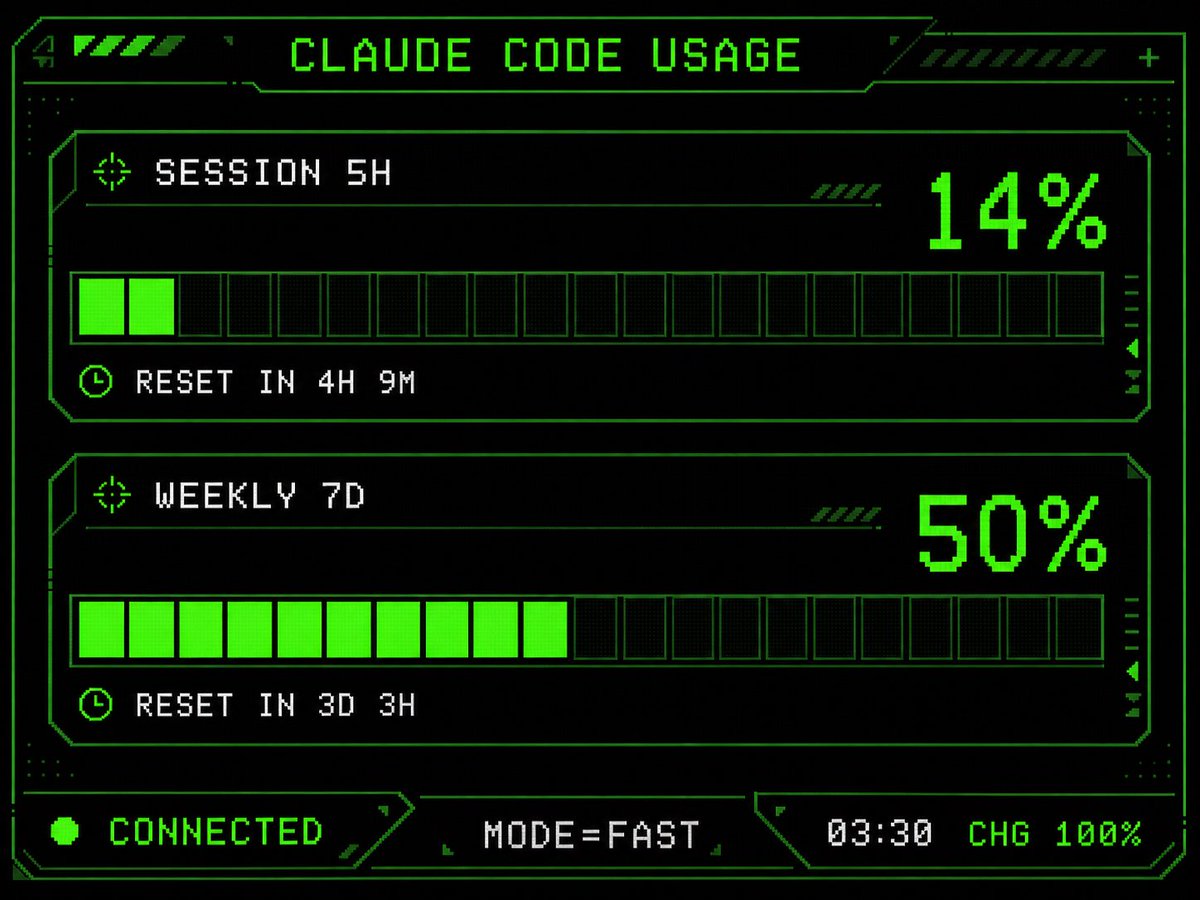
Visual Effects
Using the provided reference image as the UI/data source, redesign it into a polished retro-futuristic monochrome green terminal HUD for an M5Stack-style display. Keep the same information and values unchanged: title {argument name="title text" default="CLAUDE CODE USAGE"}, two usage sections labeled {argument name="session label" default="SESSION 5H"} and {argument name="weekly label" default="WEEKLY 7D"}, percentages 14% and 50%, reset messages "RESET IN 4H 9M" and "RESET IN 3D 3H", and footer statuses "CONNECTED", "MODE=FAST", "03:30", "CHG 100%". Replace the plain bars with chunky pixelated segmented gauges: exactly 2 horizontal gauge panels, each with 20 rectangular segments, with the first showing 2 filled neon-green segments and the second showing 10 filled neon-green segments. Add a detailed sci-fi frame with angular borders, thin circuit-like linework, corner brackets, dotted texture, small arrow/target/clock icons, diagonal hazard stripes, and subtle CRT/pixel-grid glow. Use a black background, bright neon green outlines and fills, and white-green pixel text. Arrange the footer as exactly 3 bottom modules: left "CONNECTED" with a green status dot, center "MODE=FAST", and right "03:30 CHG 100%". Make it sharper, more stylish, and more production-ready than the reference while preserving the same dashboard function and data.
This is a free AI prompt from the Orelon library. Thousands more image prompts here are free to copy and adapt.
Explore more image prompts


Ready to create
Start with this curated direction in Orelon, then shape it into your next visual.