Camera Control
Neumorphic Mobile Dashboard UI
Likes
1
Views
94
 Orelon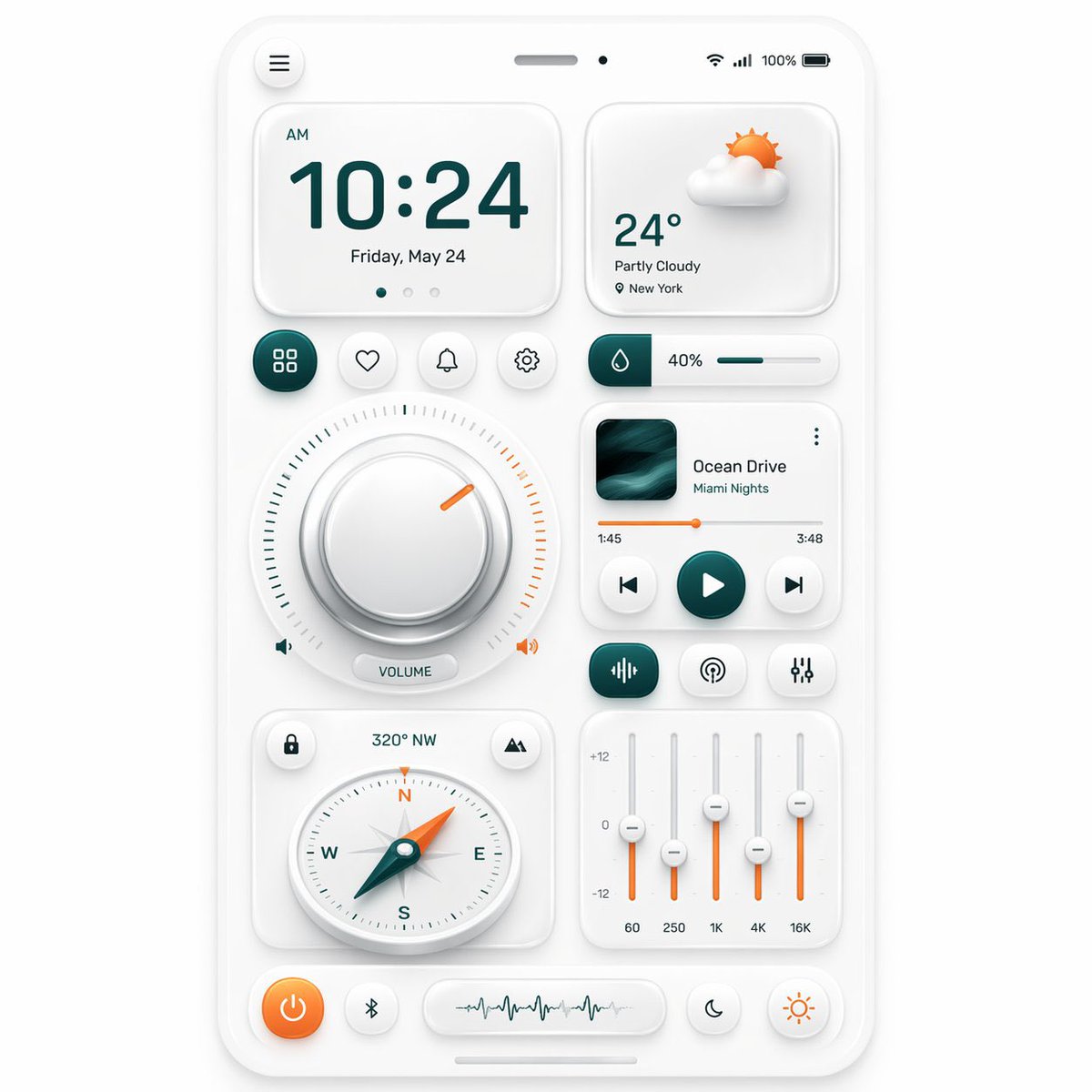
Camera Control
{"type":"neumorphic mobile dashboard UI showcase","style":{"theme":"clean soft neumorphism","background":"light warm gray","primary color":"deep teal","accent color":"orange","material":"matte white plastic cards with subtle inner and outer shadows, rounded corners, soft highlights","rendering":"high-resolution polished 3D UI mockup, front view, centered composition"},"device":{"kind":"smartphone screen mockup","frame":"thin white rounded bezel","status bar":{"count":5,"items":["hamburger menu button at top left","speaker slot at top center","small front camera dot","wireless signal icons at top right","100% battery indicator"]}},"layout":{"sections":[{"title":"clock card","position":"top left","count":4,"labels":["AM","10:24","Friday, May 24","3 page indicator dots"]},{"title":"weather card","position":"top right","count":4,"labels":["partly cloudy 3D sun-and-cloud icon","24°","Partly Cloudy","New York"]},{"title":"shortcut buttons row","position":"upper middle left","count":4,"labels":["grid/apps","heart/favorite","bell/notifications","settings"]},{"title":"humidity slider","position":"upper middle right","count":3,"labels":["droplet icon block","40%","horizontal progress bar"]},{"title":"volume dial module","position":"center left","count":5,"labels":["large circular knob","surrounding tick marks","orange indicator notch","left speaker icon","VOLUME pill label and right speaker icon"]},{"title":"music player card","position":"center right","count":8,"labels":["album artwork","Ocean Drive","Miami Nights","three-dot menu","1:45","3:48","orange progress bar","previous play next controls"]},{"title":"audio control row","position":"below music player","count":3,"labels":["equalizer/wave icon button","broadcast/podcast icon button","sliders/settings icon button"]},{"title":"compass card","position":"lower left","count":5,"labels":["lock icon button","320° NW","mountain/location icon button","round compass dial with N E S W","teal needle with orange tip"]},{"title":"equalizer card","position":"lower right","count":8,"labels":["+12","0","-12","60","250","1K","4K","16K"]},{"title":"bottom dock","position":"bottom","count":4,"labels":["orange power button","Bluetooth button","waveform display capsule","two circular mode buttons: moon and sun"]}],"centerpiece":"a balanced grid of neumorphic widgets arranged on one smartphone dashboard"},"composition":{"spacing":"even margins and generous padding","perspective":"straight-on","shadow behavior":"very soft ambient shadows for a tactile embossed look","iconography":"minimal line icons with teal and orange highlights"}}
This is a free AI prompt from the Orelon library. Thousands more image prompts here are free to copy and adapt.
Explore more image prompts





Ready to create
Start with this curated direction in Orelon, then shape it into your next visual.