Effects by Tags
Grainy Paris Cafe Scene
Likes
1
Views
137
 Orelon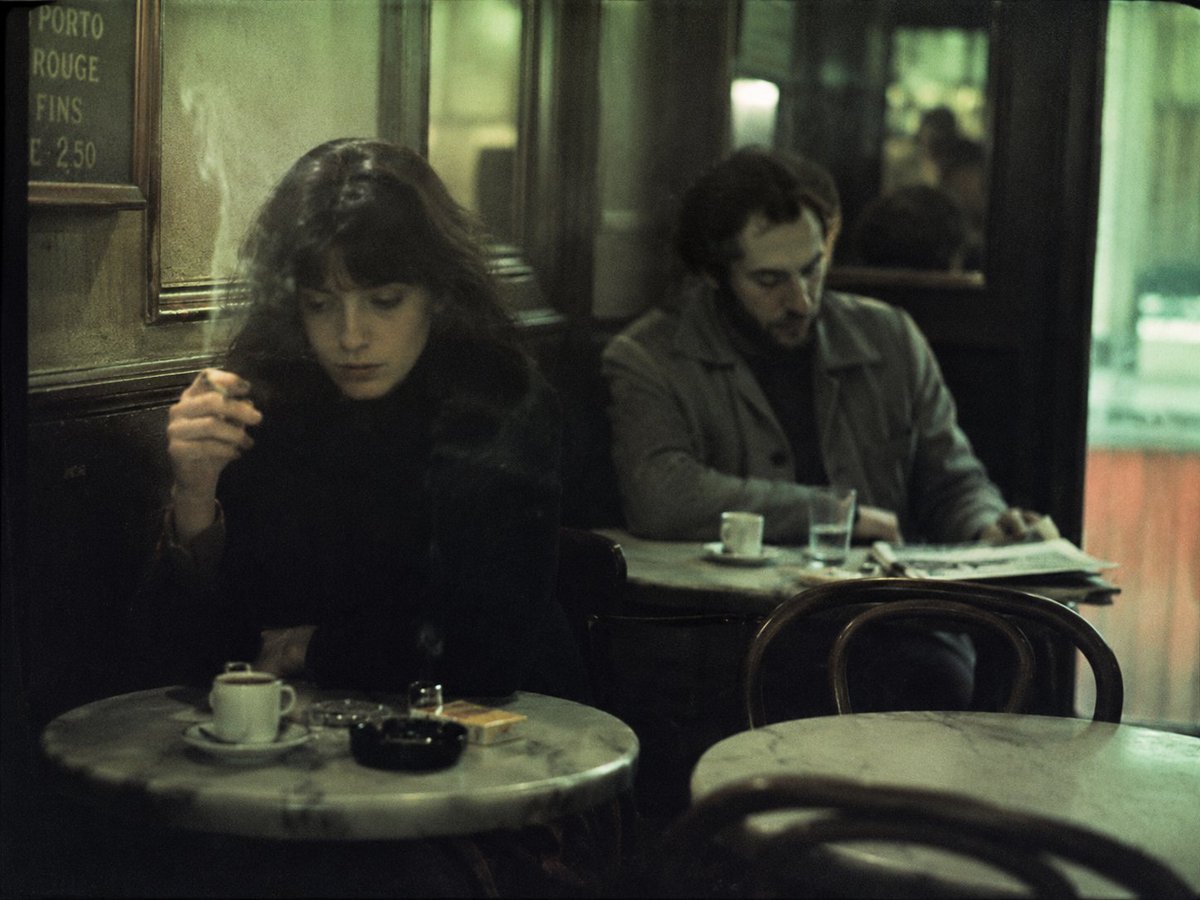
Effects by Tags
Create a grainy cinematic 35mm street-photography style image inside an old European café at night, with a muted green-yellow color cast, soft window reflections, low available light, shallow depth of field, and the feeling of a candid documentary photo. The scene shows exactly two seated patrons: on the left, {argument name="left patron" default="a woman with long dark hair in a black coat, holding a cigarette near her face"}, and on the right, {argument name="right patron" default="a man in a gray coat sitting behind her at another table, looking downward at a newspaper"}. Both faces are intentionally obscured by plain dark square blocks for anonymity. Include exactly three round marble café tables: one foreground table on the left with a white espresso cup and saucer, a small drinking glass, a black ashtray, and a cigarette pack; one middle-right table with a white espresso cup and saucer, a clear water glass, and folded newspapers; and one blurred empty foreground table at the bottom right. Include exactly three visible bentwood café chairs: one behind the middle-right table, one partially visible at bottom right, and one dark chair shape near the left patron. Add an old wall menu board in the upper left with hand-lettered text reading “PORTO ROUGE FINS C 250.” The background should contain dark wood paneling, mirrors or glass doors, a vague reflected figure, and a bright greenish doorway or window on the far right. Use {argument name="lighting mood" default="dim smoky café lighting with soft highlights and deep shadows"}, {argument name="film stock look" default="aged color negative film, visible grain, slight blur, vignetting"}, and {argument name="aspect ratio" default="4:3 horizontal frame"}. Avoid modern objects, crisp digital sharpness, clean studio lighting, or any additional people in the foreground.
This is a free AI prompt from the Orelon library. Thousands more image prompts here are free to copy and adapt.
Explore more image prompts





Ready to create
Start with this curated direction in Orelon, then shape it into your next visual.