Camera Control
Horror Wraith Character Sheet
Views
37
 Orelon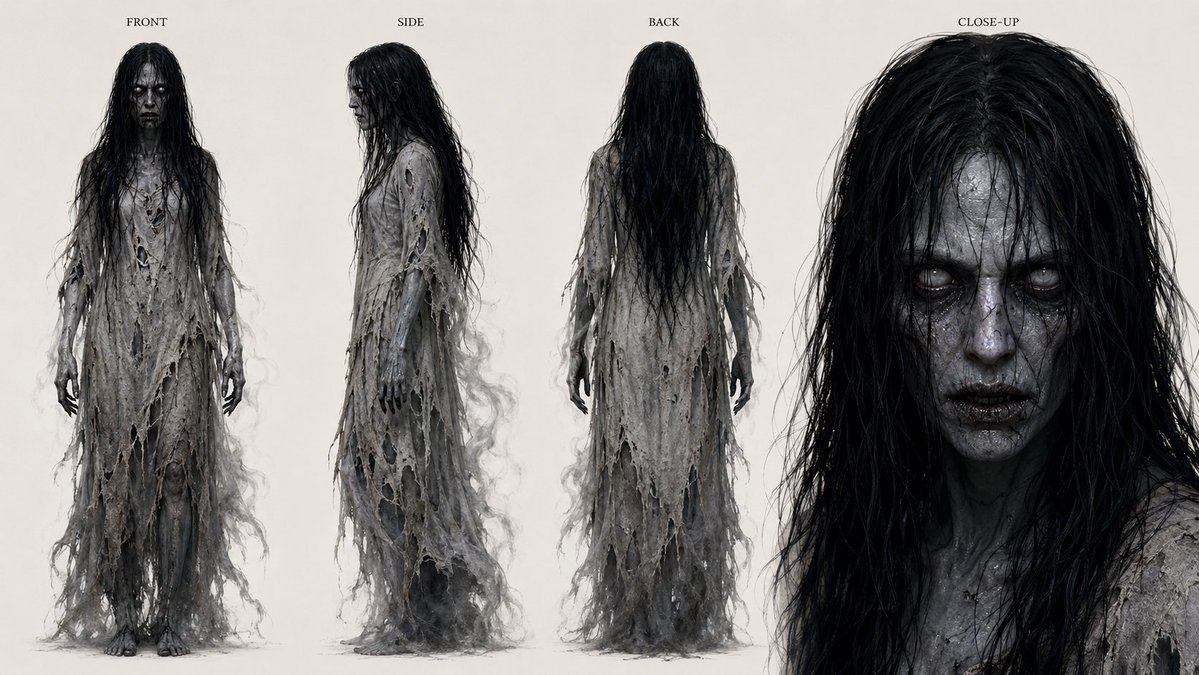
Camera Control
Goal: Create a horror character concept sheet for a ghostly female creature named {argument name="character name" default="unnamed wraith"}, designed for film or game production. Canvas: Wide horizontal character turnaround sheet on an off-white studio background, realistic dark fantasy concept art, high-detail texture study, evenly lit with soft shadows and no environment. Layout: Show exactly 4 labeled views arranged left to right: 1) FRONT full-body view, 2) SIDE full-body profile view, 3) BACK full-body view, 4) CLOSE-UP portrait view occupying the right third of the canvas. Place small uppercase serif labels above each view: “FRONT”, “SIDE”, “BACK”, and “CLOSE-UP”. Subject details: The character is a tall, emaciated, corpse-like female apparition with very long tangled {argument name="hair color" default="wet black hair"} falling past the chest and down the back. Her skin is gray, deathly, and dirty, with thin blackened hands and bare feet. She wears a floor-length shredded {argument name="garment color" default="ash-gray"} burial gown made of rotting gauze, torn lace, and ragged strips, full of holes, frayed edges, dangling fibers, grime, stains, and smoky wisps. The silhouette should feel fragile, decayed, damp, and supernatural. Face treatment: Obscure the face in every visible view with a plain dark rectangular censor block, creating an anonymous unsettling look. The close-up should show the head, hair, neck, and shoulders in extreme detail, with a large dark rectangle covering the face. Visual style: Photorealistic cinematic creature-design sheet, monochrome gray-black palette, high-resolution fabric decay, wet hair strands, fine scratchy linework, subtle misty edges around the torn gown, eerie but clean production-art presentation. Constraints: Include exactly 4 views and exactly 4 labels. Keep the background blank and neutral. Do not add extra props, weapons, scenery, logos, watermark, or additional text.
This is a free AI prompt from the Orelon library. Thousands more image prompts here are free to copy and adapt.
Explore more image prompts





Ready to create
Start with this curated direction in Orelon, then shape it into your next visual.