Effects by Tags
English Vocabulary Study Card Template
Likes
3
Views
408
 Orelon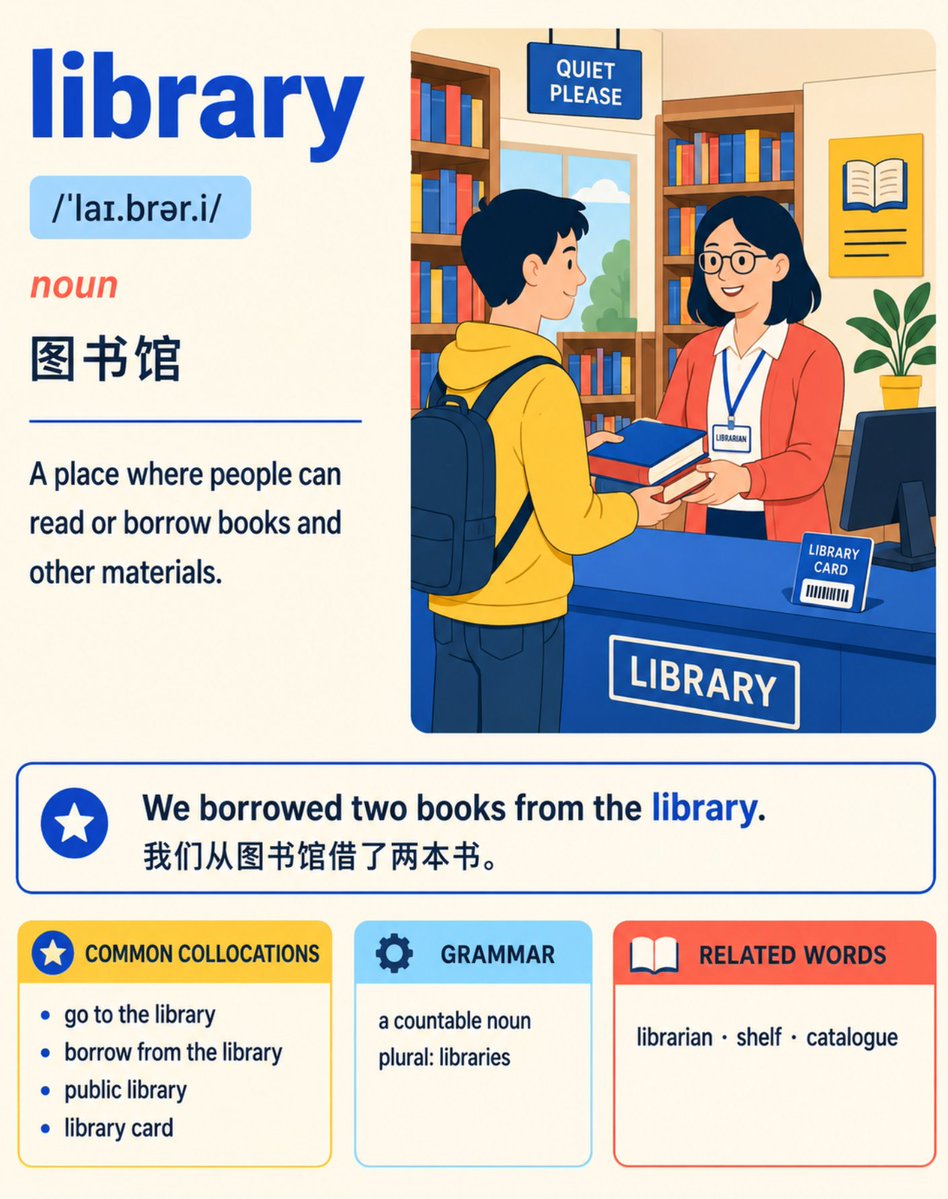
Effects by Tags
Create an exquisite 4:5 vertical English vocabulary study card for A2–B1 level learners. Card Type: Comprehensive Vocabulary Card Theme: {argument name="card theme" default="vibrant editorial illustration"} Palette: Sunshine Classroom Colors: {argument name="color scheme" default="Primary Cobalt Blue #2563EB, Secondary Coral Red #FF6B5C, Secondary Lemon Yellow #FFD84D, Secondary Sky Blue #7DD3FC, Dark Text #17324D, Warm Cream Background #FFF9E8"}. Accurately display the following text: {argument name="word" default="library"} /ˈlaɪ.brər.i/ noun 图书馆 Places where people can read or borrow books and other materials. We borrowed two books from the library. We borrowed two books from the library. COMMON COLLOCATIONS Go to the library (go to the library) Borrow from the library (borrow from the library) Public library (public library) Library card (library card) GRAMMAR Countable noun (a countable noun) Plural form: libraries (plural: libraries) RELATED WORDS Librarian (librarian) · Shelf (shelf) · Catalogue (catalogue) Create a warm, modern library flat vector cross-section illustration. Show a learner borrowing two books from a librarian, naturally including bookshelves and a library card. Keep character figures friendly but editorial rather than childish. Arrange information like a professionally published learner's dictionary page: prominent headword, compact pronunciation line, clear definitions, highlighted example sentences, and neatly grouped learning modules. Use generous white space. Use pure flat colors and clean line art. No gradients, shadows, 3D, gloss effects, photorealism, visual clutter, logos, or watermarks. Keep all body text dark and legible. Accurately replicate provided English, IPA, and Simplified Chinese without adding extra text.
This is a free AI prompt from the Orelon library. Thousands more image prompts here are free to copy and adapt.
Explore more image prompts





Ready to create
Start with this curated direction in Orelon, then shape it into your next visual.