Camera Control
Image-to-Image Identity Preservation Illustration
Views
103
 Orelon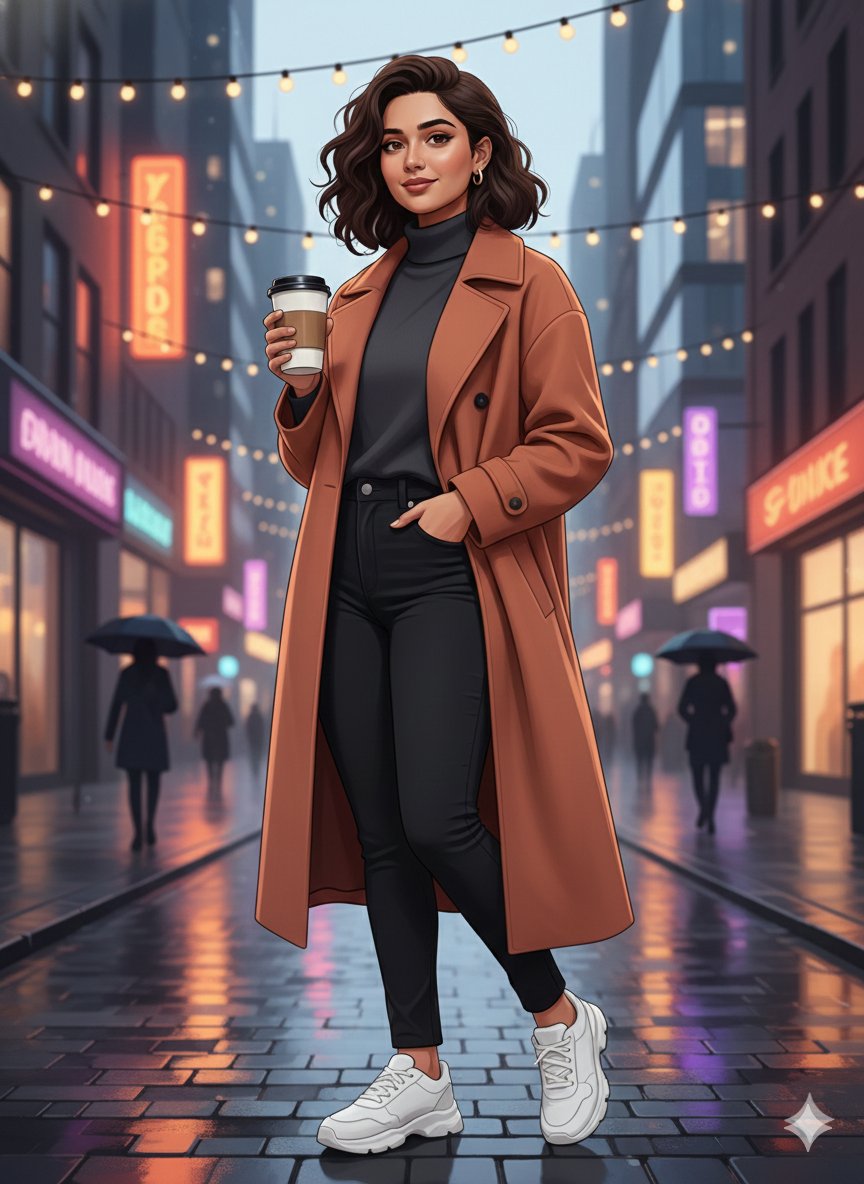
Camera Control
{ "input_type": "image_to_image", "target_image": "{argument name="target image" default="UPLOAD_IMAGE_HERE"}", "prompt": "Create a completely new illustrated scene using the target image only for facial identity reference. Preserve the same face, skin tone, and identity accurately, but change everything else. Generate a new pose, different body posture, new camera angle, and a fresh composition. Replace the background entirely with a new location and environment of your choice, such as an aesthetic urban street, nature landscape, café, rooftop, or artistic setting. Apply a modern digital illustration style with clean lines, smooth shading, soft gradients, and a polished artistic look (not painting, not watercolor). Clothing, colors, mood, and lighting should be redesigned creatively while keeping the face recognizable and natural. The final result should look like a newly illustrated artwork, not a modified version of the original image.", "identity_strength": 0.9, "style_strength": 0.8, "allow_pose_change": true, "allow_background_change": true, "allow_scene_change": true, "preserve_face_only": true, "quality": "4K", "negative_prompt": "same pose, same background, same location, painting texture, watercolor, oil paint, anime, cartoon exaggeration, distorted face, extra limbs, blur, low detail" }
This is a free AI prompt from the Orelon library. Thousands more image prompts here are free to copy and adapt.
Explore more image prompts





Ready to create
Start with this curated direction in Orelon, then shape it into your next visual.