Camera Control
Cinematic Group in Front of Green Screen
Views
51
 Orelon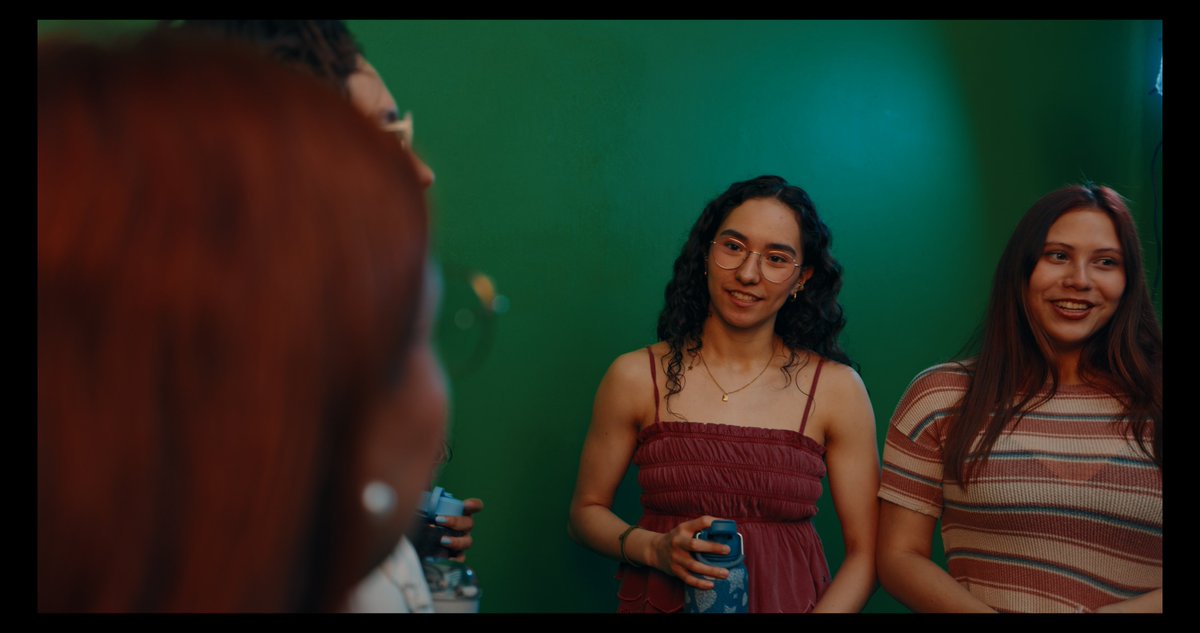
Camera Control
A cinematic candid photo of 4 young adults standing in front of a smooth studio green screen wall, framed like a behind-the-scenes chroma key test. In the extreme left foreground, a woman with vivid copper-red hair is very close to the lens and heavily out of focus, showing the back and partial side of her head and shoulder, creating strong depth and an over-the-shoulder composition. Slightly left of center in the background, a partially visible man with short curly dark hair and glasses is cropped so only part of his face and torso are visible. He holds 1 blue water bottle near his chest. At center, a woman with medium-brown skin and dark curly shoulder-length hair faces the camera with a neutral expression, wearing a burgundy smocked spaghetti-strap dress and a delicate gold necklace, holding 1 blue patterned water bottle in both hands at waist level. On the right, another woman with long straight dark brown hair faces the camera in a fitted short-sleeve knit top with horizontal beige, brown, and muted red stripes. The lighting is moody and cinematic with teal-green and warm reddish tones, soft shadows, shallow depth of field, realistic skin texture, subtle film grain, and a casual documentary feel. Medium shot, eye-level framing, indoor studio environment, no props besides the 2 visible bottles, plain green chroma background filling the scene, natural posture, realistic photography, anamorphic-style color grading.
This is a free AI prompt from the Orelon library. Thousands more image prompts here are free to copy and adapt.
Explore more image prompts





Ready to create
Start with this curated direction in Orelon, then shape it into your next visual.