Visual Effects
Journey to the West Ink Poster
Likes
11
Views
2.8K
 Orelon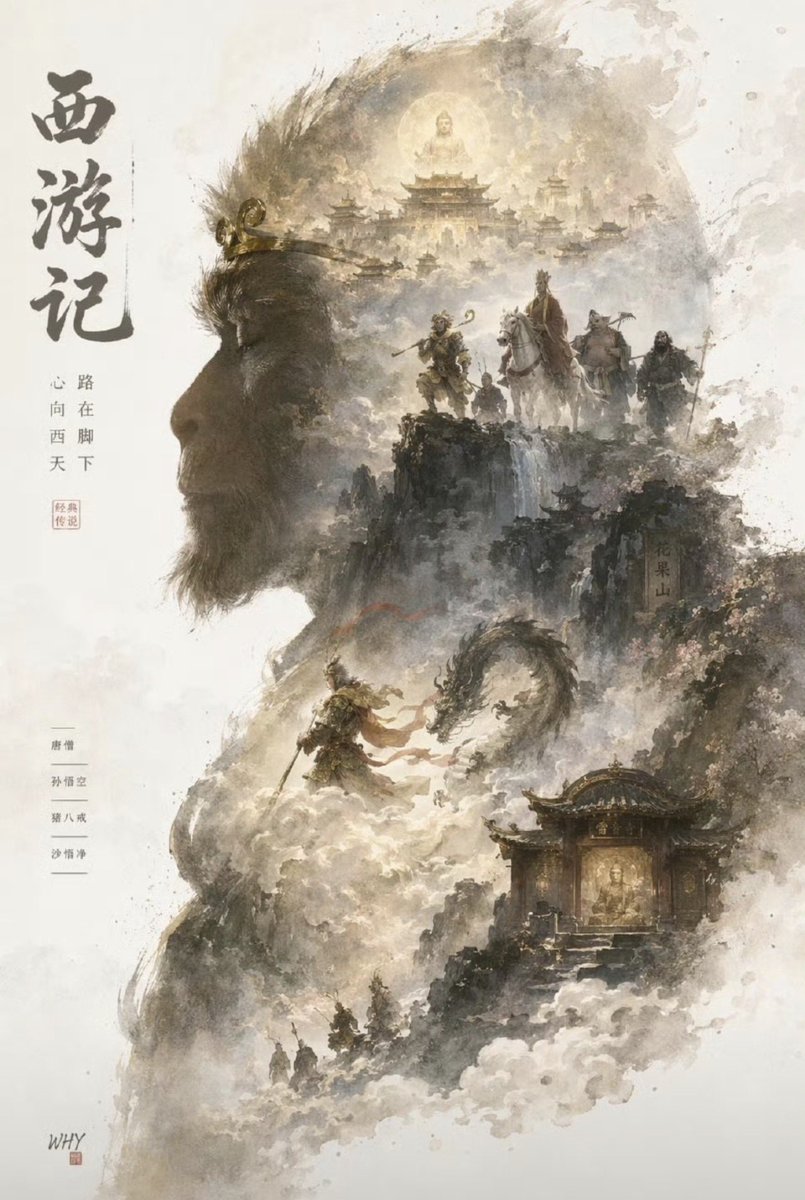
Visual Effects
A majestic Chinese ink-wash fantasy poster inspired by Journey to the West, composed as a double-exposure silhouette of {argument name="character name" default="Sun Wukong"} in left-facing profile occupying most of the page. The portrait is formed from soft sepia, ash gray, parchment white, and smoky black watercolor textures on an off-white paper background with splattered brush edges and negative space. The figure has a strong simian facial profile, a short beard, and a golden circlet across the brow. Inside and around the silhouette, build a layered mythic landscape in traditional shan shui style with luminous mist, cliffs, clouds, and ancient temples. At the top center inside the head, place a glowing full moon behind a celestial Buddha-like figure seated above a grand heavenly palace complex with multiple tiered roofs. In the upper-middle right, show 4 traveling figures on a cliff path: a monkey warrior with a staff, a monk riding a white horse, a pig-faced companion, and a dark-robed companion. In the middle, depict 1 dramatic battle scene of the monkey warrior confronting a coiling dragon or serpent in swirling clouds. In the lower-right, place 1 illuminated temple shrine nestled in the mountains with a golden sacred statue visible inside. In the lower area, add 3 tiny pilgrims walking through the misty valley. Use atmospheric depth, elegant calligraphic brushwork, drifting fog, and a refined cinematic composition that feels painterly rather than digital. Add vertical Chinese calligraphy on the left reading {argument name="title text" default="西游记"}, with smaller vertical side text and several seal-style stamps for an authentic poster design. Include another subtle vertical location inscription on the right cliff face. The mood is sacred, epic, ancient, mystical, and poetic, with premium concept-art polish and almost no generic AI look.
This is a free AI prompt from the Orelon library. Thousands more image prompts here are free to copy and adapt.
Explore more image prompts


Ready to create
Start with this curated direction in Orelon, then shape it into your next visual.