Commercial
High-Fashion Monochrome Vector Illustration Prompt
Likes
1
Views
113
 Orelon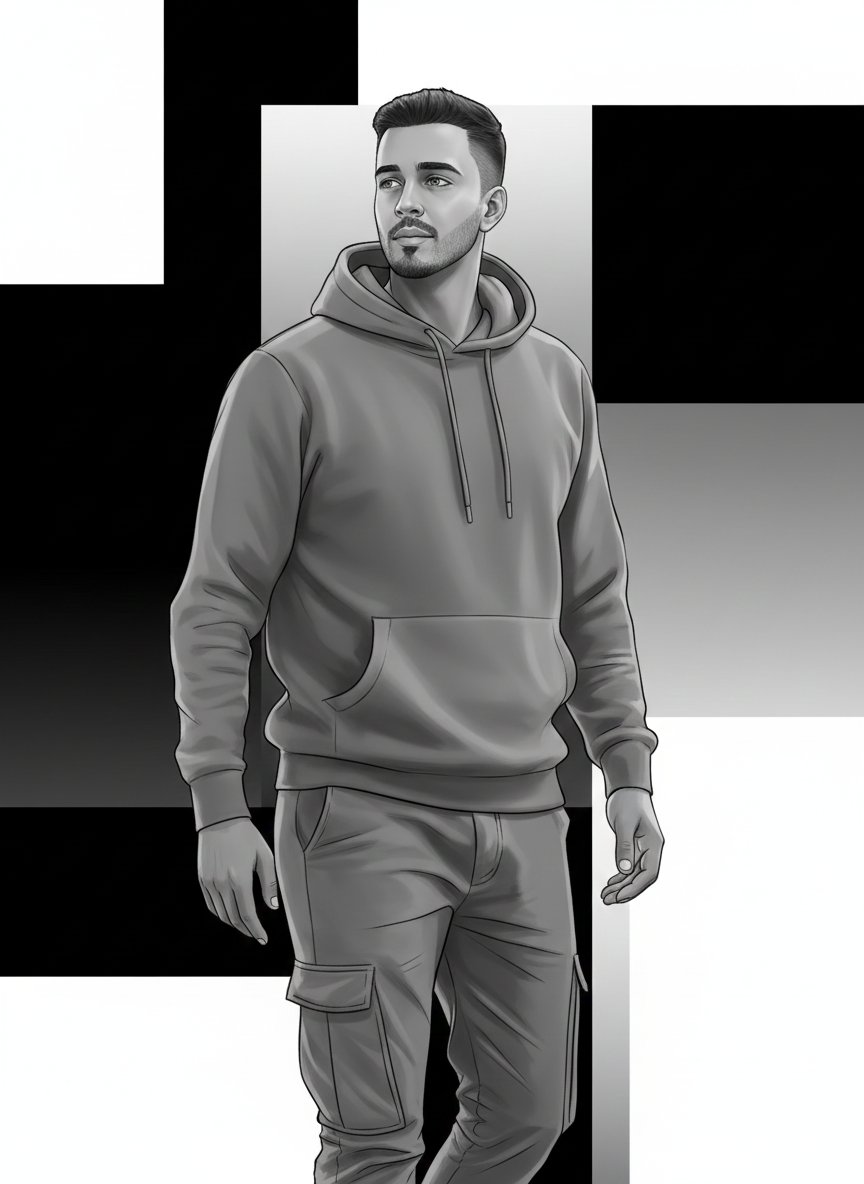
Commercial
{ "prompt": "Use the uploaded image strictly as an identity reference. Preserve 100% exact face match, facial structure, expressions, skin tone (translated accurately into grayscale), hairstyle, and identity of every person visible in the reference image. Do not add or remove any person. Create a new high-fashion editorial pose (for example: confident upright stance, slight profile angle, strong posture, composed expressions) while keeping anatomy natural and elegant. Convert the scene into a pure black-and-white illustration blended with refined vector art. Use crisp black ink outlines, smooth grayscale shading, and controlled contrast to define facial structure and form. Skin tones should translate naturally into grayscale values without losing identity. Clothing should remain similar in type but rendered in monochrome with clear vector edges, folds, and tonal separation. Lighting should be dramatic and directional, emphasizing facial features and silhouettes through light–shadow contrast. Redesign the background into a minimal editorial vector backdrop using negative space, gradients in grayscale, or subtle geometric balance. Render in ultra high resolution with sharp edges, clean layers, and a sophisticated magazine-style black-and-white finish.", "negative_prompt": "face mismatch, identity change, extra person, missing person, wrong facial features, bad anatomy, extra fingers, extra limbs, color elements, photorealism, heavy textures, painterly strokes, low quality, blur, noise, grain, watermark, logo, text", "style": "black and white editorial illustration + vector art", "mood": "bold, elegant, high-fashion", "lighting": "dramatic directional monochrome lighting", "background": "minimal grayscale vector backdrop", "detail_level": "high and refined", "render_quality": "ultra high resolution, editorial clarity", "composition": "same persons, new editorial pose, monochrome palette", "reference_strength": 0.8 }
This is a free AI prompt from the Orelon library. Thousands more image prompts here are free to copy and adapt.
Explore more image prompts




Ready to create
Start with this curated direction in Orelon, then shape it into your next visual.