Commercial
Minimal High-Contrast Studio Fashion Editorial
Likes
1
Views
330
 Orelon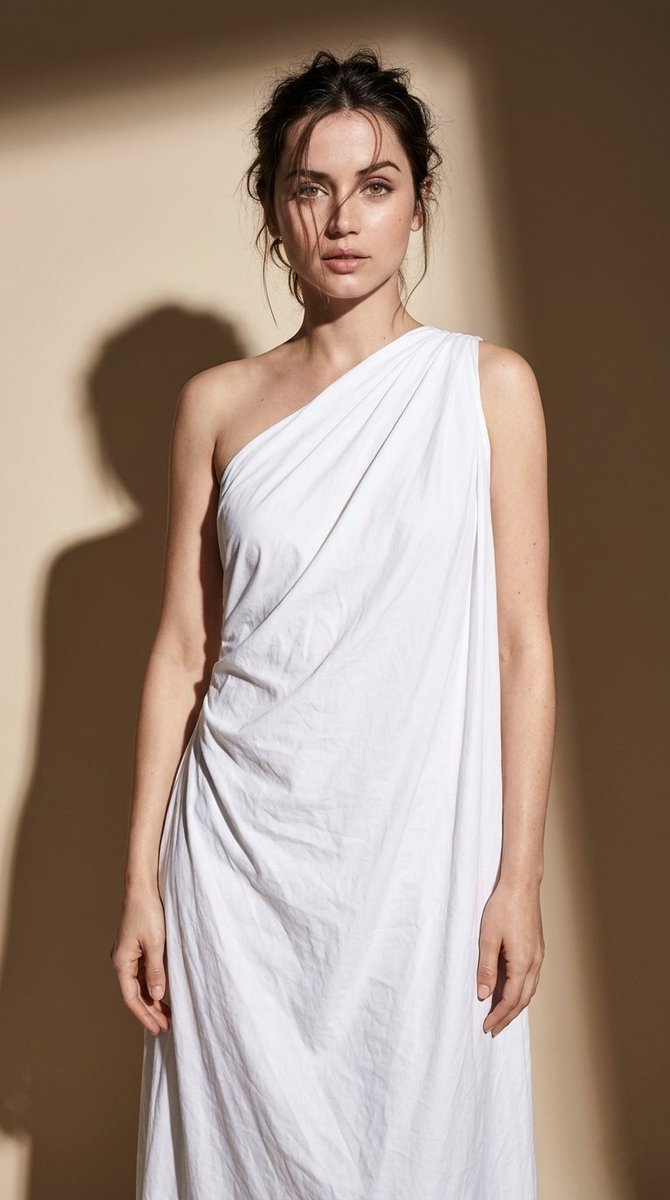
Commercial
{ "photo_type": "Studio fashion editorial (minimal high-contrast realism)", "subject": { "face": { "description": "Use uploaded reference image, keep identity 100% unchanged" }, "pose_description": "Standing upright with relaxed posture, body slightly angled, one leg forward, arms relaxed, shoulders slightly dropped", "expression": "Soft neutral expression, slightly parted lips, relaxed eyes", "body_details": [ "natural posture, not stiff", "subtle hip shift", "slight asymmetry in stance" ] }, "clothing": { "type": "draped one-shoulder fabric dress", "details": [ "white cloth wrapped loosely around body", "one shoulder exposed", "natural folds and wrinkles", "asymmetrical draping", "fabric hanging unevenly", "soft cotton or linen texture" ], "physics": [ "gravity-based folds", "fabric bunching at waist", "natural tension points" ] }, "hair": { "style": "loose messy updo", "details": [ "strands falling across face", "slightly imperfect styling", "natural flyaways", "soft texture" ] }, "skin_realism": { "details": [ "visible pores", "natural skin tone variation", "subtle shadows on body", "no smoothing filter" ] }, "lighting": { "type": "single hard studio light", "setup": [ "one strong light source from upper side", "no fill light", "direct hard lighting" ], "effects": [ "sharp defined shadow on background", "high contrast on body", "strong light falloff", "clear shadow edges", "highlight on one side of body, other side darker" ], "color_temperature": "neutral studio light 5000K" }, "shadow_control": { "details": [ "distinct shadow cast on wall", "shadow follows body shape", "sharp edges not blurred", "angled slightly behind subject" ] }, "background": { "type": "plain studio wall", "details": [ "neutral beige or off-white tone", "no texture", "clean seamless backdrop" ] }, "camera": { "type": "professional DSLR", "lens": "50mm", "settings": { "aperture": "f/4", "iso": "ISO 100", "shutter_speed": "1/160s" }, "focus": "sharp full body", "lens_behavior": [ "natural perspective", "no distortion", "clean edges" ], "sensor_behavior": [ "high detail", "clean image", "subtle tonal depth" ] }, "color_grading": { "style": "editorial minimal", "rules": [ "soft neutral tones", "slightly warm skin", "clean whites", "no heavy contrast boost" ] }, "imperfections": [ "natural fabric wrinkles", "slight uneven drapi
This is a free AI prompt from the Orelon library. Thousands more image prompts here are free to copy and adapt.
Explore more image prompts




Ready to create
Start with this curated direction in Orelon, then shape it into your next visual.