Commercial
Vintage Flash Couple Portrait with Identity Lock Prompt
Likes
38
Views
2.7K
 Orelon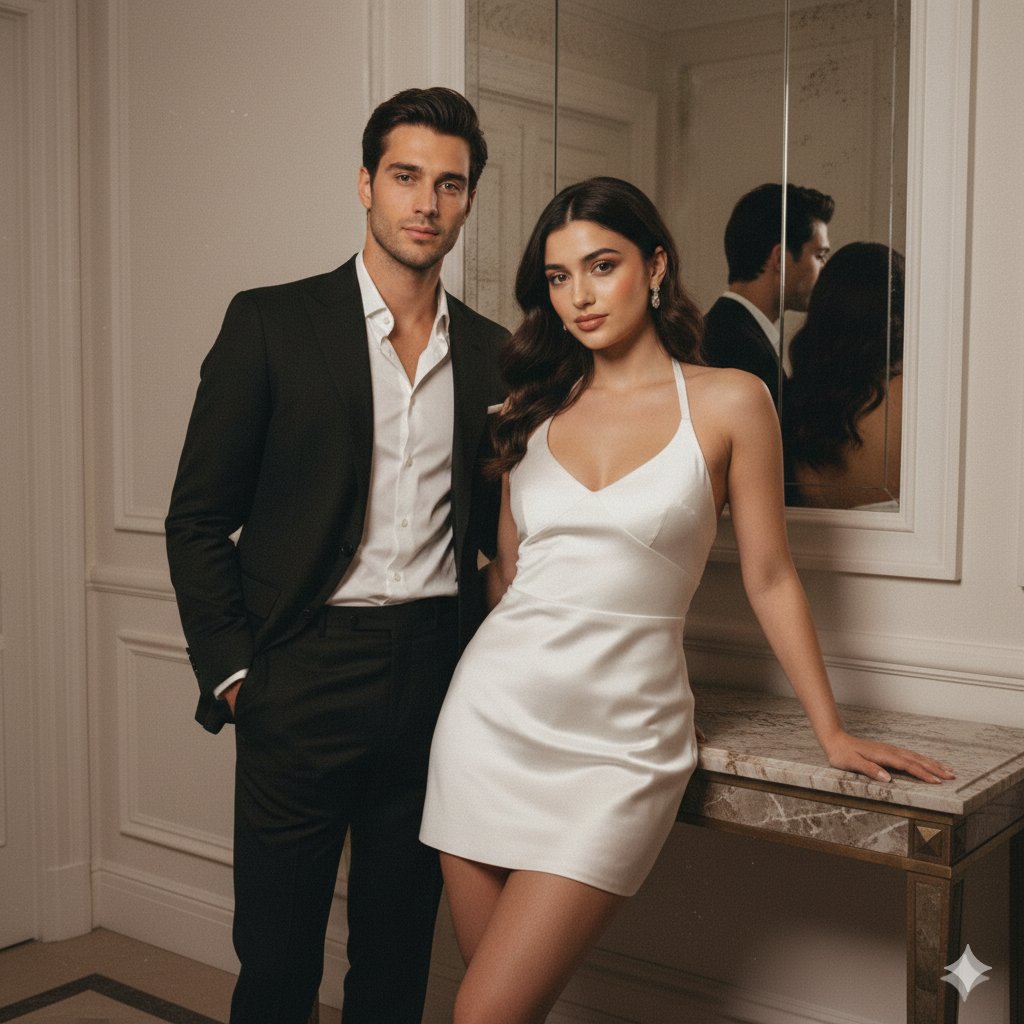
Commercial
{ "meta": { "quality": "HD", "type": "Evening flash couple portrait", "ratio": "4:5", "device": "iPhone 16 Pro", "look": "Vintage warm flash, real skin texture, film grain." }, "identity_lock": { "preserve_faces": "STRICT", "instruction": "Faces must remain 100% identical to input photos. Zero AI smoothing or facial alteration." }, "scene": { "description": "Luxury indoor hallway, mirror reflection, white paneled walls, marble console.", "lighting": "Hard warm flash, direct illumination, deep falloff shadows.", "vintage_settings": "Warmth {argument name="warmth" default="+18"}, Contrast {argument name="contrast" default="+22"}, Grain: Medium, Tint: Beige." }, "composition": { "framing": "Knees-up portrait", "pose": "Female leaning on console; Male standing close/behind. Editorial chemistry.", "expressions": "Confident, soft glamorous gaze." }, "subjects": { "female": { "outfit": "{argument name="female outfit" default="White satin mini halter dress, glossy highlights"}.", "style": "Soft glam, pink-brown gloss, peach blush." }, "male": { "outfit": "{argument name="male outfit" default="Tailored black luxury suit, open collar white shirt, sharp silhouette"}.", "style": "Clean luxury grooming." } }, "constraints": { "negative": "face-swap, skin-smoothing, plastic texture, AI artifacts, blur, face-merge.", "skin_rule": "Keep all natural pores and flash-induced skin highlights." } }
This is a free AI prompt from the Orelon library. Thousands more image prompts here are free to copy and adapt.
Explore more image prompts




Ready to create
Start with this curated direction in Orelon, then shape it into your next visual.