Visual Effects
Chibi Kendo Anti-Harassment Poster
Likes
4
Views
57
 Orelon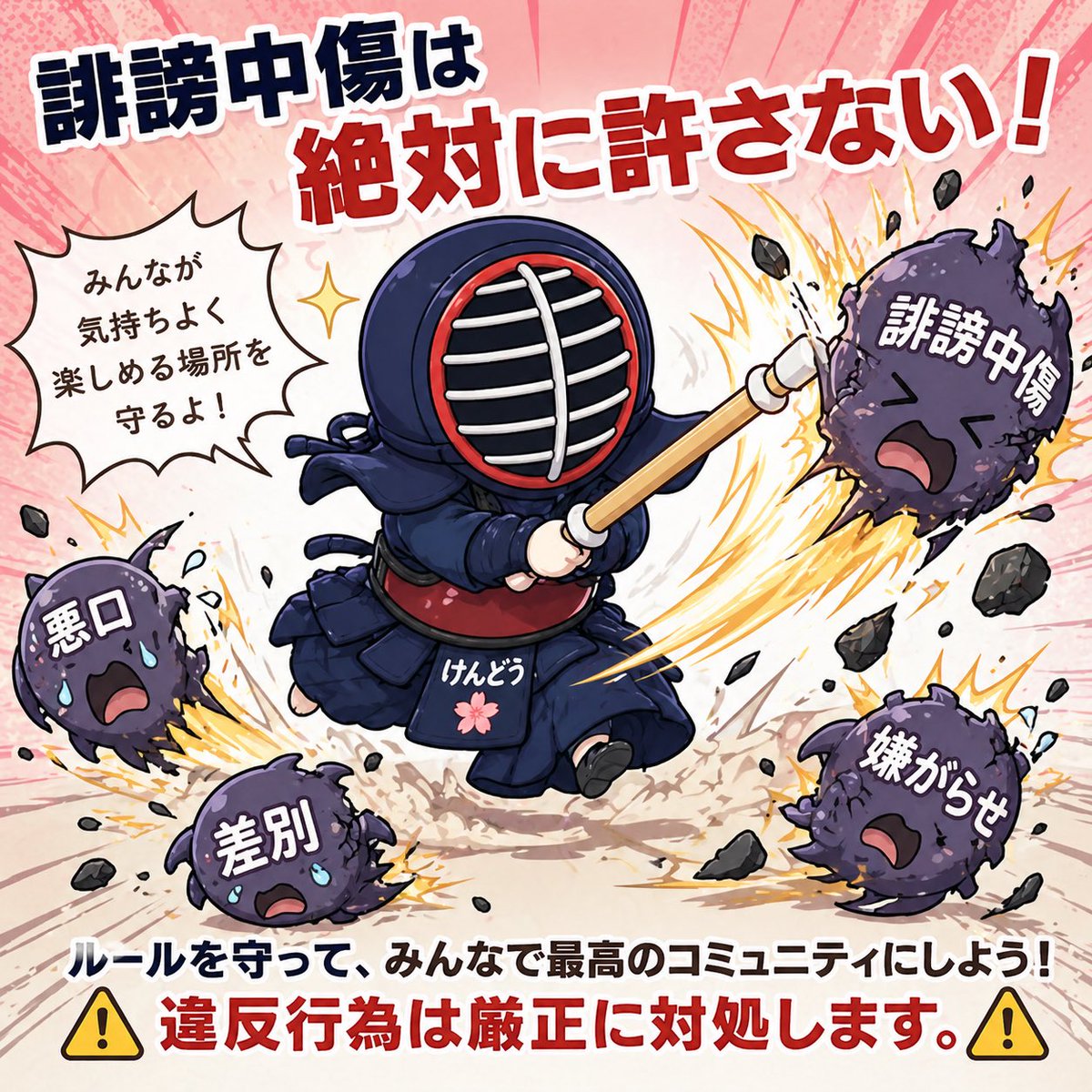
Visual Effects
A bold Japanese anti-harassment awareness poster in a cute but forceful chibi anime style, square social-media graphic composition. In the center, a super-deformed kendo character in full navy blue bogu armor is mid-swing with a shinai, charging forward dynamically. The helmet has a dark indigo men with white grill bars and a red inner rim, the torso armor is deep blue with a red do, and the waist apron has the white hiragana text "けんどう" plus a small pink cherry blossom emblem. The character is striking hostile purple spiky monster balls that represent bad behavior. Show exactly 4 monsters with expressive faces and large Japanese labels on their bodies: top right monster labeled "誹謗中傷", lower right monster labeled "嫌がらせ", lower left monster labeled "差別", and left monster labeled "悪口". Each monster is being knocked away or smashed with explosive yellow-orange impact bursts, scattered black debris, motion lines, dust, and sweat tears on some of the monsters. Add a comic speech bubble on the left side containing the Japanese text "みんなが気持ちよく楽しめる場所を守るよ!". At the top, place a huge energetic headline in Japanese with thick outlined lettering: dark navy text for "誹謗中傷は" and bright red text for "絶対に許さない!". At the bottom, add 2 lines of Japanese text: first line in bold dark blue "ルールを守って、みんなで最高のコミュニティにしよう!" and second line in bold red "違反行為は厳正に対処します。". Place one yellow warning triangle icon on the bottom left and one on the bottom right, exactly 2 total. Use a pale pink radial burst background with manga-style speed lines and light texture. Make the overall look clean, high-contrast, friendly, and motivational, like a polished community guidelines illustration for a {argument name="platform type" default="kendo"} community on social media, with thick white sticker-like outlines around major text and characters.
This is a free AI prompt from the Orelon library. Thousands more image prompts here are free to copy and adapt.
Explore more image prompts



Ready to create
Start with this curated direction in Orelon, then shape it into your next visual.