Commercial
Futuristic AI Windows Login Poster
Views
60
 Orelon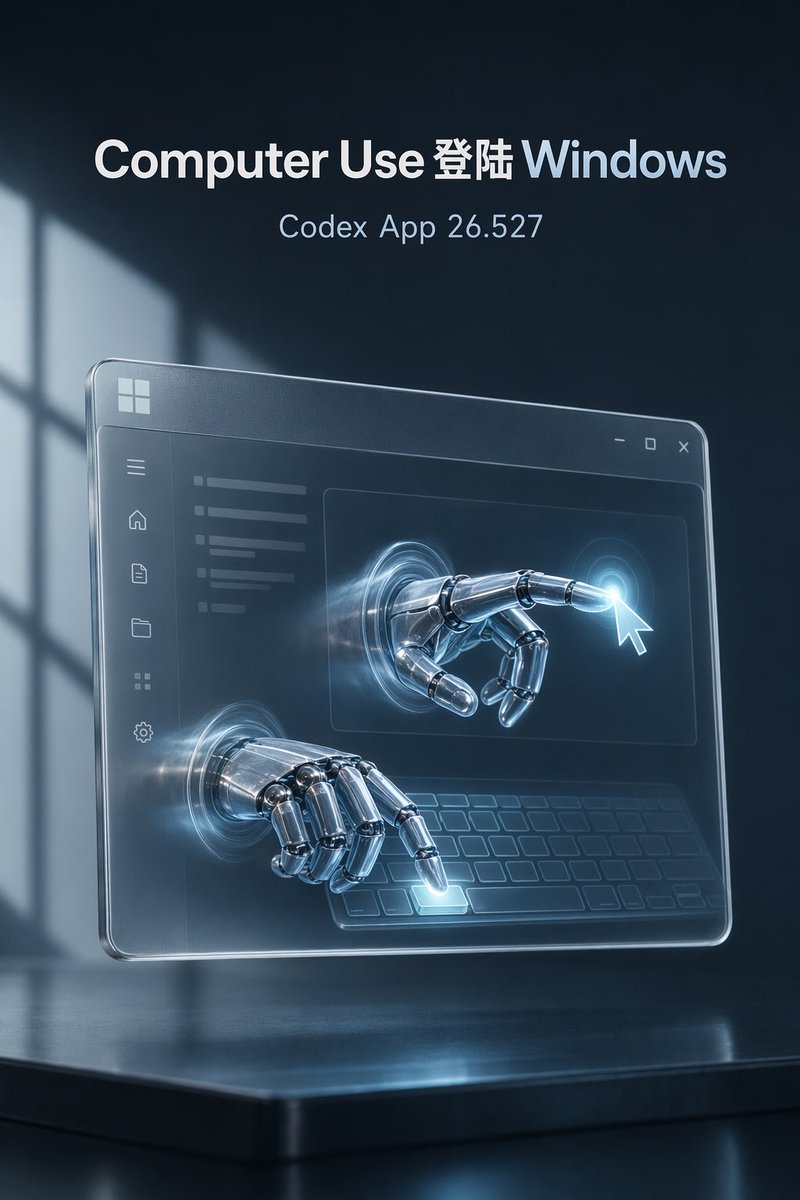
Commercial
Goal: Create a high-end futuristic tech poster about an AI agent using Windows, with a cinematic blue-black atmosphere and premium product-launch feel. Canvas: Vertical 2:3 composition, 768×1152 style, dark navy background with soft volumetric light and a blurred window-shadow pattern on the left. The scene sits above a glossy black reflective platform at the bottom. Text content: At the top center, place exactly 2 lines of text: the large bold headline “{argument name="headline text" default="Computer Use 登陆 Windows"}” with “Computer Use” in white, “登陆” in white, and “Windows” in pale icy blue; below it, smaller thin text “{argument name="subtitle text" default="Codex App 26.527"}” in light blue-gray. Use clean modern sans-serif typography, centered, crisp, no other text. Main subject: A transparent floating glass Windows-style application panel angled slightly in perspective, hovering above the reflective base. The panel has rounded corners, beveled glowing edges, a faint frosted-glass surface, and a small Windows logo in the upper-left corner. Add a title bar with exactly 3 window controls at the upper-right: minimize, maximize, and close. Interface details: Inside the glass panel, show a minimal dark UI with a left sidebar containing exactly 6 icons stacked vertically: menu, home, document, folder, grid, and settings. Add a content area with faint horizontal text bars on the upper left, a large central rectangle, and a stylized keyboard outline across the lower area. Keep the UI semi-transparent and understated. Robotic interaction: Show exactly 2 chrome robotic hands emerging through circular glowing portals in the glass interface. Hand 1 is in the upper-right content area, extended forward and pointing at a bright cursor-click glow near a white mouse pointer. Hand 2 is lower-left, hovering over the virtual keyboard and pressing one illuminated key. The robot hands should be highly detailed polished metal with articulated joints, cool blue reflections, and subtle motion-like light streaks around the portals. Lighting and style: Use cinematic rim lighting, icy cyan glow accents, realistic reflections, depth of field, soft haze, and premium sci-fi realism. Overall palette should be dark navy, charcoal, silver chrome, frosted glass, and electric cyan. Make the image elegant, atmospheric, and technically polished. Constraints: Keep the composition clean and centered; include exactly 2 text lines, exactly 2 robotic hands, exactly 6 sidebar icons, and exactly 3 window controls. Do not add logos other than the simple Windows-style mark, do not add extra paragraphs or watermark, and avoid cluttered UI text.
This is a free AI prompt from the Orelon library. Thousands more image prompts here are free to copy and adapt.
Explore more image prompts




Ready to create
Start with this curated direction in Orelon, then shape it into your next visual.