Effects by Tags
Blue Husky Pixel Sprite Sheet
Views
33
 Orelon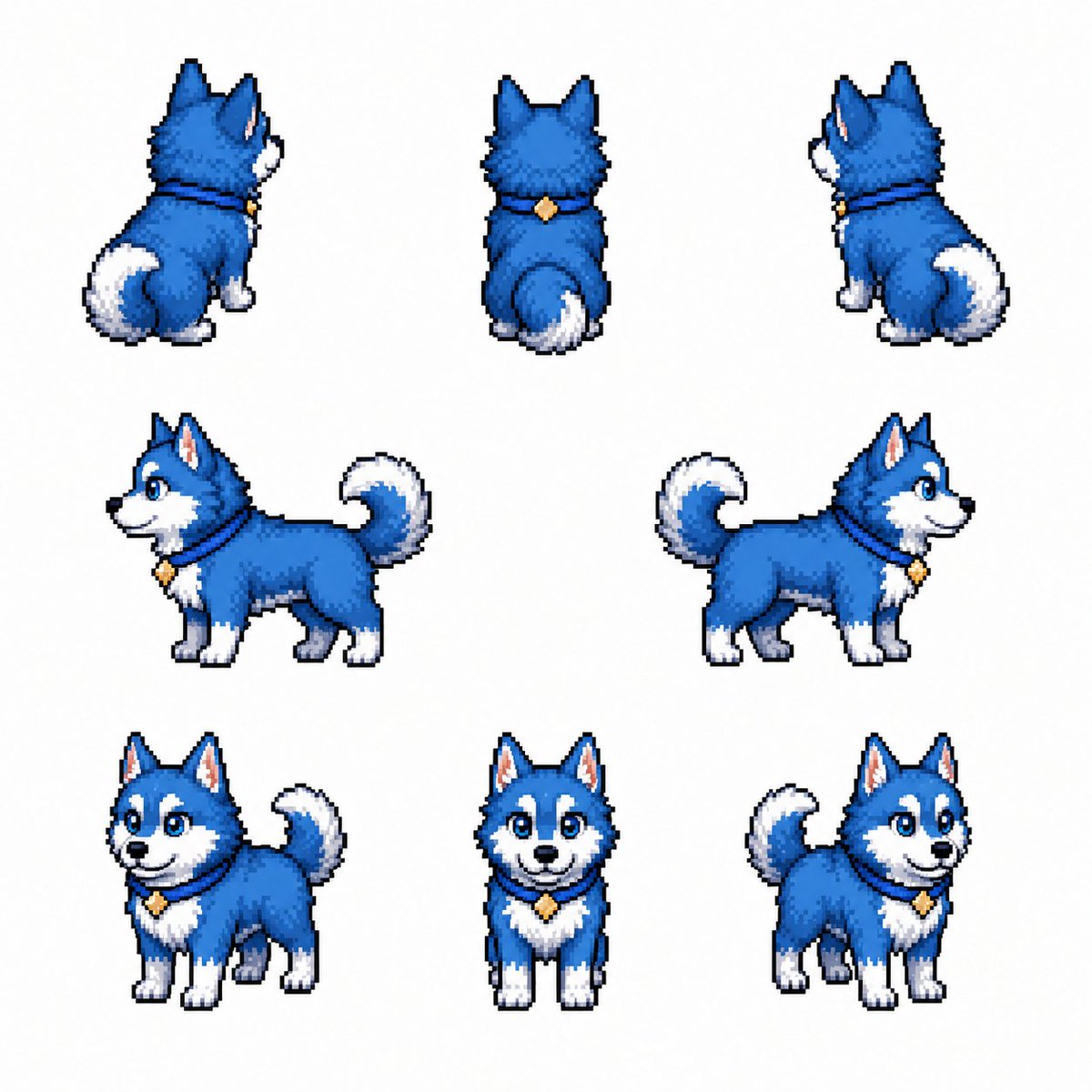
Effects by Tags
Goal: Create a clean pixel-art character sprite sheet for a cute {argument name="animal character" default="blue husky puppy"}, showing the same character from multiple angles for game asset use. Canvas: Square 1:1 image on a plain white background, with generous spacing between sprites and no text, UI, shadows, props, or border. Layout: Arrange exactly 8 separate pixel sprites in a loose 3-row character turnaround sheet. Top row has 3 rear-view sprites: rear three-quarter facing left, straight back view, rear three-quarter facing right. Middle row has 2 side-profile sprites: left-facing full body and right-facing full body. Bottom row has 3 front-facing sprites: front three-quarter facing left, straight front view, front three-quarter facing right. Subject details: The character is a small fluffy husky puppy with bright {argument name="fur color" default="deep cobalt blue"} fur, white muzzle, white eyebrows/cheek markings, white chest, white paws, and a curled fluffy tail with a white tip. Give it large friendly blue eyes, a small black nose, an open cheerful smile, pointed upright ears with pale pink inner ears, and soft rounded proportions. The puppy wears a dark collar with a small gold diamond-shaped tag visible on front and side views. Visual style: High-quality retro pixel art, crisp black/dark-blue outline, visible square pixels, subtle dithering and highlights, compact game-sprite proportions, consistent lighting from upper left, vibrant saturated colors, polished 16-bit RPG creature sprite aesthetic. Constraints: Keep all 8 sprites consistent in size, colors, collar, markings, and anatomy. Do not add labels, extra characters, scenery, gradients, or animation frames beyond the exact 8 visible poses.
This is a free AI prompt from the Orelon library. Thousands more image prompts here are free to copy and adapt.
Explore more image prompts





Ready to create
Start with this curated direction in Orelon, then shape it into your next visual.