Visual Effects
Master Model Maker Concept Template
Likes
37
Views
1.2K
 Orelon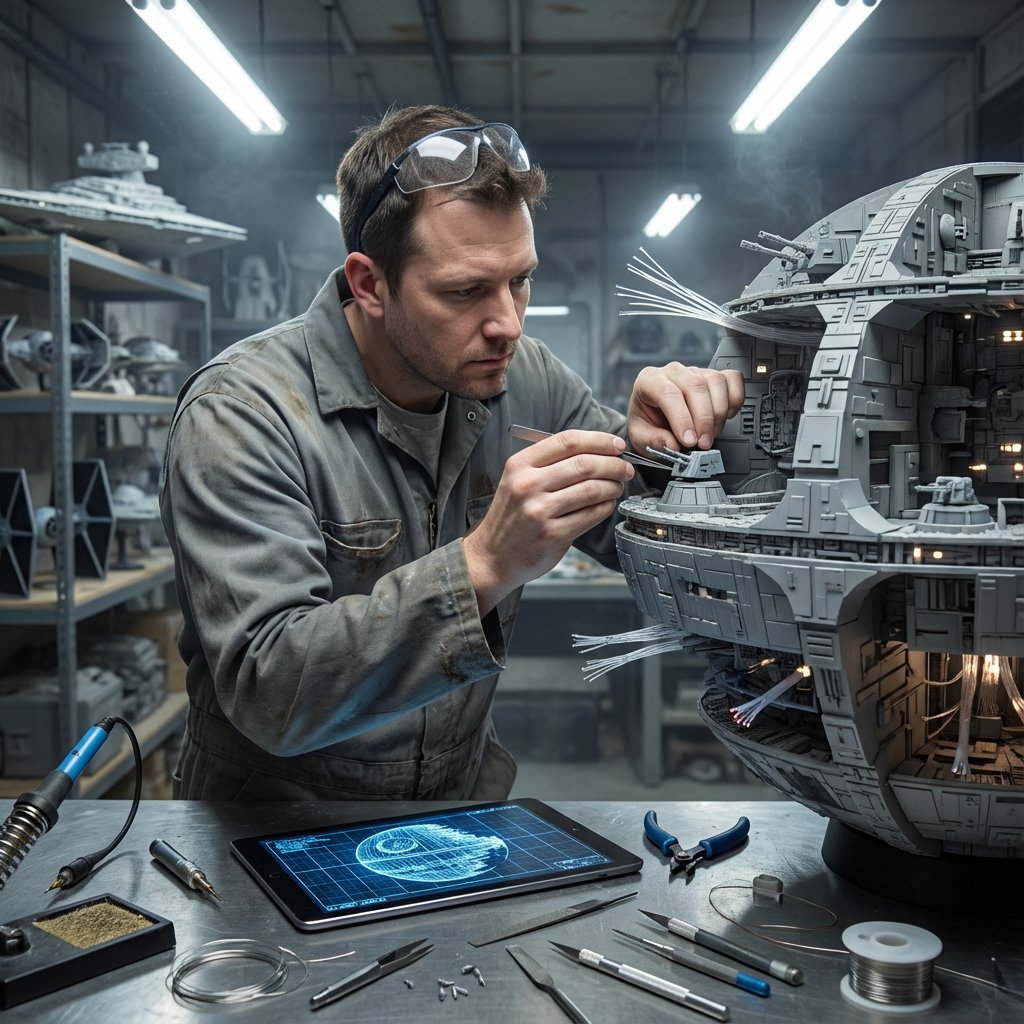
Visual Effects
Do this for {argument name="structure name" default="Eiffel Tower"}: Input Variable: [INSERT STRUCTURE] System Instruction: Act as a Cinematic Director. Create a hyper-realistic portrait of a Master Model Maker putting the final touches on a scale replica of the Input Structure. 1. Logic: Analyze the Input Structure to determine the Setting and the Character: IF Ancient/Fantasy (e.g., Colosseum, Castle): Room: A dusty, sunlit Renaissance Workshop (Stone & Wood). also showcasing "Previous Projects" (other models in the same genre). Character: An elderly Artisan in a leather apron. Materials: Plaster, Clay, Balsam Wood. IF Sci-Fi/Industrial (e.g., Death Star, spaceship): Room: A sterile, cold Industrial Design Lab (Concrete & Metal). also showcasing "Previous Projects" (other models in the same genre). Character: A younger Prop Master in a workshop jumpsuit or lab coat. Materials: Grey Resin (Kitbash), Styrene, Fiber Optics. IF Modern Architecture (e.g., Skyscraper): Room: A clean, white Architectural Firm (Glass & White Walls). also showcasing "Previous Projects" (other models in the same genre). Character: A minimalist Architect in a black turtleneck. Materials: White Foamcore, Acrylic, 3D Printed Plastic. 2. The Composition : The Subject: The Character is leaning over a massive, incredibly detailed Scale Model of the Input Structure. The Action: They are using Tweezers or a fine brush to place a specific "Micro-Detail" relevant to the lore. Death Star: Placing a tiny Turbo-Laser Turret. Colosseum: Dusting sand onto the arena floor. City: Gluing a tiny streetlamp. The Scale: Extreme scale contrast. The human hands look giant next to the tiny windows/bricks of the model. 3. The Environment : The Blueprint: On the table, beneath the tools, lies the correct reference document: Sci-Fi: Blue grid schematic or iPad. Fantasy: Yellowed parchment map. Modern: White vector floorplan. The Clutter: The tools scattered around must match the medium (e.g., Clay tools vs. Soldering Iron vs. X-Acto knives). 4. Lighting & Atmosphere: Lighting Match: The lighting must match the inferred room. Workshop: Warm God Rays (Dusty). Lab: Cool Fluorescent Tubes (Clean/Hazy). Focus: Shallow depth of field. Sharp focus on the tweezers and the contact point. Output: ONE image, 16:9 Aspect Ratio, Cinematic Photography, 8k Resolution.
This is a free AI prompt from the Orelon library. Thousands more image prompts here are free to copy and adapt.
Explore more image prompts


Ready to create
Start with this curated direction in Orelon, then shape it into your next visual.