Visual Effects
Dark Forest Undine Album Cover
Likes
1
Views
45
 Orelon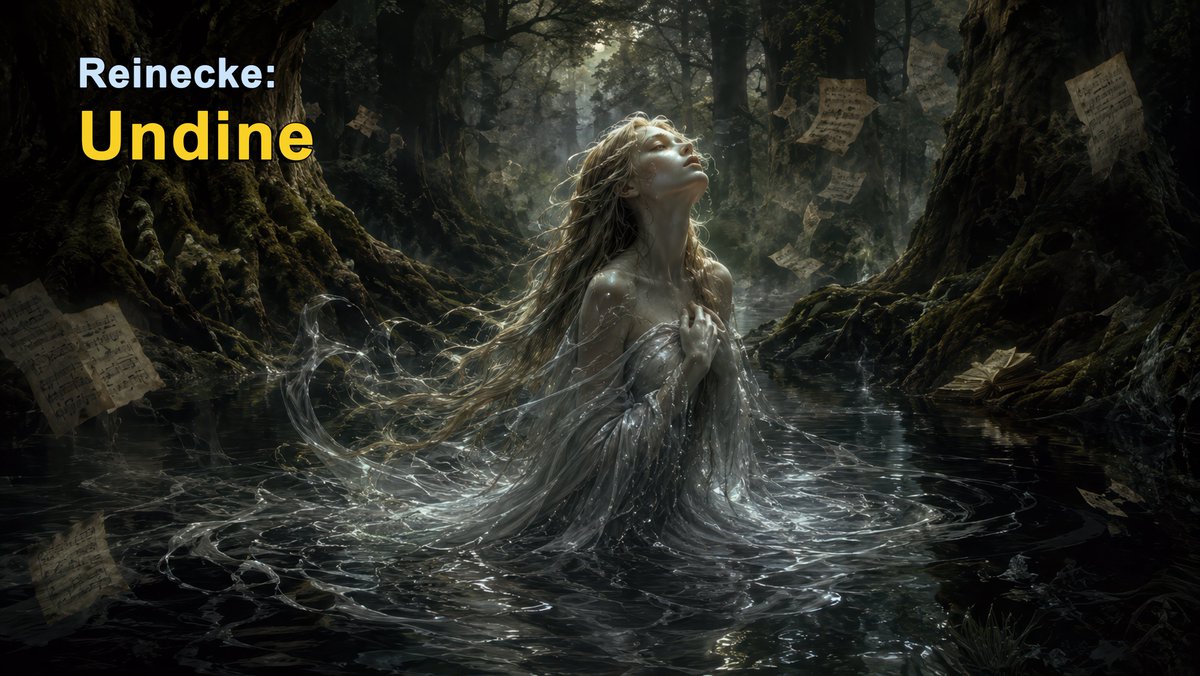
Visual Effects
Create a dark cinematic fantasy album-cover image for {argument name="composer and title" default="Reinecke: Undine"}. Wide 16:9 canvas, photorealistic painterly realism, moody chiaroscuro lighting, deep green-black palette with silver water highlights. Scene: an undine water spirit rises waist-deep from a shadowy forest stream at night or twilight, centered slightly right. She has very long wet pale-blonde hair flowing backward into the water, a translucent silver-white waterlike gown clinging and swirling around her, one hand held to her chest, ethereal droplets and ribbon-like currents wrapping around her body. Her face is intentionally hidden by a soft square blur/mist patch, not detailed. Background: ancient moss-covered tree trunks and huge roots form a tunnel-like dark forest; dim light breaks through the canopy behind her, creating mist and backlit hair. The water is glossy, black, reflective, with concentric ripples and luminous liquid strands. Add exactly 8 visible antique sheet-music pages: 1 large tilted page in the lower-left foreground, 1 faint reflected page near the lower-left water surface, 1 small page on the upper-left tree area, 1 floating page above the woman near the center, 1 floating page just upper-right of center, 1 floating page mid-right behind her, 1 page pinned or drifting on the upper-right tree, and 1 page near the lower-right water edge beside an old closed book. Top-left typography: two-line text overlay, aligned left; first line reads {argument name="small title text" default="Reinecke:"} in bold pale icy blue-white sans serif, second line reads {argument name="main title text" default="Undine"} in very large bold warm yellow sans serif. Keep the title clean and legible, no other readable text, no watermark, no border.
This is a free AI prompt from the Orelon library. Thousands more image prompts here are free to copy and adapt.
Explore more image prompts


Ready to create
Start with this curated direction in Orelon, then shape it into your next visual.