Camera Control
Google Street View Anomaly Screen Photo
Likes
3
Views
1.5K
 Orelon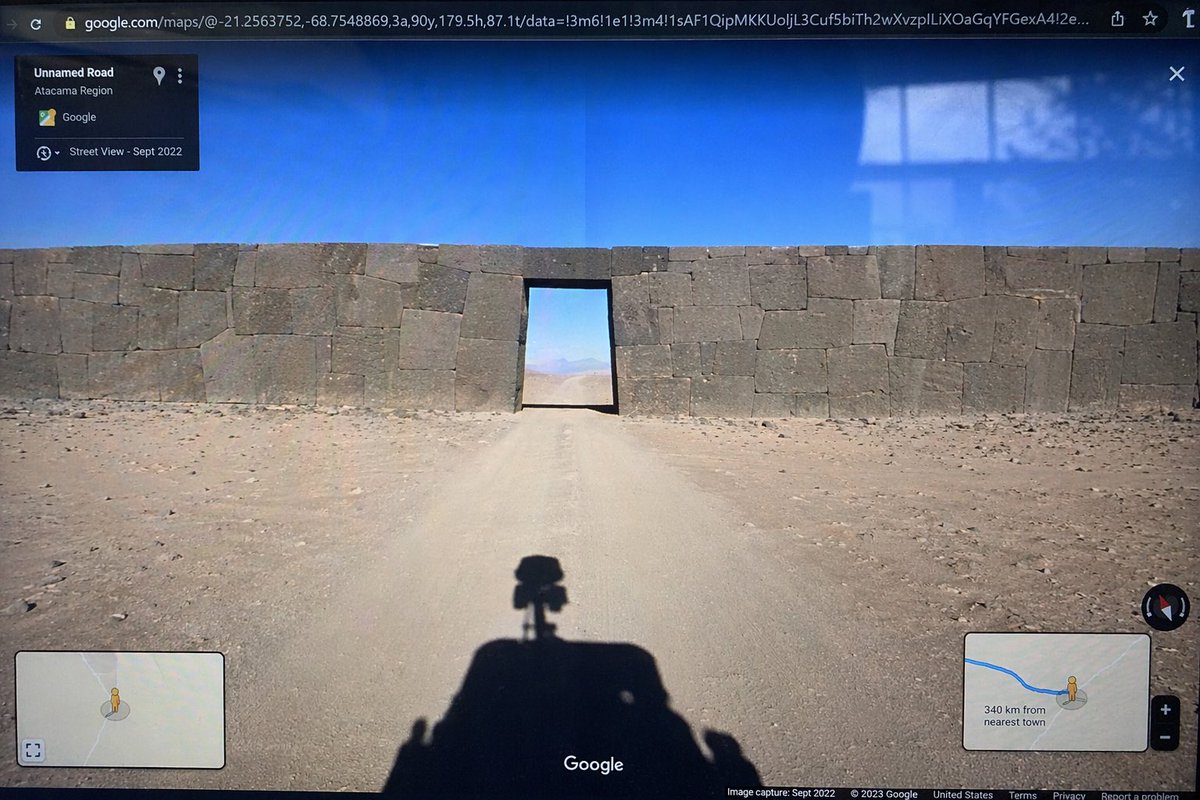
Camera Control
{ "type": "photograph of a computer monitor displaying a Google Maps Street View interface", "scene": { "environment": "{argument name=\"environment\" default=\"barren desert landscape under a clear blue sky\"}", "subject": "{argument name=\"subject\" default=\"massive ancient stone wall with perfectly fitted cyclopean masonry blocking a dirt road, with a rectangular doorway cut through the center\"}", "foreground": "shadow of a Google Street View car with a 360-degree camera mounted on top cast onto the dirt road" }, "ui_elements": { "browser_bar": "URL bar at the top showing google.com/maps with latitude and longitude coordinates", "top_left_panel": "black semi-transparent info box with text 'Unnamed Road', '{argument name=\"region\" default=\"Atacama Region\"}', and 'Street View - Sept 2022'", "bottom_left_panel": "minimap inset with a yellow Pegman icon", "bottom_right_panel": "minimap inset showing a blue route line, Pegman, zoom controls, and text '{argument name=\"distance text\" default=\"340 km from nearest town\"}'", "bottom_bar": "Google logo in the bottom center, compass icon on the right, and copyright/capture date text along the bottom edge" }, "style_details": "visible screen glare and slight monitor distortion to simulate a photograph taken of a physical screen with a smartphone" }
This is a free AI prompt from the Orelon library. Thousands more image prompts here are free to copy and adapt.
Explore more image prompts


Ready to create
Start with this curated direction in Orelon, then shape it into your next visual.