Camera Control
Cinematic Urban Night Street Portrait Prompt
Likes
2
Views
338
 Orelon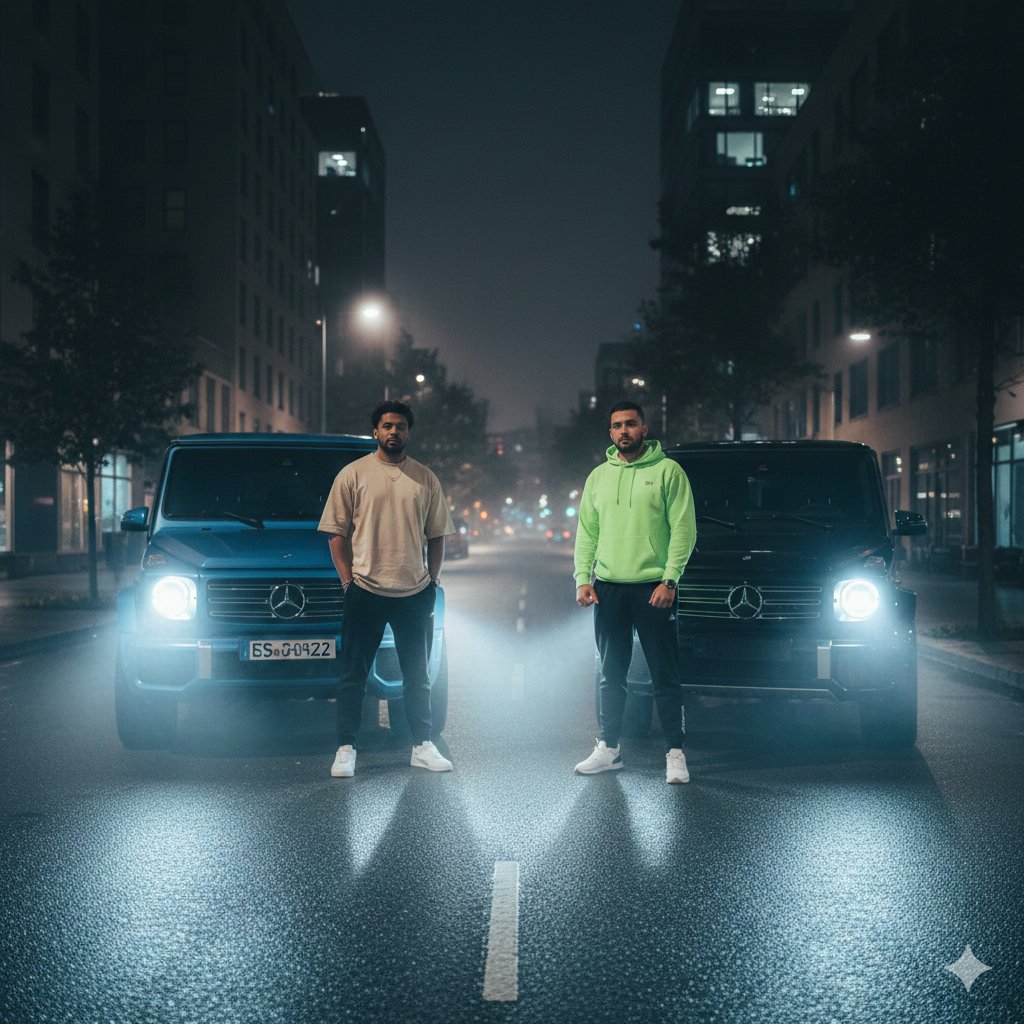
Camera Control
{ "image_generation_task": { "metadata": { "genre": "Urban Night Street Portrait", "style": "Ultra-realistic, cinematic, high-definition", "lighting": "Foggy night lighting, strong car headlight backlight, soft ambient city glow" }, "scene": { "setting": { "location": "Empty city street at night", "background_elements": [ "modern buildings on both sides", "street lights creating bokeh", "wet reflective road surface", "light fog enhancing depth" ] }, "subjects": [ { "label": "Person A", "position": "standing in front of a {argument name="car color 1" default="blue"} Mercedes G-Wagon", "clothing": { "top": "oversized beige t-shirt", "bottom": "black joggers", "shoes": "white sneakers" }, "pose": "relaxed stance, arms by side, looking at camera" }, { "label": "Person B", "position": "standing in front of a {argument name="car color 2" default="black"} Mercedes G-Wagon", "clothing": { "top": "bright neon green hoodie", "bottom": "black joggers", "shoes": "white sneakers" }, "pose": "confident stance, hands relaxed, facing camera" } ], "vehicles": [ { "model": "Mercedes G-Wagon", "color": "Blue", "lights": "headlights on, emitting strong beams through fog" }, { "model": "Mercedes G-Wagon", "color": "Black", "lights": "headlights on, casting dramatic rim light" } ], "camera": { "angle": "eye-level wide shot", "lens": "35mm", "depth_of_field": "shallow, with cinematic bokeh", "vibe": "moody, powerful, urban cinematic" } } } }
This is a free AI prompt from the Orelon library. Thousands more image prompts here are free to copy and adapt.
Explore more image prompts





Ready to create
Start with this curated direction in Orelon, then shape it into your next visual.