Camera Control
Candid Subway Platform Portrait
Views
123
 Orelon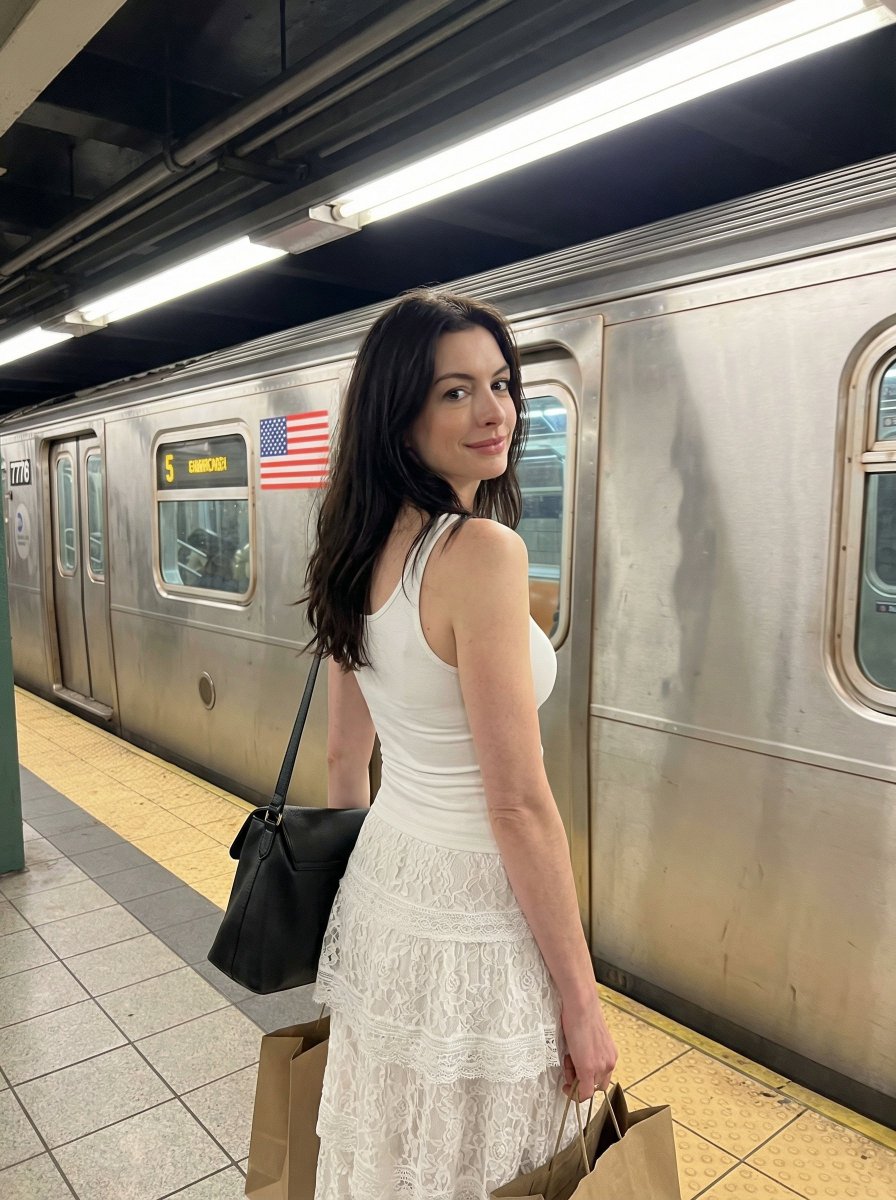
Camera Control
{ "image_generation_prompt": { "subject": { "description": "Young woman standing on a subway platform, Use uploaded reference image, keep identity exact", "hair": "long dark brown hair, straight with natural volume, subtle flyaways, realistic strand separation, slight movement from environment", "face": "Use uploaded reference image, keep identity exact — soft confident expression, slight gaze over shoulder, visible pores, natural skin texture, no smoothing", "body": "slim natural proportions, relaxed posture with slight torso twist, realistic weight distribution" }, "attire": { "top": "white fitted tank top, soft fabric with slight stretch and natural folds", "bottom": "white lace layered skirt with semi-sheer texture, intricate floral patterns, realistic transparency and fabric layering", "accessories": "black shoulder bag with leather texture, shopping bags in hand, subtle jewelry" }, "environment": { "setting": "subway station platform", "background": "metal subway train with visible doors, signage, and numbering, American flag decal, fluorescent ceiling lights, tiled platform", "details": "yellow safety strip, industrial textures, reflections on metal surfaces" }, "pose": { "posture": "standing with back slightly turned toward camera", "head": "looking over shoulder toward camera", "arms": "one arm holding shopping bags, other supporting shoulder bag", "expression": "calm, slightly posed candid look" }, "lighting_and_mood": { "lighting": "overhead fluorescent lighting, cool-toned, even illumination with slight shadows under chin and body", "effects": "subtle reflections on train metal, soft highlights on hair and skin", "mood": "urban lifestyle, candid, modern" }, "camera_and_technical": { "style": "smartphone street photography", "lens": "28mm equivalent", "aperture": "f/2.0", "quality_tags": [ "high resolution", "natural depth of field", "slight motion realism", "realistic skin texture", "urban lighting accuracy" ] } } }
This is a free AI prompt from the Orelon library. Thousands more image prompts here are free to copy and adapt.
Explore more image prompts





Ready to create
Start with this curated direction in Orelon, then shape it into your next visual.