Effects by Tags
Peacock Paint-by-Numbers Worksheet
Likes
1
Views
12
 Orelon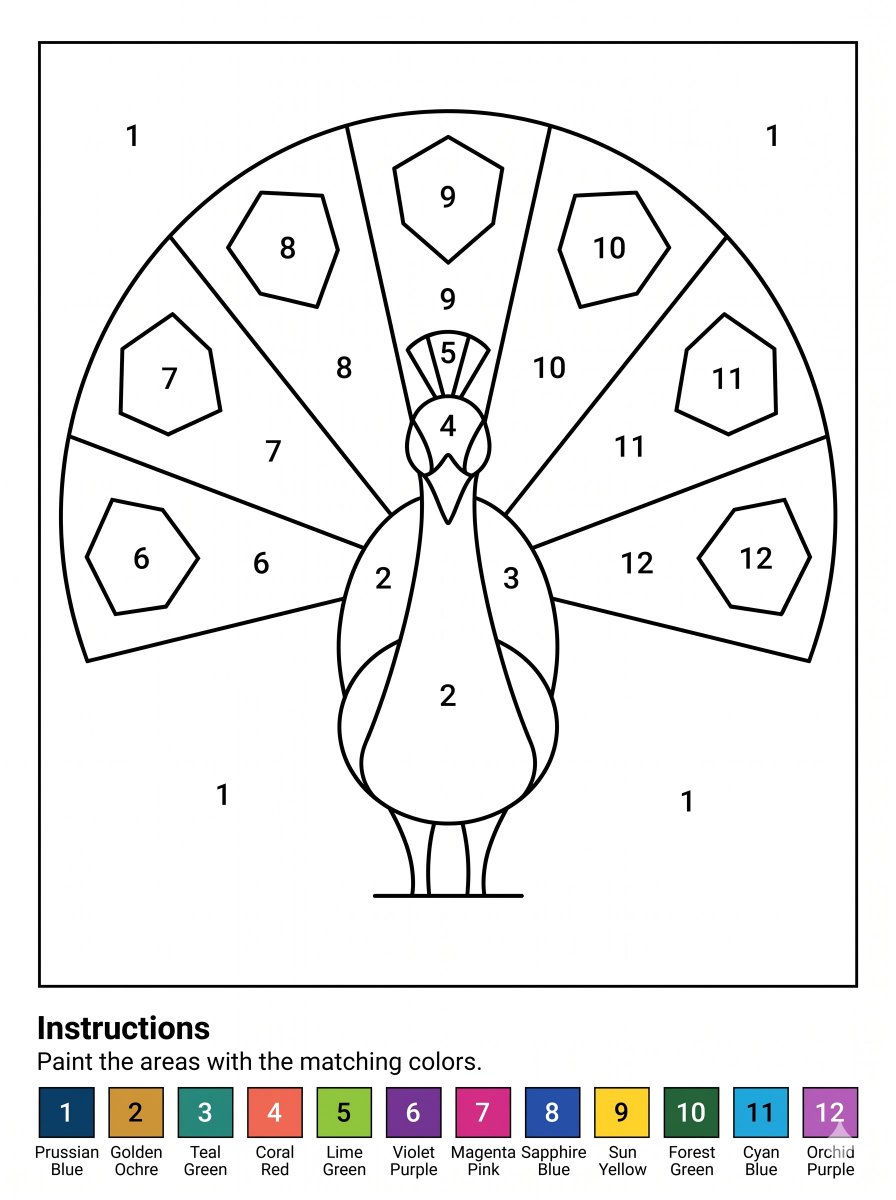
Effects by Tags
Goal: Create a printable paint-by-numbers worksheet featuring a stylized peacock, designed for children or beginners. Canvas: A4 portrait page at 300 DPI, clean white background, black line art only in the main worksheet area, with a thin rectangular border around the drawing. Leave a bottom instruction and color legend band below the bordered artwork. Main artwork: Center a simple front-facing peacock with a large semicircular fan tail. Use bold, smooth black outlines and large enclosed regions for coloring. The peacock has a rounded body, two slim legs, small feet on a horizontal ground line, a narrow neck, a pointed beak, round side face patches, a small crest, and two folded wing shapes along the body. Behind it, create a fan tail divided into exactly 7 large radial feather panels, labeled left to right with numbers 6, 7, 8, 9, 10, 11, and 12. Add exactly 7 smaller polygonal feather-eye shapes inside the fan, one per panel, also labeled 6 through 12. Put additional labels on the bird: body and lower wings use 2, right wing uses 3, face uses 4, crest uses 5. Fill the plain background areas inside the border with the number 1 in four places: upper left, upper right, lower left, and lower right. Numbering and regions: Use exactly 12 paint colors, represented only by black numeric labels inside the enclosed regions. Keep all numbers large, centered, and easy to read. Avoid shading, texture, gradients, or filled color in the drawing area. Bottom text: Below the drawing border, add a bold heading reading “Instructions”, followed by the sentence “Paint the areas with the matching colors.” Color legend: At the very bottom, create exactly 12 square color swatches in one horizontal row, each with a white or black number centered on the swatch and a two-line color name underneath. The swatches are: 1 Prussian Blue, 2 Golden Ochre, 3 Teal Green, 4 Coral Red, 5 Lime Green, 6 Violet Purple, 7 Magenta Pink, 8 Sapphire Blue, 9 Sun Yellow, 10 Forest Green, 11 Cyan Blue, 12 Orchid Purple. Style constraints: Crisp vector-like worksheet, high-contrast black outlines, no grayscale fills in the drawing, no extra decorations, no watermark, keep the layout print-ready and easy to color.
This is a free AI prompt from the Orelon library. Thousands more image prompts here are free to copy and adapt.
Explore more image prompts





Ready to create
Start with this curated direction in Orelon, then shape it into your next visual.