Effects by Tags
Pastel Illustration Style Transfer (Reference Required)
Likes
2
Views
146
 Orelon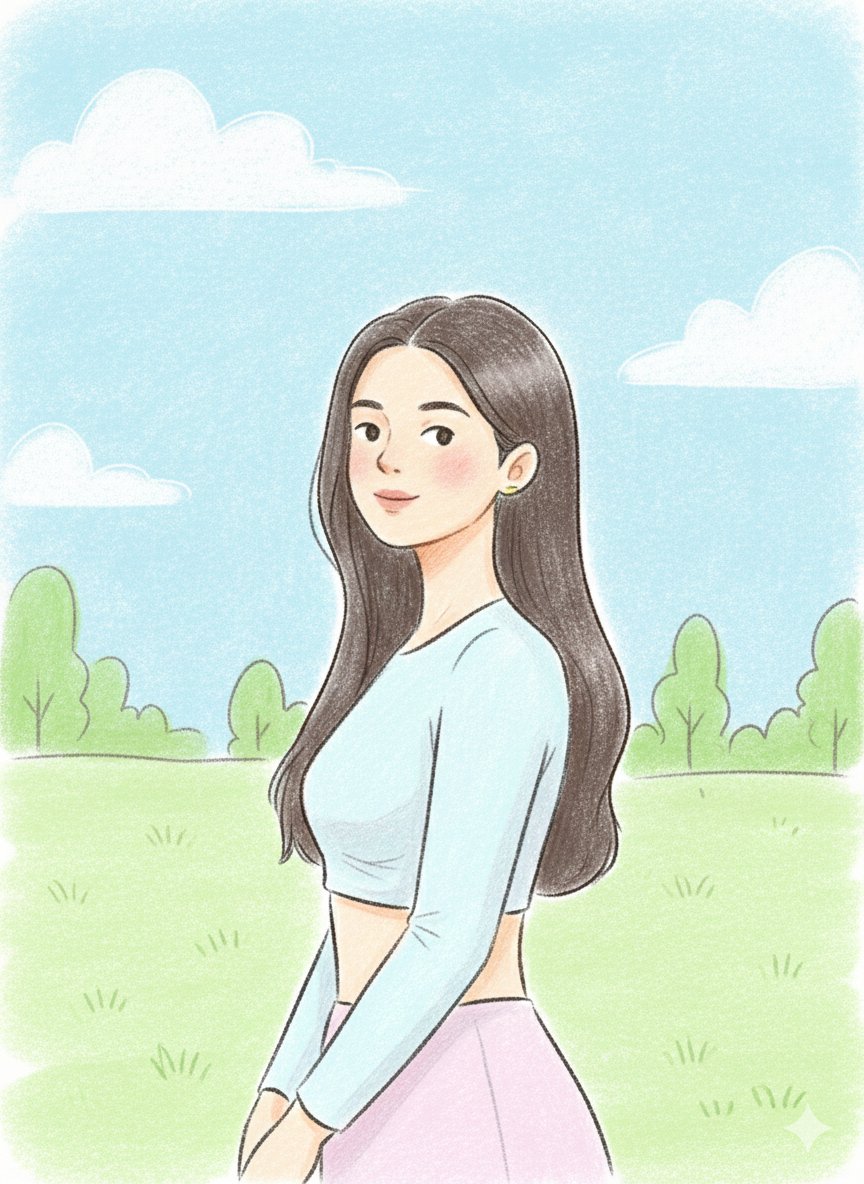
Effects by Tags
{ "prompt": "Use the uploaded image strictly as an identity reference (face and likeness only). Change the pose to a relaxed side-profile stance with the subject slightly turned, one shoulder forward and head gently tilted, giving a candid feel. Place the subject in a new background: an open pastel park setting with soft clouds, light greenery, and simple abstract shapes. Render the scene in a hand-drawn pastel illustration style with clean but slightly rough pencil outlines, visible strokes, and gentle shading. Use bright yet natural pastel colors with warm tones. Facial features remain simple and cute with dot eyes and a small calm smile. Keep the overall mood light, friendly, and fresh.", "style": "hand-drawn pastel pencil illustration", "lighting": "soft daylight", "color_palette": "bright natural pastels", "texture": "visible pencil strokes, soft shading", "face_style": "simple features, dot eyes, small smile", "proportions": "semi-cartoon realistic", "mood": "fresh, relaxed, cheerful", "background": "pastel park scene with minimal clouds and greenery" }
This is a free AI prompt from the Orelon library. Thousands more image prompts here are free to copy and adapt.
Explore more image prompts





Ready to create
Start with this curated direction in Orelon, then shape it into your next visual.