Camera Control
Cinematic Teal Goblin Warrior
Likes
7
Views
224
 Orelon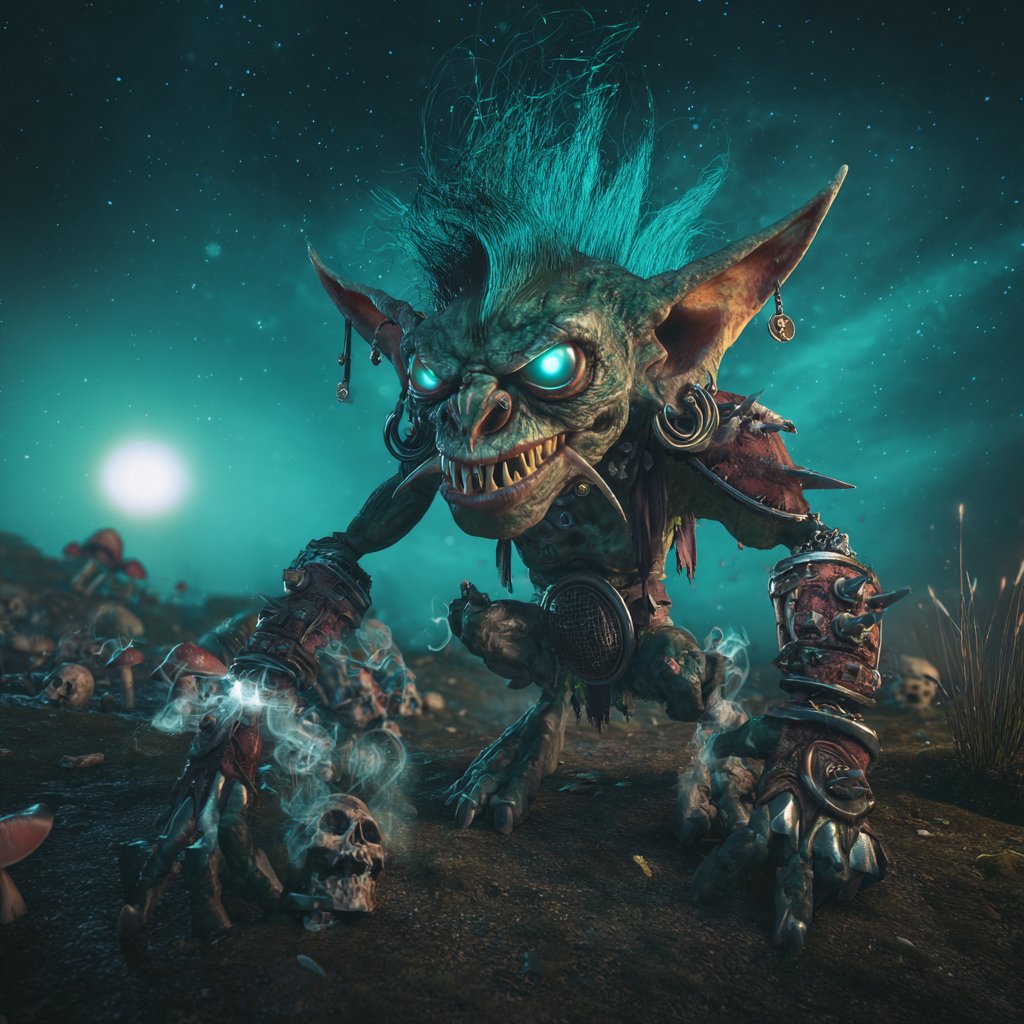
Camera Control
Create a dark cinematic fantasy close-up of a single monstrous goblin warrior lunging toward the viewer in a low-angle three-quarter pose on a barren battlefield. The goblin has mottled {argument name="skin color" default="green-gray leathery skin"}, a huge snarling face, sharp uneven yellow teeth, a wrinkled piglike nose, exaggerated cheekbones, enormous pointed ears with dangling earrings and metal rings, and glowing {argument name="eye glow color" default="cyan turquoise"} eyes. Give it a wild upright mohawk of {argument name="hair color" default="electric teal"} hair, thin wisps flying upward as if charged with energy. Dress it in ragged dark leather and scraps of spiked armor: one bulky spiked shoulder pauldron, heavy mismatched bracers, clawed metal gauntlets, belts, straps, charms, bone details, and battered ornaments. The creature crawls forward with long clawed hands planted on the dirt, one hand near a small skull and wisps of ghostly blue smoke, creating a menacing goblin-art showcase portrait. Set the scene at night under a star-filled teal sky with a large bright moon or glowing orb low on the left horizon, turquoise nebula haze behind the character, scattered bones, skulls, rocks, dead grass, and red-capped mushrooms in the background. Use dramatic rim lighting, cyan bioluminescent glow from the eyes and smoke, high contrast shadows, shallow depth of field, ultra-detailed textures, grimy practical fantasy realism, cinematic 3D creature design, wide-angle perspective, centered composition, intense threatening expression, no text, no borders.
This is a free AI prompt from the Orelon library. Thousands more image prompts here are free to copy and adapt.
Explore more image prompts



Ready to create
Start with this curated direction in Orelon, then shape it into your next visual.