Effects by Tags
Boca Juniors Welcome Poster
Views
78
 Orelon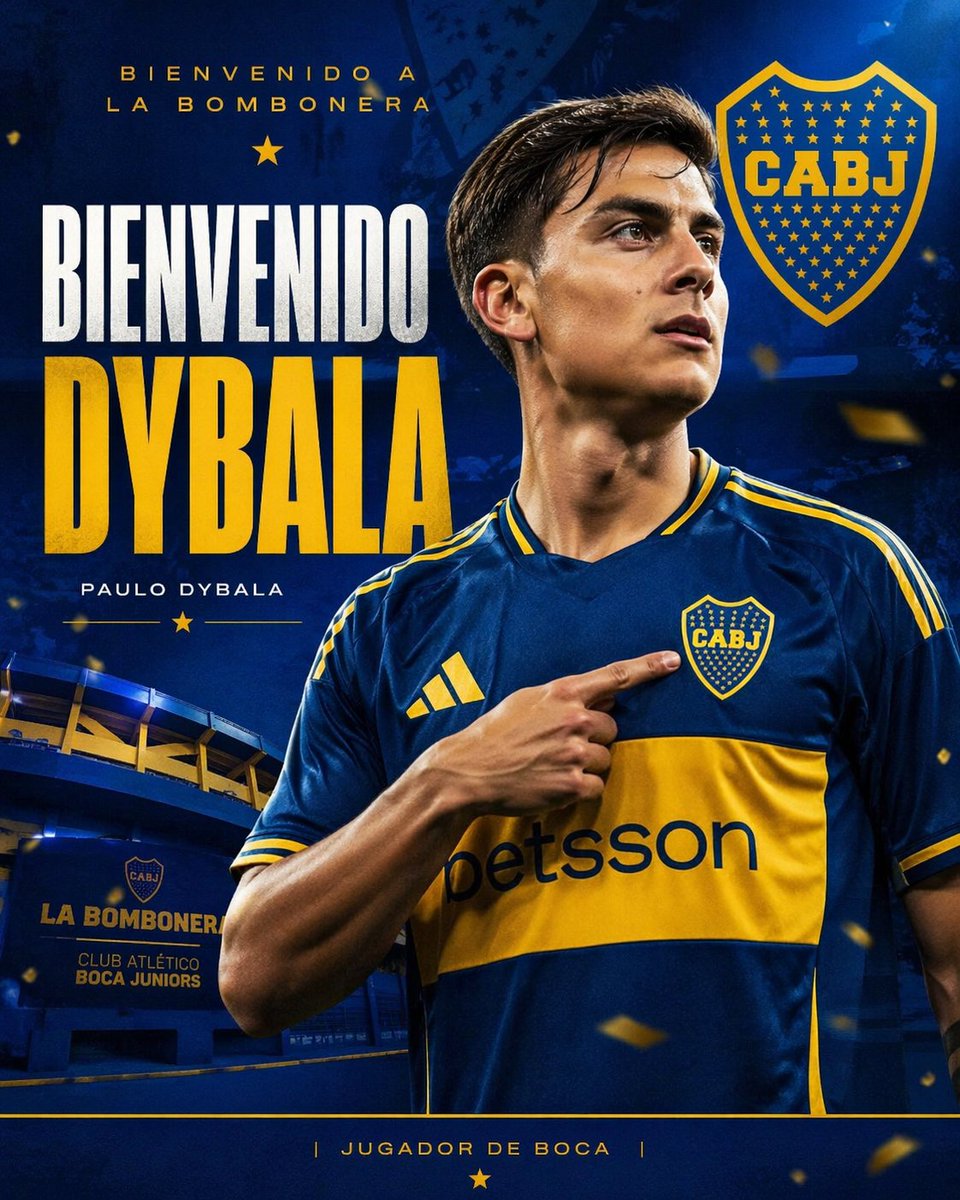
Effects by Tags
A dramatic vertical football transfer announcement poster in Boca Juniors colors, designed like a polished social media graphic. Show a half-body portrait of {argument name="player name" default="Paulo Dybala"} wearing the modern Boca Juniors home jersey, dark royal blue with a wide gold chest band, gold shoulder stripes, Adidas logo on the right chest, CABJ crest on the left chest, and “betsson” sponsor across the yellow band. The player is centered slightly to the right, cropped from upper torso to top of head, with short dark hair and athletic build, turning his head slightly to his left while pointing with his right index finger directly at the club crest on his chest. Do not show facial details clearly; keep the face obscured or out of focus. Use a deep blue textured stadium-themed background with glowing highlights and subtle grunge overlays. In the lower left background, include La Bombonera stadium facade with visible signage reading “LA BOMBONERA” and “CLUB ATLÉTICO BOCA JUNIORS.” Add small floating gold confetti particles throughout the scene for celebratory energy. Place a large CABJ shield logo in the upper right. Typography must be bold and poster-like: at the top left in small gold uppercase text, “BIENVENIDO A LA BOMBONERA”; below it a small gold star; then a huge stacked headline on the left with “BIENVENIDO” in tall white condensed uppercase and “DYBALA” in oversized gold condensed uppercase. Below the name, add smaller white uppercase text reading “PAULO DYBALA,” flanked by thin gold lines and a small gold star. At the bottom, place a thin gold horizontal line across the width and centered gold uppercase text reading “| JUGADOR DE BOCA |” with a gold star beneath it. Use high contrast, glossy sports-poster lighting, rich navy and gold color grading, sharp fabric detail, and an elite club announcement aesthetic.
This is a free AI prompt from the Orelon library. Thousands more image prompts here are free to copy and adapt.
Explore more image prompts





Ready to create
Start with this curated direction in Orelon, then shape it into your next visual.