Effects by Tags
Iridescent Butterfly UI/UX Design System
Likes
5
Views
553
 Orelon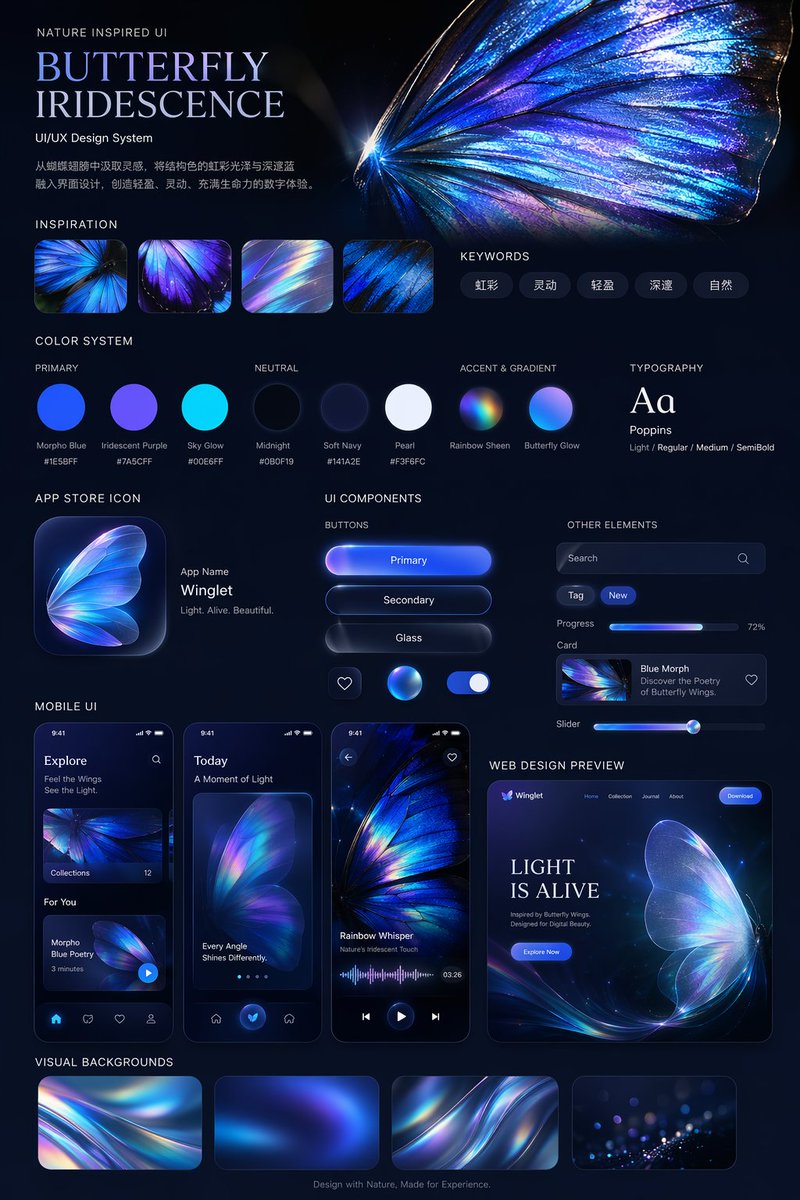
Effects by Tags
{ "type": "UI/UX Design System presentation board", "theme": "Dark mode, nature-inspired, glowing iridescent aesthetics", "header": { "title": "NATURE INSPIRED UI\n{argument name=\"system title\" default=\"BUTTERFLY IRIDESCENCE\"}\nUI/UX Design System", "description": "{argument name=\"chinese description\" default=\"从蝴蝶翅膀中汲取灵感,将结构色的虹彩光泽与深邃蓝融入界面设计,创造轻盈、灵动、充满生命力的数字体验。\"}", "hero_image": "Large, highly detailed, glowing blue and purple iridescent butterfly wing" }, "layout": { "sections": [ { "title": "INSPIRATION", "count": 4, "description": "Square thumbnails showing close-ups of iridescent butterfly wings and light refractions" }, { "title": "KEYWORDS", "count": 5, "labels": ["虹彩", "灵动", "轻盈", "深邃", "自然"] }, { "title": "COLOR SYSTEM", "subsections": [ { "title": "PRIMARY", "count": 3, "labels": ["Morpho Blue #1E5BFF", "Iridescent Purple #7A5CFF", "Sky Glow #00E6FF"] }, { "title": "NEUTRAL", "count": 3, "labels": ["Midnight #0B0F19", "Soft Navy #141A2E", "Pearl #F3F6FC"] }, { "title": "ACCENT & GRADIENT", "count": 2, "labels": ["Rainbow Sheen", "Butterfly Glow"] } ] }, { "title": "TYPOGRAPHY", "content": "Aa Poppins Light / Regular / Medium / SemiBold" }, { "title": "APP STORE ICON", "count": 1, "text": "App Name {argument name=\"app name\" default=\"Winglet\"} Light. Alive. Beautiful." }, { "title": "UI COMPONENTS", "subsections": [ { "title": "BUTTONS", "count": 6, "labels": ["Primary", "Secondary", "Glass", "heart icon", "glowing sphere icon", "toggle switch"] }, { "title": "OTHER ELEMENTS", "count": 5, "labels": ["Search bar", "Tag (New)", "Progress bar (72%)", "Card (Blue Morph)", "Slider"] } ] }, { "title": "MOBILE UI", "count": 3, "screens": ["Explore screen", "Today screen with large butterfly wing", "Audio player screen with waveform"] }, { "title": "WEB DESIGN PREVIEW", "count": 1, "details": "Desktop browser mockup, hero section with '{argument name=\"web hero headline\" default=\"LIGHT IS ALIVE\"}' and 'Explore Now' button" }, { "title": "VISUAL BACKGROUNDS", "count": 4, "description": "Rectangular thumbnails showing abstract iridescent waves" } ], "footer": "Design with Nature, Made for Experience." } }
This is a free AI prompt from the Orelon library. Thousands more image prompts here are free to copy and adapt.
Explore more image prompts





Ready to create
Start with this curated direction in Orelon, then shape it into your next visual.