Visual Effects
Space Asset Gallery UI
Likes
1
Views
42
 Orelon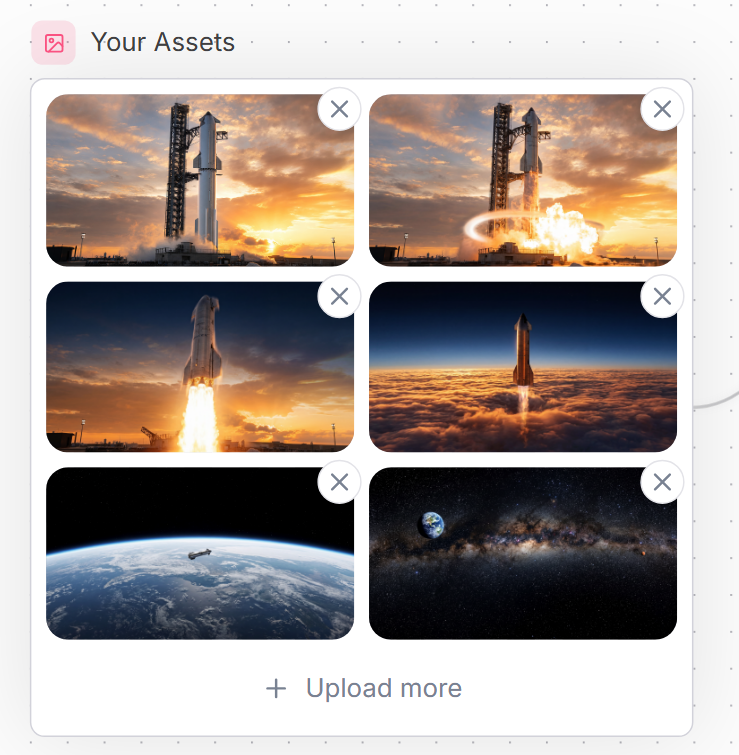
Visual Effects
Goal: Create a clean website UI asset manager panel titled {argument name="headline text" default="Your Assets"}, showing a grid of uploaded spaceflight images. Canvas: Square-ish web mockup on a very light background with a subtle dotted grid pattern and faint curved decorative line on the right edge. Use a modern SaaS style with soft shadows, rounded corners, and muted blue-gray text. Layout: At the top left, place a small rounded pink square icon containing a simple outlined image/photo symbol, followed by the headline. Below it, create one large white rounded rectangle card with a thin pale gray border. Inside the card, place exactly 6 image thumbnails in a 2-column by 3-row grid, each thumbnail with rounded corners. Each thumbnail has a floating circular delete button overlapping its top-right corner; there are exactly 6 delete buttons, each white with a gray X icon. At the bottom of the card, center an upload action row with a plus sign and the text {argument name="upload text" default="Upload more"}. Thumbnail contents, exactly 6: 1) top-left: a tall rocket standing on a launch pad at sunset with orange clouds; 2) top-right: the same rocket launch pad scene with bright explosion/flame and a glowing circular shockwave effect; 3) middle-left: a rocket lifting off vertically with a large bright plume against a sunset sky; 4) middle-right: a rocket ascending above a dense orange cloud layer into a dark blue upper atmosphere; 5) bottom-left: Earth seen from low orbit with a small spacecraft over the curved horizon; 6) bottom-right: a starry deep-space panorama with the Milky Way band and Earth visible near the upper left. Visual style: Polished web component screenshot, realistic cinematic space thumbnails, crisp UI edges, generous spacing, rounded 16px thumbnail corners, subtle shadows, soft neutral palette. Use {argument name="accent color" default="soft pink"} for the small image icon background and {argument name="text color" default="slate blue-gray"} for the title and upload text. Constraints: Keep all text in English, include no extra labels, no watermark, no browser chrome, no cursor. Maintain the exact counts: 1 title, 1 icon, 1 bordered card, 6 thumbnails, 6 circular X delete buttons, and 1 bottom upload action.
This is a free AI prompt from the Orelon library. Thousands more image prompts here are free to copy and adapt.
Explore more image prompts


Ready to create
Start with this curated direction in Orelon, then shape it into your next visual.