Camera Control
Modern Webinar Promotional Banner
Likes
12
Views
3.8K
 Orelon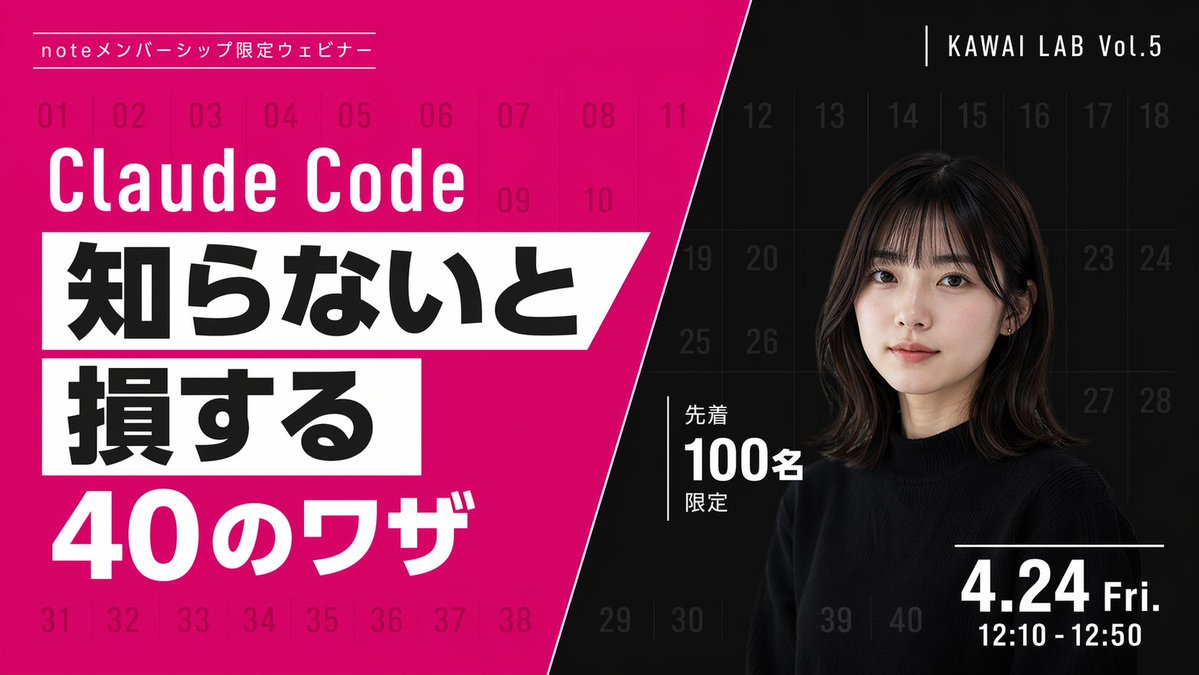
Camera Control
{ "type": "webinar promotional banner", "style": "modern, bold typography, high contrast, diagonal split layout", "background": { "pattern": "faint grid of 40 sequential numbers from 01 to 40 spanning the entire canvas", "left_color": "vibrant magenta", "right_color": "black", "split_style": "sharp diagonal line from top center to bottom left" }, "left_section": { "top_label": "{argument name=\"top label\" default=\"noteメンバーシップ限定ウェビナー\"}", "title": "{argument name=\"main title\" default=\"Claude Code\"}", "highlight_box_1": { "text": "{argument name=\"highlight text 1\" default=\"知らないと\"}", "style": "black text on white skewed rectangular background" }, "highlight_box_2": { "text": "{argument name=\"highlight text 2\" default=\"損する\"}", "style": "black text on white skewed rectangular background" }, "bottom_text": "40のワザ" }, "right_section": { "top_right_label": "KAWAI LAB Vol.5", "subject": "portrait of a young Japanese woman, shoulder-length dark hair with bangs, wearing a black crew neck sweater, neutral expression, looking at camera", "middle_badge": { "text": "先着 100名 限定", "style": "white text with vertical line accent" }, "bottom_right_date": "{argument name=\"date and time\" default=\"4.24 Fri. 12:10 - 12:50\"}" } }
This is a free AI prompt from the Orelon library. Thousands more image prompts here are free to copy and adapt.
Explore more image prompts





Ready to create
Start with this curated direction in Orelon, then shape it into your next visual.