Camera Control
Coquette Soft Grunge Portrait with Lollipop (JSON)
Likes
1
Views
228
 Orelon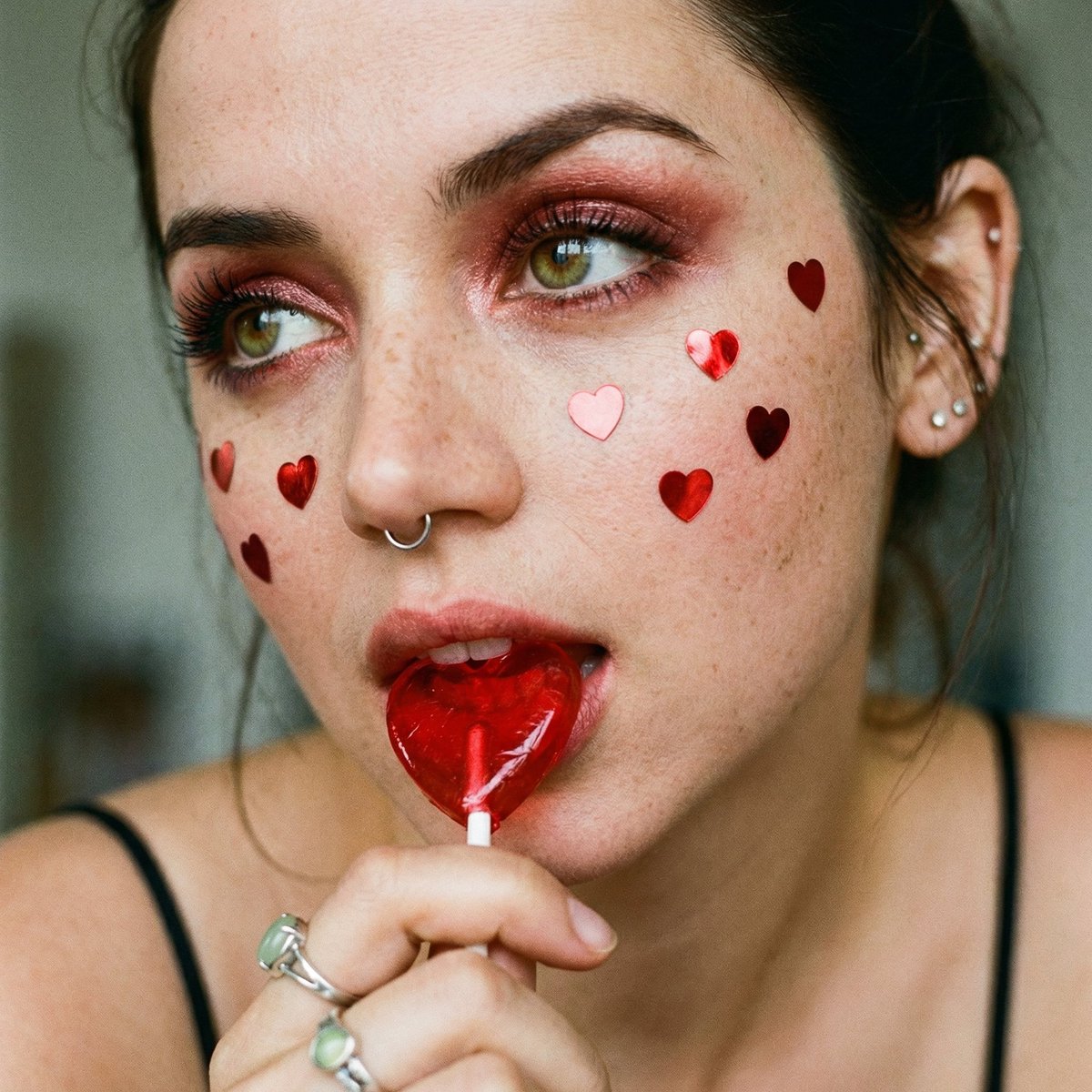
Camera Control
{ "visual_style": { "aesthetic_tags": ["Coquette", "Soft Grunge", "Vintage Indie", "Romantic Macabre"], "subject": { "focus": "Extreme close-up portrait of a person's face", "pose": "Head tilted slightly, eyes looking up and to the side (averted gaze), hand partially visible at the bottom left holding a lollipop", "expression": "Playful yet moody, biting down on a heart-shaped lollipop" }, "color_palette": { "dominant_colors": ["#BC0000 (Crimson Red)", "#E8B4A2 (Peach/Skin Tones)", "#F4EBD9 (Cream/Neutral)"], "accent_colors": ["#A3C6C4 (Pale Sage Green - Ring Stone)", "#000000 (Black - Liner/Straps)"], "temperature": "Warm and saturated" }, "composition": { "framing": "Macro/Tight crop", "depth_of_field": "Shallow (bokeh effect on ears and background)", "angle": "Eye level, slightly tilted", "balance": "Asymmetrical with hand and lollipop creating a diagonal lead" }, "makeup_and_face": { "skin_texture": "Natural, visible freckles and pores", "eye_makeup": "Shimmery reddish eyeshadow, dark eyeliner, heavy mascara", "lips": "Natural/glossy base, obscured by lollipop", "adornments": "Red metallic heart-shaped stickers/confetti scattered across the face" }, "outfits_and_accessories": { "jewelry": [ "Delicate silver septum hoop", "Multiple small silver ear studs", "Ornate silver rings, one featuring a light green/turquoise stone" ], "clothing": "Thin black spaghetti strap", "props": "Red translucent heart-shaped lollipop on a white stick" }, "lighting_and_atmosphere": { "source": "Soft, diffused natural light", "vibe": "Nostalgic, intimate, youthful, slightly edgy", "shadows": "Soft, minimal harshness" }, "technical_effects": { "texture": "Fine film grain", "sharpness": "High focus on the eyes and center of the face, softening towards the edges", "saturation": "High saturation on red elements to make them pop" } } }
This is a free AI prompt from the Orelon library. Thousands more image prompts here are free to copy and adapt.
Explore more image prompts





Ready to create
Start with this curated direction in Orelon, then shape it into your next visual.