Effects by Tags
Upscale Cafe Woman Portrait
Likes
1
Views
243
 Orelon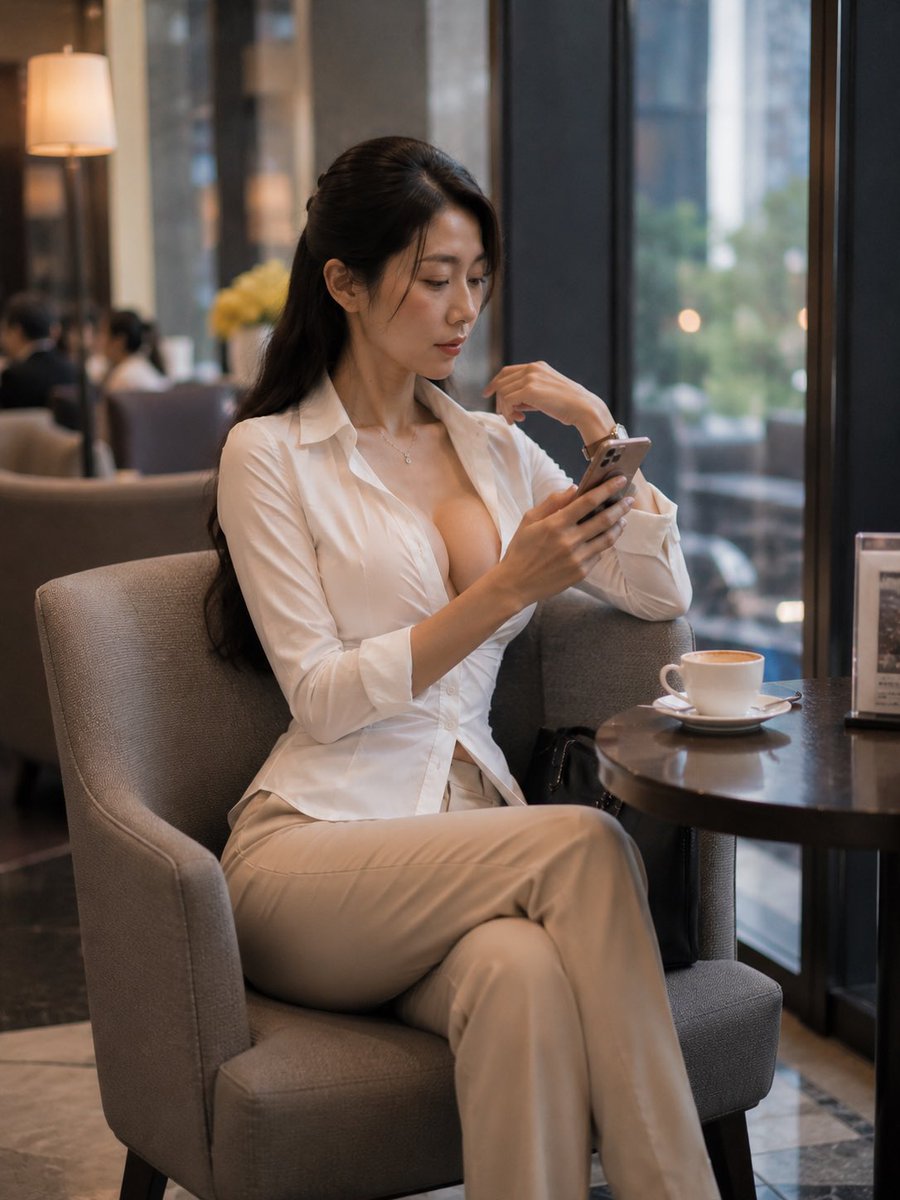
Effects by Tags
Create a photorealistic lifestyle portrait of an adult East Asian woman, about 30 years old, seated alone in a refined hotel lounge or upscale café by a large floor-to-ceiling window. She has {argument name="hair color" default="long black hair"} styled half-up with loose strands framing her face, natural makeup, and a calm focused expression as she looks down at a smartphone held in both hands. She wears a fitted {argument name="shirt color" default="white"} button-down blouse with the top buttons open, a delicate necklace, a wristwatch, and {argument name="trouser color" default="beige"} high-waisted wide-leg trousers; her legs are crossed elegantly in a gray upholstered armchair. Beside her is a small round dark wood café table holding exactly 2 visible objects: a white cappuccino cup on a saucer and a small upright tabletop menu sign. Include a black handbag partly visible near the chair and table. The background shows a warm modern lounge interior with blurred seated guests, a glowing floor lamp, muted flowers, marble flooring, and city greenery visible through the window, all softly out of focus. Use natural window light mixed with warm indoor lighting, shallow depth of field, realistic skin texture, 85mm portrait photography feel, vertical 3:4 composition, cinematic but understated color grading. Avoid text overlays, logos, watermarks, exaggerated anatomy, or extra people in the foreground.
This is a free AI prompt from the Orelon library. Thousands more image prompts here are free to copy and adapt.
Explore more image prompts





Ready to create
Start with this curated direction in Orelon, then shape it into your next visual.