Commercial
Cinematic Pink Blossom Couture Portrait
Likes
61
Views
860
 Orelon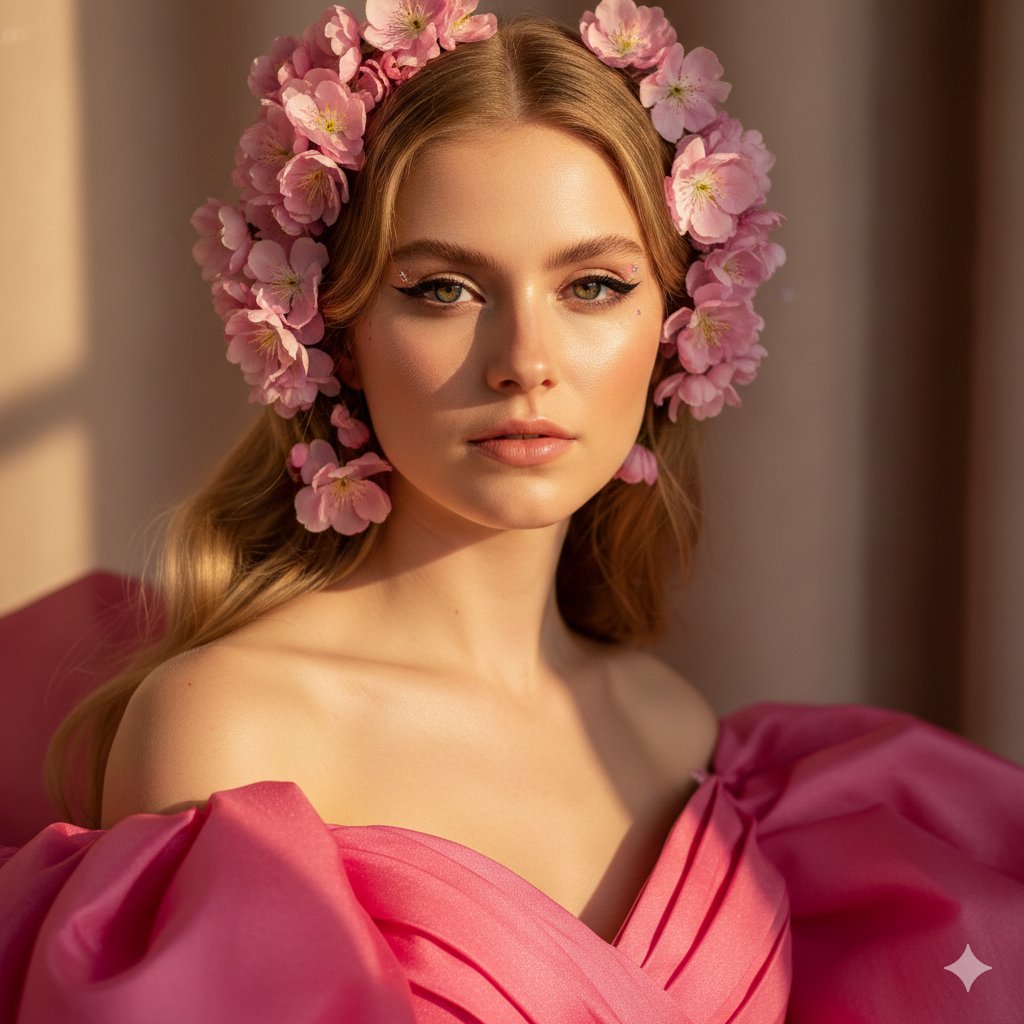
Commercial
{ "project": "Cinematic Pink Blossom Couture Portrait", "subject": { "identity": "Young woman", "features": { "skin_tone": "Fair", "hair": { "color": "Blonde", "style": "Long, softly wavy", "adornments": "Bright pink flowers" }, "makeup": { "eyes": "Dramatic cat-eye eyeliner", "brows": "Well-defined" } } }, "wardrobe": { "item": "Off-the-shoulder dress", "color": "{argument name="Dress Color" default="Vibrant pink"}", "material": "High-quality fabric with visible texture and natural folds" }, "environment": { "lighting": { "type": "Natural sunlight", "effects": "Soft natural shadows, refined interplay of light and shadow" }, "background": { "description": "Warm and neutral", "elements": ["Softly blurred curtain", "wall"] } }, "technical_specifications": { "composition": { "framing": "Ultra-realistic glamorous close-up portrait", "depth_of_field": "Shallow (sharp focus on face, blurred background)", "aesthetic": "High-fashion editorial / Cinematic" }, "rendering": { "resolution": "8K HDR ultra-detail", "fidelity_checks": [ "Precise anatomy", "Visible skin pores and fibers", "Realistic glitter physics", "True lens depth" ], "negative_constraints": [ "No illustration", "No CGI", "No plastic skin", "No AI smoothing", "No deformed hands", "No melted fabric" ] }, "equipment_profile": "Photoreal DSLR" } }
This is a free AI prompt from the Orelon library. Thousands more image prompts here are free to copy and adapt.
Explore more image prompts




Ready to create
Start with this curated direction in Orelon, then shape it into your next visual.