Commercial
Dramatic Flame-Grilled Ad Poster
Likes
15
Views
212
 Orelon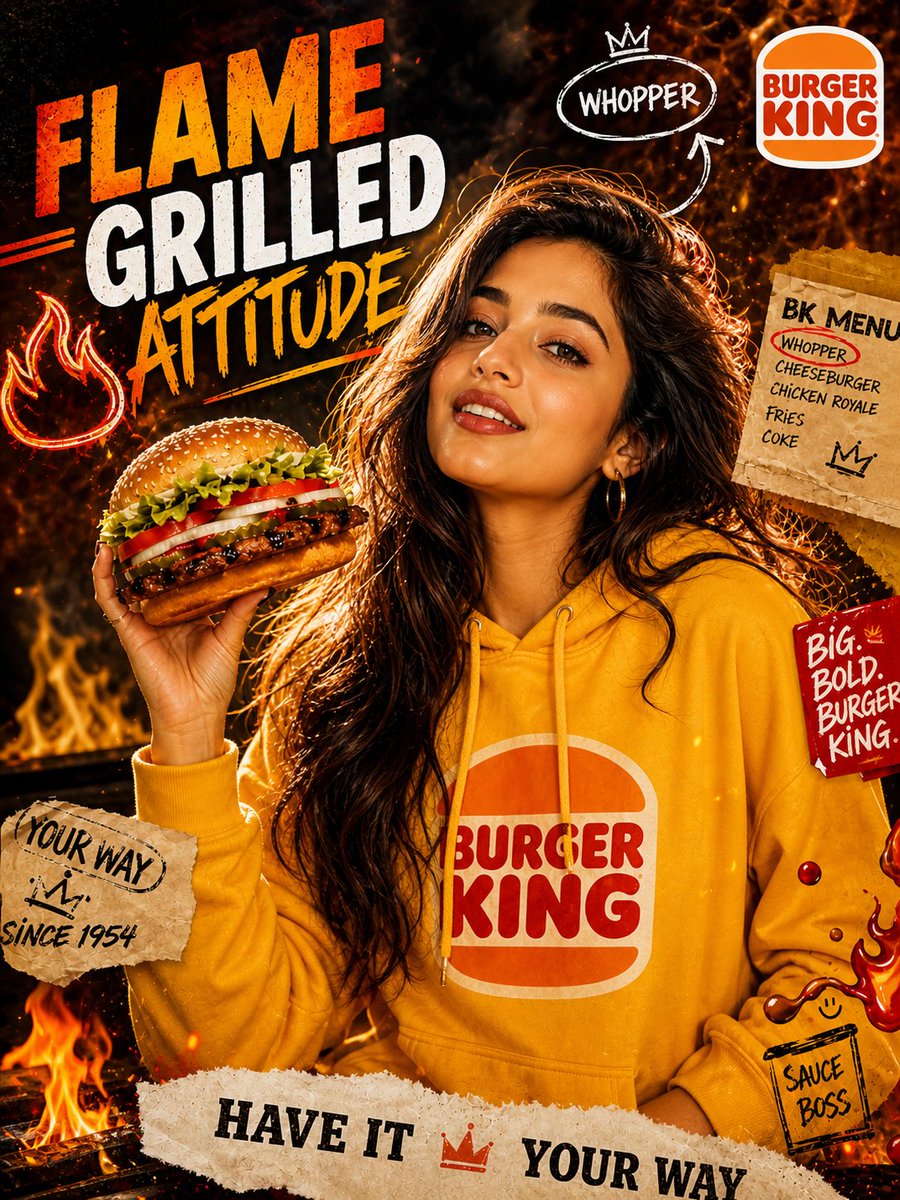
Commercial
Lighting (Hollywood food ad level): dramatic high-contrast lighting, strong warm orange rim light from flames, cool shadow fill for depth, sharp key light on face + {argument name="food item" default="burger"}, HDR highlights on bun + sauce + cheese, deep shadows (not flat), cinematic glow + light bloom Dynamic elements (viral punch): floating fire sparks, grease droplets, sauce splashes frozen mid-air, subtle motion blur on flames, energy-driven composition Typography (bold + gritty street style): “{argument name="main text" default="FLAME GRILLED ATTITUDE"}” — large bold distressed font, orange/yellow paint stroke background doodle elements: arrows, crown sketch, “WHOPPER” circle mark side notes: “YOUR WAY”, “{argument name="side note" default="SINCE 1954"}”, “SAUCE BOSS” (handwritten style) Composition: subject centered, burger slightly forward (depth effect), rule of thirds, layered poster composition, foreground + midground + background separation Camera: 50–85mm lens, shallow depth of field f/1.8, ultra sharp focus on burger + face, cinematic framing, slight perspective push Color grading: ultra premium orange-black-red cinematic grade, fiery glow tones, high contrast, gritty luxury feel, subtle film grain Style: Burger King campaign + street poster + high-fashion editorial fusion, hyper realistic, 8K ultra HD, crisp textures, bold advertising aesthetic --ar 4:5 --style raw --v 6 --q 2
This is a free AI prompt from the Orelon library. Thousands more image prompts here are free to copy and adapt.
Explore more image prompts


Ready to create
Start with this curated direction in Orelon, then shape it into your next visual.