Effects by Tags
Neon Brain Graffiti Mural
Likes
25
Views
2K
 Orelon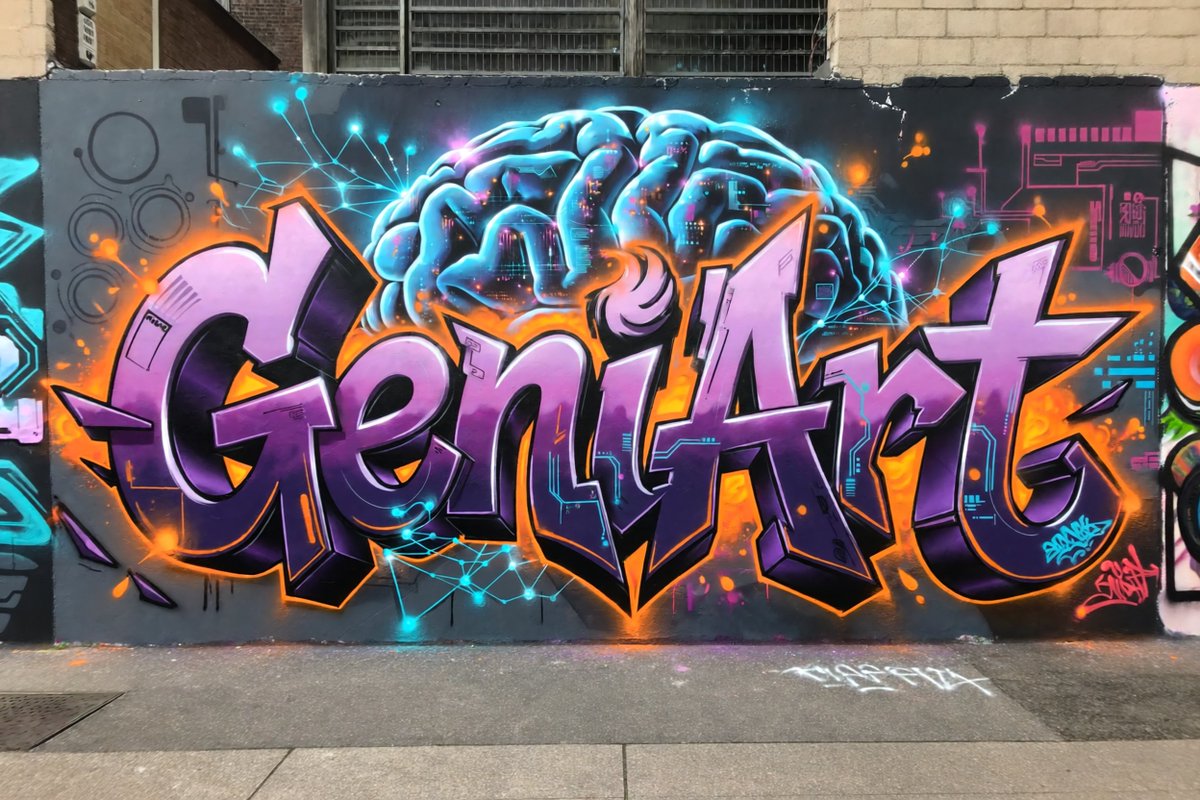
Effects by Tags
Create a photorealistic urban street photograph of a large graffiti mural on a dark gray city wall. The mural features the word {argument name="graffiti word" default="GeniArt"} in huge wildstyle bubble lettering, centered and spanning nearly the full width of the wall. Use glossy lavender-to-deep-purple letter fills, thick black 3D shadows, bright white highlights, and a vivid orange outer glow with orange paint splashes. Behind the lettering, paint a glowing futuristic brain in electric cyan and blue at the top center, with visible folds, neon rim lighting, and tiny magenta and orange digital details inside it. Add cyan neural-network lines and glowing nodes radiating around the brain and across the wall, plus subtle circuit-board graphics in cyan and magenta on both sides. Include exactly 2 small graffiti signatures: one cyan tag near the lower right of the main letters and one pink tag at the far lower right. The scene should look like real spray paint on a slightly worn exterior wall, with brick buildings and barred industrial windows visible above, a sidewalk and curb in the foreground, minor drips, overspray, chips, and street grime. Style: high-detail realistic graffiti photography, wide horizontal composition, straight-on perspective, natural daylight, saturated neon colors, crisp focus, no people, no vehicles, no extra words besides the main graffiti word and the two small tags.
This is a free AI prompt from the Orelon library. Thousands more image prompts here are free to copy and adapt.
Explore more image prompts





Ready to create
Start with this curated direction in Orelon, then shape it into your next visual.