Effects by Tags
Censored Neon Noir Anime Portrait
Likes
33
Views
707
 Orelon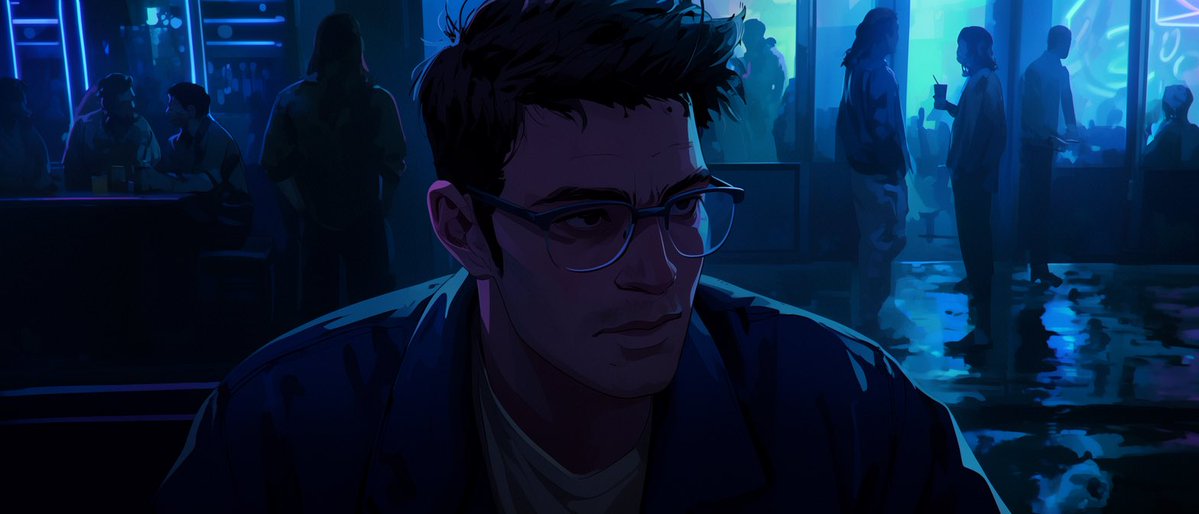
Effects by Tags
Create a cinematic wide 2.39:1 anime-style night scene inside a moody neon bar or rainy street-facing lounge, using deep indigo shadows and electric cyan-blue highlights with a few violet accents. In the exact center foreground, show {argument name="main character" default="a young adult man"} from the chest up, facing the viewer, wearing a dark open jacket over a pale shirt; his short messy {argument name="hair color" default="black"} hair is rim-lit in blue, his shoulders fill the lower half of the frame, and his face is deliberately obscured by a large nearly black square censor block with a subtle purple gradient, covering the entire facial area while leaving hair, ears, neck, and shoulders visible. The atmosphere should feel tense, quiet, and slightly startling, like a noir anime key visual. Behind him, include exactly 9 background people, for 10 total human figures: 3 dim silhouettes seated or leaning at a bar booth on the far left, 1 tall standing silhouette just left of center behind the main character, and 5 soft silhouettes on the right side near glass windows, including two people conversing, one holding a drink with a straw, one standing farther back, and one small figure at the far right. The background is a blurred neon interior with glowing vertical blue light strips, glass panels, vague signage, and wet reflective flooring with puddle-like reflections in cyan. Use high-contrast cel-shaded anime lighting, painterly digital background detail, shallow depth of field, strong rim light on the central figure, and no readable text, logos, or watermark. The overall palette should be {argument name="color palette" default="midnight blue, cyan neon, deep purple, black"}, and the scene mood should be {argument name="mood" default="silent, uneasy, holy-night neon melancholy"}.
This is a free AI prompt from the Orelon library. Thousands more image prompts here are free to copy and adapt.
Explore more image prompts





Ready to create
Start with this curated direction in Orelon, then shape it into your next visual.