Commercial
Editorial Fashion Portrait
Likes
37
Views
1.1K
 Orelon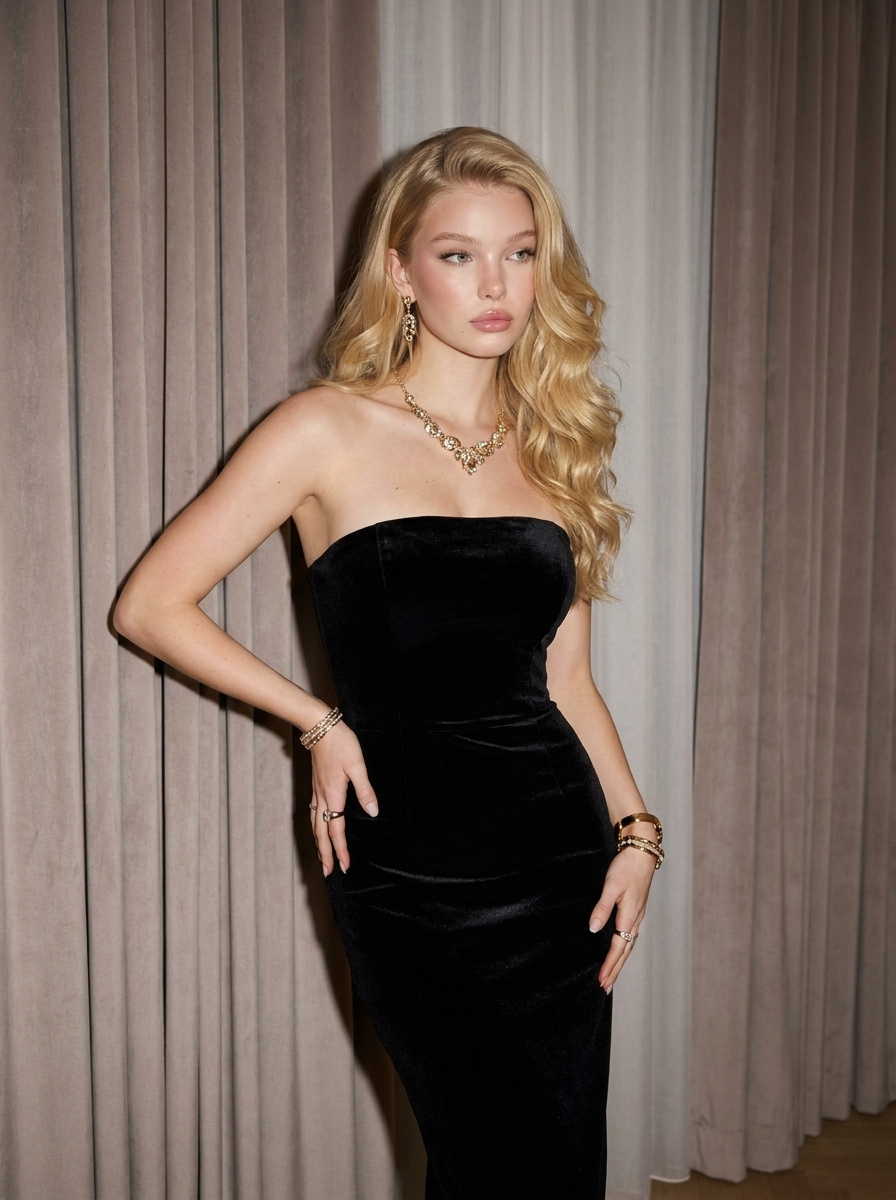
Commercial
{\n \"prompt\": \"Ultra-photorealistic editorial fashion portrait of a {argument name=\"subject\" default=\"young blonde woman\"} in an {argument name=\"outfit\" default=\"elegant fitted black strapless dress\"}, posing over her shoulder with one hand in her hair, luxury studio setting with {argument name=\"backdrop\" default=\"soft taupe curtains backdrop\"}, flawless glowing skin, natural glam makeup, delicate gold jewelry including earrings, necklace, bracelets, soft direct flash photography, high-fashion magazine aesthetic, sharp focus, realistic skin texture, 85mm lens, shallow depth of field, premium beauty campaign style\",\n \"negative_prompt\": [\n \"blurry\",\n \"low resolution\",\n \"distorted anatomy\",\n \"extra fingers\",\n \"bad hands\",\n \"asymmetrical face\",\n \"plastic skin\",\n \"cartoon\",\n \"anime\",\n \"cgi\",\n \"watermark\",\n \"text\",\n \"duplicate limbs\",\n \"overprocessed\"\n ],\n \"parameters\": {\n \"width\": 896,\n \"height\": 1280,\n \"steps\": 30,\n \"cfg_scale\": 7.5,\n \"sampler\": \"DPM++ 2M Karras\",\n \"style\": \"photorealistic editorial\",\n \"lighting\": \"soft direct flash\"\n }\n}
This is a free AI prompt from the Orelon library. Thousands more image prompts here are free to copy and adapt.
Explore more image prompts




Ready to create
Start with this curated direction in Orelon, then shape it into your next visual.