Camera Control
Ultra-Realistic Cinematic Portrait with Neon Tattoo Prompt
Likes
1
Views
91
 Orelon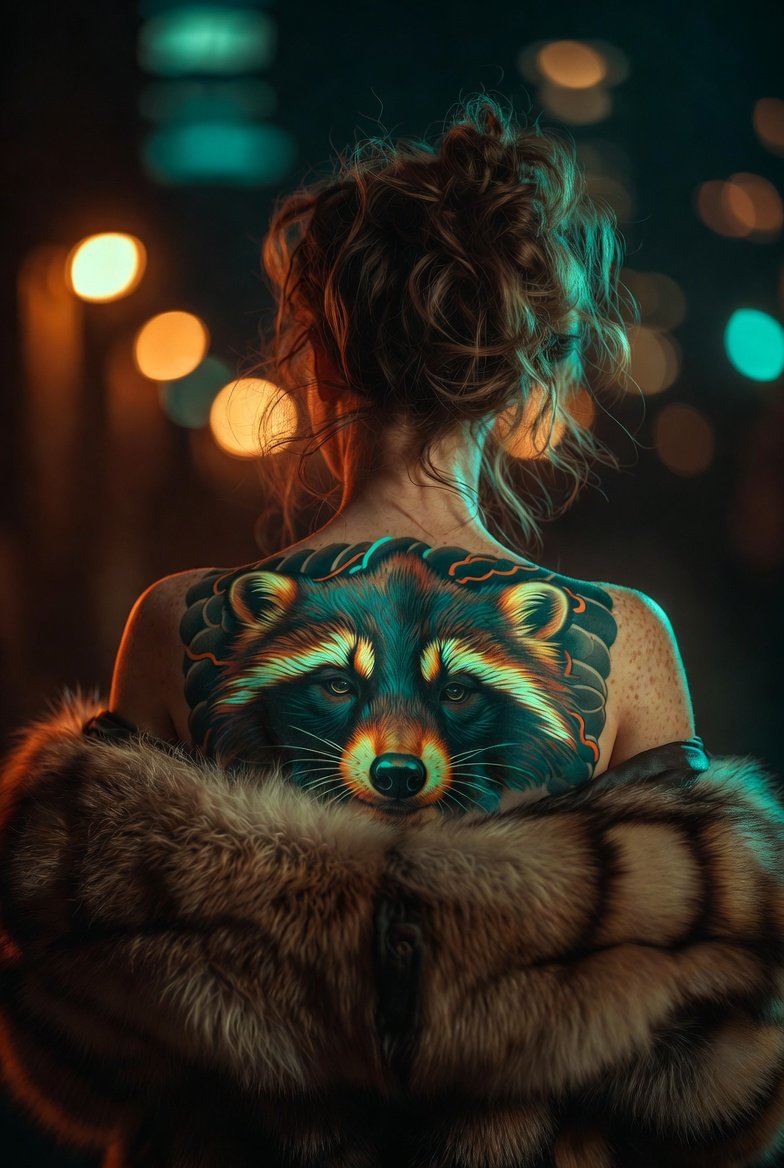
Camera Control
{ "project_title": "Ultra-Realistic Cinematic Portrait", "technical_specifications": { "resolution": "12K Photographic", "rendering_style": "Cinematic Realism", "focus": "Razor-sharp", "optics": { "camera_type": "Full-frame DSLR", "lens": "85mm prime", "aperture": "f/1.8", "iso": 200, "shutter_speed": "1/125s" } }, "subject_details": { "pose": "Artistic mid-length, half-removing outerwear, back revealed", "hair": "Loose messy bun with natural flyaways", "garment": "Luxurious raccoon fur, rich brown tones", "skin": { "texture": "Visible pores, natural subsurface scattering", "quality": "No beautification, realistic skin tone" } }, "tattoo_design": { "style": "Full Japanese", "placement": "Upper to mid-back", "colors": ["Teal", "Magenta", "Neon Yellow", "Orange", "Neon Blue"], "effects": "Subtle neon glow embedded in ink" }, "environment_and_lighting": { "setting": "Low-light urban night scene", "background": "Soft city bokeh (warm amber, cool teal)", "lighting_setup": { "key_light": "Soft, camera-left", "rim_light": "Subtle outline on shoulders/hair", "spill_light": "Gentle neon reflections" } }, "mood_and_aesthetic": { "vibe": ["Indie", "Raw", "Edgy", "Elegant"], "color_grading": "Kodak Portra film tone" } }
This is a free AI prompt from the Orelon library. Thousands more image prompts here are free to copy and adapt.
Explore more image prompts





Ready to create
Start with this curated direction in Orelon, then shape it into your next visual.