Camera Control
Playful Studio Portrait Photography
Likes
25
Views
2K
 Orelon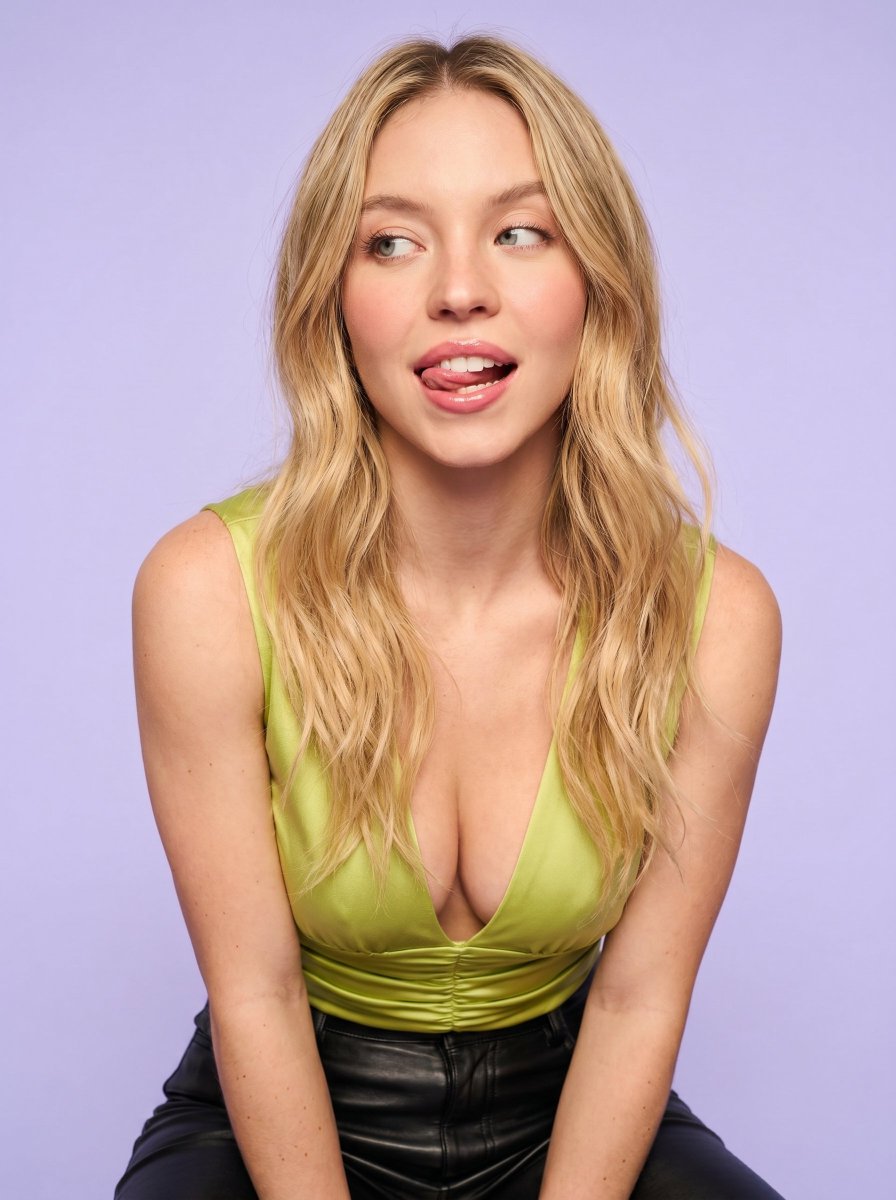
Camera Control
{ "prompt": { "subject": { "type": "young woman portrait", "face_reference": "use uploaded reference image face exactly", "pose": "leaning slightly forward toward the camera", "expression": { "mood": "{argument name="mood" default="playful and teasing"}", "eyes": "looking sideways to the right", "mouth": "open mouth with tongue slightly out", "facial_expression": "flirty, candid, goofy expression" } }, "appearance": { "hair": { "color": "reference image", "style": "long loose wavy hair", "texture": "soft natural volume" }, "skin": { "tone": "fair warm skin tone", "finish": "smooth soft skin texture", "details": "natural blush on cheeks and nose" }, "makeup": { "style": "natural glam", "lips": "glossy pink lips", "eyes": "soft brown eyeshadow with light mascara" } }, "clothing": { "top": { "type": "{argument name="top" default="lime green sleeveless deep plunge ruched top"}", "fabric": "stretch satin-like fabric" }, "bottom": { "type": "black leather pants" } }, "camera": { "angle": "slightly low angle", "framing": "medium close-up portrait", "lens": "50mm portrait lens", "focus": "sharp focus on face and upper body", "depth_of_field": "soft blurred background" }, "lighting": { "style": "soft studio lighting", "key_light": "large diffused front light", "fill_light": "subtle side fill for smooth shadows", "highlight": "soft highlights on hair and skin", "shadow": "minimal soft shadows", "temperature": "neutral slightly warm tones" }, "background": { "color": "{argument name="background" default="soft pastel lavender"}", "style": "clean studio backdrop" }, "color_grading": { "style": "soft beauty filter look", "tones": "pastel aesthetic", "contrast": "low to medium contrast", "saturation": "slightly enhanced natural colors", "skin_smoothing": "subtle high-end beauty retouch" }, "quality": { "resolution": "high detail", "style": "photorealistic", "texture": "clean polished social media studio look" } }, "negative_prompt": [ "low quality", "blurry face", "overexposed lighting", "distorted anatomy", "extra fingers", "bad proportions", "harsh shadows", "oversaturated skin", "cartoon style", "duplicate face", "deformed eyes", "grainy image" ], "settings": { "aspect_ratio": "9:16", "steps": 35, "cfg_scale": 7.5, "sampler": "DPM++ 2M Karras" } }
This is a free AI prompt from the Orelon library. Thousands more image prompts here are free to copy and adapt.
Explore more image prompts





Ready to create
Start with this curated direction in Orelon, then shape it into your next visual.