Commercial
Cinematic Automotive Billboard Template
Likes
1
Views
145
 Orelon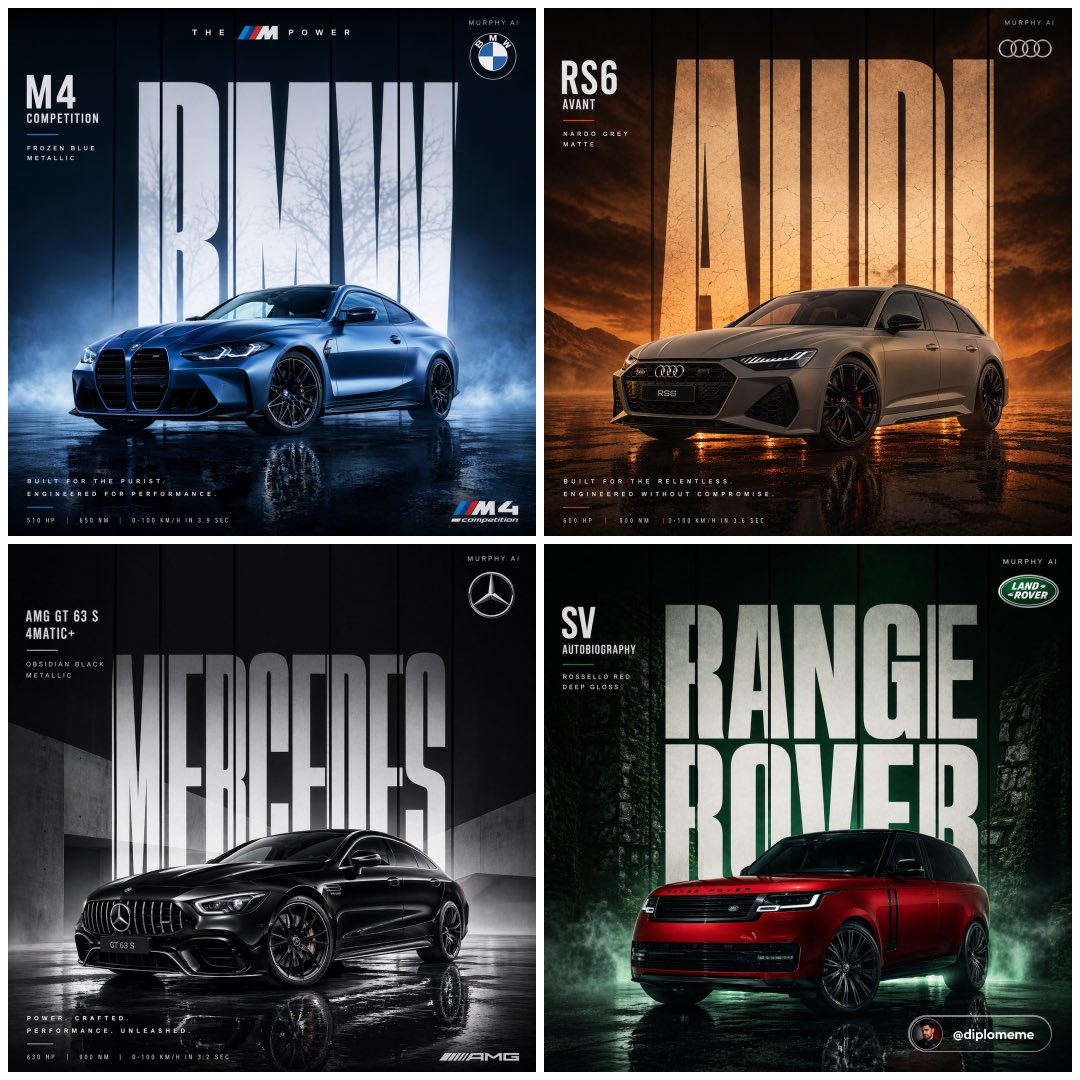
Commercial
Cinematic automotive billboard poster, {argument name="car model" default="[CAR MODEL + VARIANT]"} in {argument name="paint color" default="[PAINT COLOR + FINISH]"}, parked center-frame, dominant stance, {argument name="camera angle" default="low angle / front three-quarter / elevated SUV angle"}, ultra controlled composition. Dramatic studio lighting setup with [PRIMARY LIGHT COLOR/TONE] key light, [RIM LIGHT COLOR] rim lighting defining silhouette, high contrast shadow falloff, precise specular highlights across body panels. Massive billboard-style typography composition, bold condensed sans-serif white text "{argument name="brand name" default="[BRAND NAME]"}" filling entire background wall behind the car, perfectly centered and spanning edge-to-edge, with thin vertical dark lines slicing through each letter evenly, consistent spacing, no distortion. Environment designed to match brand mood: [ENVIRONMENT DESCRIPTION], seamlessly fading into deep gradient background, zero clutter. Ground surface: [SURFACE TYPE] with subtle realistic reflections, controlled diffusion, no noise. Atmosphere: [FOG / HAZE / PARTICLES — optional but controlled], only at ground level for depth. Top right corner: [BRAND LOGO DESCRIPTION], small and elegant, paired with minimal uppercase text "[YOUR SIGNATURE]" aligned cleanly. STRICT RULES: — no extra taglines, — no performance specs, — no additional typography, — no random elements, — maintain premium minimal billboard aesthetic. Render quality: hyper-detailed photorealism, ultra sharp reflections, realistic paint microtexture, cinematic color grade matching environment. Composition: perfectly balanced, symmetrical, professional automotive advertising layout. Format: 1:1 square, ultra high resolution, print-ready billboard finish.
This is a free AI prompt from the Orelon library. Thousands more image prompts here are free to copy and adapt.
Explore more image prompts


Ready to create
Start with this curated direction in Orelon, then shape it into your next visual.