Effects by Tags
Aztec Streetwear Panda Poster
Likes
24
Views
721
 Orelon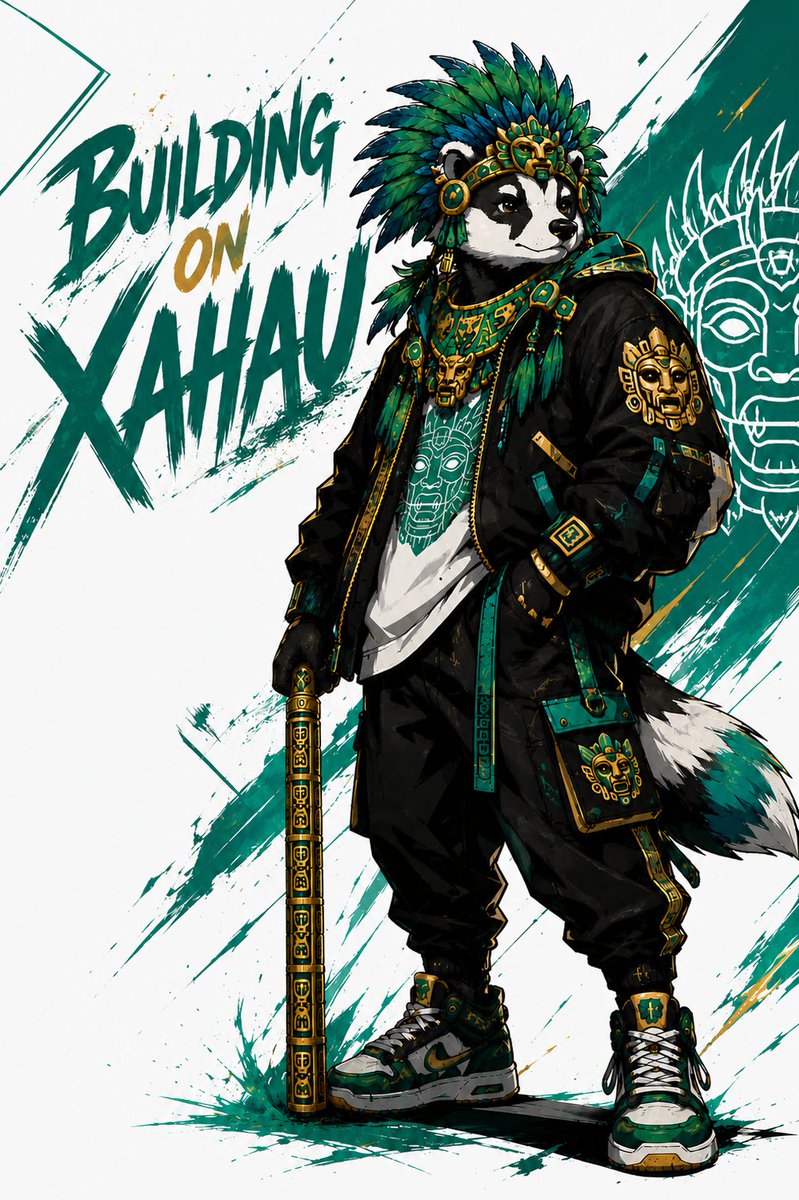
Effects by Tags
Create a dynamic single-panel streetwear character poster featuring an anthropomorphic {argument name="animal character" default="giant panda"} standing confidently in a three-quarter full-body pose on a white background. The character wears an elaborate Mesoamerican/Aztec-inspired feathered headdress in deep teal, emerald green, dark blue, black, and gold, with ornate gold mask details, jade-like round ornaments, dangling feathers, layered necklaces, and ceremonial jewelry. Dress the character in modern urban techwear: an oversized black bomber jacket with teal-and-gold geometric trim, a white graphic T-shirt printed with a stylized ancient mask face, loose black cargo pants with gold side accents, fingerless black gloves, chunky green-white-black sneakers with gold details, and a small teal crossbody pouch decorated with a golden mask emblem. The character has a fluffy black-white-teal tail and holds a vertical ceremonial staff or cane in one hand, covered with repeating gold glyph patterns and teal accents. Use a bold comic/anime illustration style with sharp ink outlines, high contrast shading, detailed fabric folds, metallic gold highlights, and energetic brush splatter textures. Add 3 large graffiti-style words on the left reading {argument name="headline text" default="BUILDING ON XAHAU"}, arranged as “BUILDING” at upper left, “ON” smaller in gold beneath it, and “XAHAU” huge below in teal, painted with rough dry-brush strokes and ink splashes. Behind the character, include sweeping diagonal teal brush strokes and a white line-art ancient mask motif on the right side, partially hidden behind the figure. Color palette should emphasize teal, jade green, black, white, and metallic gold, with a clean poster composition, dramatic street-art energy, and no realistic photography.
This is a free AI prompt from the Orelon library. Thousands more image prompts here are free to copy and adapt.
Explore more image prompts





Ready to create
Start with this curated direction in Orelon, then shape it into your next visual.